

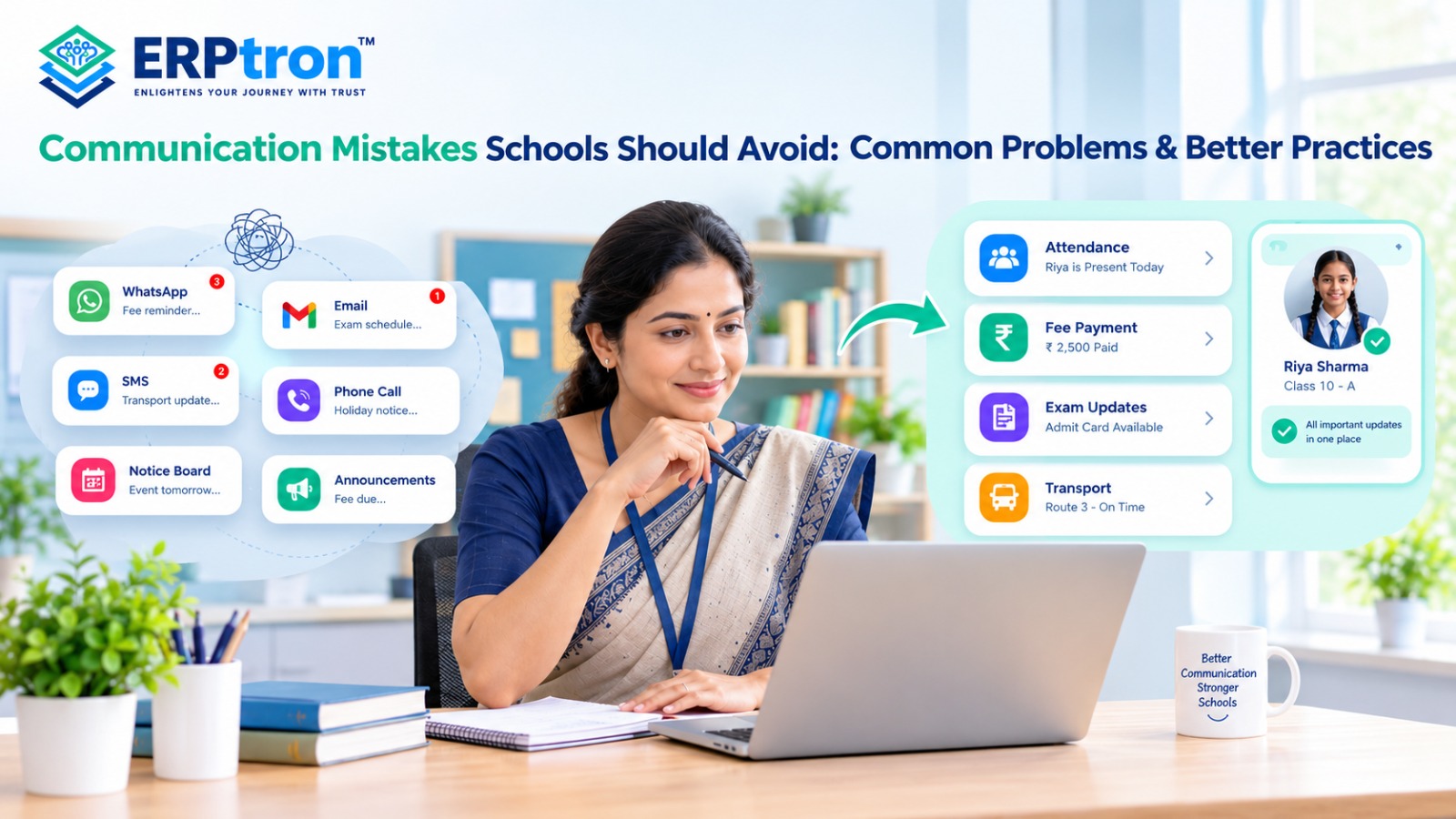
Schools communicate with parents, students, teachers, and staff every day. Messages may cover attendance, fees, exams, homework, events, holidays, transport, and important announcements.
When these messages are shared through too many different channels, communication can become confusing. Parents may miss important updates, receive repeated messages, or struggle to know where to find the right information.
Good school communication is not about sending more messages. It is about making information clear, timely, relevant, and easy to access.
In this guide, we’ll explore the common communication mistakes schools should avoid and the better practices that can make school communication simpler and more effective.
Top 20 Communication Mistakes Schools Should Avoid
Good communication helps schools keep parents informed about attendance, fees, exams, events, holidays, and important notices. Poor communication can cause confusion, missed deadlines, and extra work for school staff.
Schools should keep messages clear, simple, timely, and useful. Here are 20 common communication mistakes schools should avoid.
1. Sending Too Many Messages
Sending too many messages can make parents tired of school notifications. Important information may get missed among unnecessary messages. Schools should send messages only when they have useful information to share.
2. Sending Important Information Too Late
Parents need enough time to prepare for exams, events, and deadlines. Schools should share important notices early so parents can plan and take action on time.
3. Using Difficult Language
School messages should be easy to understand. Long sentences and difficult words can confuse parents. Schools should use simple words and short sentences.
4. Not Explaining What Parents Need to Do
Some messages share information but do not explain what parents need to do next. Schools should clearly mention the required action, how to complete it, and the deadline.
5. Using the Wrong Communication Channel
Different messages may need different communication methods. Emergency alerts may require quick notifications, while detailed notices can be shared through email or a parent portal. Schools should choose the right channel for each message.
6. Depending Too Much on WhatsApp
WhatsApp is useful for quick updates, but important messages can get lost in group chats. A school app or parent portal can help keep notices, attendance, fees, and other information organized.
Schools can explore school mobile apps that improve communication between schools, parents, teachers, and students to understand how a structured digital channel can support everyday communication.
7. Using Too Many Communication Channels
Using different apps for notices, fees, attendance, and circulars can confuse parents. Schools should use a clear communication system so parents know where to find important information.
8. Not Keeping Important Information in One Place
Parents should not have to search through multiple messages to find school information. A central platform can keep notices, attendance, fees, events, and academic updates together.
9. Sending Unclear Messages
Messages should provide useful details instead of vague information.
For example, instead of saying, “Fees are due,” schools should mention the amount, payment deadline, and payment method when appropriate.
A dedicated fee management system for schools can help organize payment information and make fee-related communication clearer.
10. Not Personalizing Important Messages
General notices can be sent to all parents, but personal information should be shared only with the relevant parent. Student-specific updates about attendance, fees, or academic performance should be communicated privately.
11. Marking Every Message as Urgent
If every message is marked urgent, parents may stop paying attention to important alerts. Schools should separate messages into clear categories:
Urgent → Important → Routine → Informational
This helps parents understand which messages need immediate attention.
12. Not Providing Enough Information
A message should be short but complete. For example, instead of saying, “Tomorrow’s event has changed,” schools should explain what has changed, the new time or date, and whether parents need to take any action.
13. Missing Important Details
School notices should include important details such as dates, times, locations, deadlines, and required documents. Checking these details before sending a message can prevent confusion and unnecessary calls.
14. Not Checking Messages Before Sending
Wrong dates, incorrect timings, broken links, and missing attachments can create problems. Schools should review important messages before sending them to parents.
15. Poor Coordination Between Departments
Different departments may send conflicting information if they do not coordinate properly. For example, the accounts department may share one fee deadline while another department shares a different date. Schools should confirm important details before sending messages.
A connected school administration system can help organize information across departments and reduce inconsistencies.
16. Sending Duplicate or Conflicting Messages
Repeated messages can annoy parents, while conflicting information can create confusion. Schools should avoid sending the same message unnecessarily and clearly explain any corrections or updates.
17. Not Explaining Changes Clearly
When a schedule changes, schools should explain exactly what is different.
For example, instead of saying, “Updated schedule attached,” write, “The parent meeting has moved from Monday to Wednesday. The timing remains the same.”
18. Ignoring Parent Questions and Feedback
Communication should work both ways. Schools should give parents a clear way to ask questions, share concerns, and contact the right department. This helps build trust between parents and the school.
A structured parent communication system can help schools manage updates and make communication more organized.
19. Using Phone Calls for Every Routine Update
Phone calls are useful for emergencies and sensitive matters, but calling parents for every small update takes time. Routine updates about fees, attendance, holidays, and events can often be shared digitally.
20. Not Automating Repeated Messages
Schools send similar reminders throughout the year, including fee reminders, attendance alerts, exam reminders, and document submission notices. Automation can send these messages at the right time and reduce manual work.
For example:
Fee Due → Automatic Reminder → Payment → Confirmation
This saves time and helps schools communicate more consistently.
How Can Digital School Communication Solve These Problems?
Digital school communication can help schools manage different types of communication in one organized system. Instead of using separate methods for notices, attendance, fees, events, and parent queries, schools can connect these activities through a central platform.
For example, a school can manage announcements, parent notifications, attendance updates, fee reminders, events, academic information, and parent queries through a connected communication system. This reduces scattered information and makes it easier for parents to find important updates.
A digital system can also reduce repetitive work for school staff. Instead of preparing and sending the same type of message manually, schools can use templates, scheduled messages, and automation for routine communication. This allows staff to spend more time on tasks that need personal attention.
Schools considering broader digital adoption can also read about technology in education and how digital transformation is changing schools.
The Role of School ERP in Communication
School communication becomes more useful when it is connected with other school data. A simple messaging tool can send a message, but School ERP software can use relevant information to send the right message to the right person.
For example, when a student is marked absent, the system can notify the parent. When a fee becomes due, the system can send a reminder. When an event is scheduled, the relevant students and parents can receive the information.
This creates a simple flow:
School Data → Relevant Information → Right Parent → Right Message
The school is no longer sending the same message to everyone. Communication can become more relevant and connected to actual school activities.
To understand the wider role of an integrated platform, read School ERP Software Explained: Everything Schools Need to Know Before Investing.
What Does Good School Communication Look Like?
Good school communication should be simple and useful. Schools should focus on sending the right information to the right people at the right time.
1. Right Information
Send information that is useful and relevant to the parent.
2. Right Audience
Send the message only to the people who need it.
3. Right Channel
Choose a suitable channel based on the type and urgency of the message.
4. Right Time
Send important information early enough for parents to take action.
5. Right Context
Include the important details parents need to understand the message.
6. Clear Action
Tell parents exactly what they need to do, if any action is required.
This makes communication easier to understand and reduces unnecessary questions.
Best Practices for Effective School Communication
Schools can follow a simple process before sending important messages.
Before Sending
Check:
- Is the message necessary?
- Is the information correct?
- Is it being sent to the right people?
- Is the timing right?
- Is the right channel being used?
- Is the deadline clear?
While Writing
Keep the message:
- Simple
- Short
- Clear
- Specific
- Easy to read
Important details such as date, time, deadline, location, and required action should be easy to find.
After Sending
Schools can:
- Track responses where possible
- Follow up when needed
- Correct mistakes quickly
- Keep communication records
- Respond to important questions
A simple process like this can make school communication more consistent and organized.
How Can Schools Build a Better Communication System?
Schools do not need to change their entire communication process at once. They can improve it step by step.
Stage 1: Identify the Problems
First, understand what is not working. Look for too many messages, duplicate communication, multiple channels, delayed updates, and repeated parent queries.
Stage 2: Organize Communication
Group communication into categories such as notices, fees, attendance, academics, events, emergencies, and student-specific updates.
Stage 3: Choose the Right Channels
Decide which channel should be used for each type of communication. This gives parents a clear idea of where to look for different information.
Stage 4: Create a Central Communication Platform
A school app or parent portal can provide one place for important school information. Parents can use it to access notices, attendance, fees, events, and other updates.
Stage 5: Automate Routine Messages
Schools can automate repetitive communication such as fee reminders, attendance notifications, event reminders, and document submission reminders.
Stage 6: Connect Communication With School Data
Connecting communication with attendance, fees, events, academics, and other school modules can make messages more relevant and useful.
For example, an integrated student attendance management system can help schools maintain attendance records and support timely parent updates.
Stage 7: Review and Improve
Schools should regularly check whether parents are receiving information, completing required actions, and getting their questions answered. This helps identify communication gaps and improve the process over time.
Common School Communication Mistakes at a Glance
| Mistake | Better Practice |
| Sending too many messages | Prioritize communication |
| Sending information late | Plan communication in advance |
| Using complicated language | Use simple language |
| Not stating the required action | Add a clear next step |
| Using the wrong channel | Match the channel to the message |
| Relying entirely on WhatsApp | Use structured communication tools |
| Using multiple disconnected platforms | Create a central communication system |
| Sending generic information | Personalize relevant communication |
| Missing important details | Use a communication checklist |
| Sending conflicting updates | Coordinate before publishing |
| Sharing sensitive information in groups | Use private communication |
| Calling parents for routine matters | Automate suitable notifications |
| Ignoring feedback | Provide response mechanisms |
| Not tracking communication | Maintain digital records |
| Treating everyone the same | Use targeted communication |
ERPtron Modules That Support Better School Communication
Good communication helps schools keep parents, students, teachers, and staff informed. ERPtron provides digital tools that help schools share information, reduce paperwork, and manage daily activities more easily.
1. Teacher Mate
ERPtron Teacher Mate helps parents and students access school notices, attendance updates, exam details, report cards, fee information, and study materials. It makes it easier for families to stay updated about school activities.
2. School Operating System (School OS)
ERPtron School OS connects student records, admissions, fees, attendance, examinations, HR, library, and transport. It helps school staff access information easily and improves communication between departments.
3. Hybrid Digital Attendance Platform
ERPtron’s Hybrid Digital Attendance Platform supports biometric and mobile-based attendance. It helps schools record attendance digitally and share important attendance updates with parents.
4. School Fee Collection Hub
ERPtron School Fee Collection Hub helps schools manage fees, payments, receipts, concessions, and pending fees. It makes fee information easier to check and helps schools provide clear updates to parents.
5. Exam Operating System
ERPtron Exam Operating System helps schools manage admit cards, marks, examination results, report cards, and rank lists. It makes examination records easier to manage and helps schools share results with parents.
6. School Safety Hub
ERPtron School Safety Hub helps schools keep student details and important records in one place. Authorized staff can find the information they need quickly, improving coordination and saving time.
7. Paperless Admission Platform
ERPtron’s Paperless Admission Platform helps schools manage admission forms, documents, verification, payments, and registration online. It makes the admission process easier for parents and school staff. Schools can learn more from this complete guide to online admission management software.
8. Smart HR Pro
ERPtron Smart HR Pro helps schools manage staff details, payroll, leave applications, and employee records. It keeps staff information organized and improves communication within the school.
9. Transport Revenue System
ERPtron Transport Revenue System helps schools manage bus routes, available seats, student allocations, transport fees, and payments. It helps schools provide parents with clear information about transport arrangements.
10. Finance Automation Platform
ERPtron Finance Automation Platform helps schools manage expenses, suppliers, payments, financial records, and reports. It keeps financial information organized and helps departments work together more easily.
11. Library Pro System
ERPtron Library Pro System helps schools manage books, availability, book issues, returns, and fines. It makes library information easier to find and reduces manual record-keeping.
12. School Store 360
ERPtron School Store 360 helps schools manage books, accessories, stock, and sales. It keeps store information organized and helps staff check product availability easily.
13. Hostel Management System
ERPtron Hostel Management System helps schools manage hostel bookings, available seats, fees, payments, and pending balances. It keeps hostel information organized and makes it easier to share updates with parents.
Conclusion
Good school communication is not about sending more messages. It is about sending the right information at the right time.
Messages should be clear, useful, timely, and easy for parents, teachers, students, and staff to understand.
A connected communication system can help schools reduce missed updates, improve parent communication, and keep important information organized in one place.
A School ERP like ERPtron can bring communication together with attendance, fees, academics, and other school activities.
The goal is simple: better communication, fewer missed updates, and a more connected school.
Want to improve communication in your school? Explore ERPtron and make school communication simpler and more organized.
ERPtron — Enlightens Your Journey with Trust.
FAQs
1. What are the most common school communication mistakes?
Common mistakes include too many messages, unclear information, late updates, and using the wrong communication channel.
2. How can schools improve parent-school communication?
Schools can improve communication by sharing clear, timely, and relevant information through the right channels.
3. What is the best communication channel for schools?
There is no single best channel. Schools should choose based on the message, urgency, and audience. A school app or parent portal can provide a central place for communication.
4. How can schools automate routine notifications?
Schools can use software to send automatic updates for events such as absences, fee reminders, exams, events, and important deadlines.
5. How does School ERP improve communication?
A School ERP like ERPtron can connect communication with attendance, fees, exams, events, and other school activities, helping schools send relevant updates at the right time.