
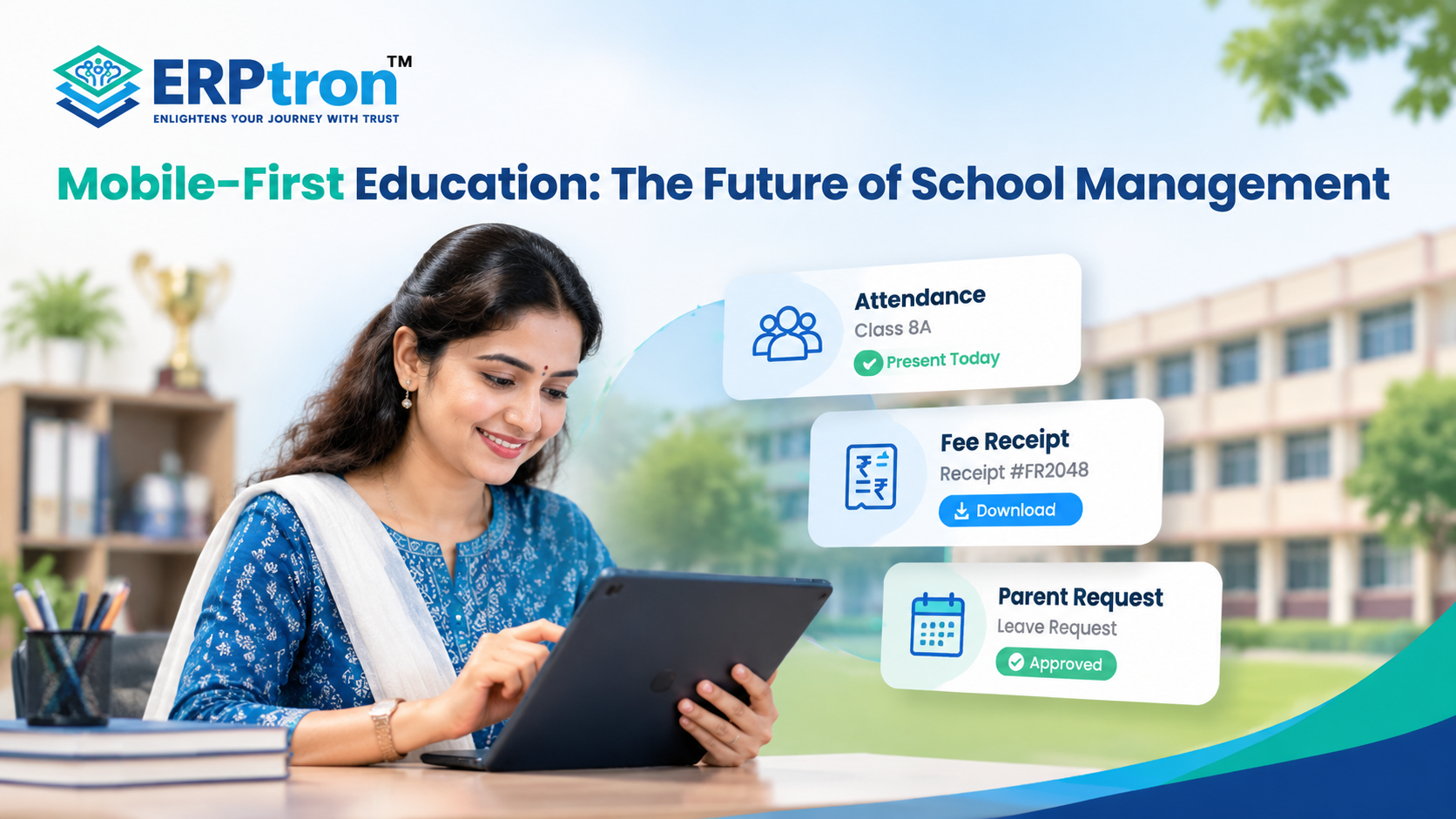
Teachers, parents, and school administrators need access to important information throughout the day. Whether it is marking attendance, checking fees, reviewing student records, or approving a request, many of these tasks can now be handled from a mobile device.
Yet many schools still depend on paper registers, desktop computers, spreadsheets, and separate systems for daily work. This can make simple tasks slower and less convenient.
A mobile-first approach makes school information and everyday tasks easier to access from smartphones and tablets. It can help teachers, parents, administrators, and principals stay connected and manage important tasks from wherever they are.
In this guide, we’ll explore how mobile-first technology is changing school management and making everyday school processes easier and more accessible.
What Is Mobile-First Education?
Mobile-first education means making education technology easy to use on mobile phones. Today, parents, teachers, students, and school staff use their phones for many daily activities. Schools can use this to make important information and services easier to access.
A mobile-first school system can help users check attendance, student information, assignments, exam details, fees, notifications, and school announcements from their phones. This reduces the need to use a computer for simple tasks.
For example, a parent can check their child’s attendance from a phone. A teacher can mark attendance from the classroom. A principal can quickly check an important school update while away from their desk.
However, mobile-first does not mean mobile-only. Computers are still important for tasks such as accounting, detailed reports, data analysis, and other administrative work.
The best approach is to use both mobile and web platforms together. Mobile can make everyday tasks easier, while computers can support more detailed work.
Why Is Mobile Becoming Important for School Management?
School work does not always happen in front of a computer. Teachers move between classrooms, principals attend meetings, administrators work across departments, and parents often use their phones to check school updates.
This is why mobile technology is becoming more useful for school management. It allows teachers, parents, principals, and staff to access important information and complete simple tasks from their phones.
For example, a teacher can mark attendance directly from the classroom using a mobile app. They can also check assignments, view student information, receive notifications, or communicate with parents without needing a computer.
Mobile access can also help principals and administrators. A principal can quickly check an important update during a meeting, while an administrator can access information while moving between departments.
The biggest benefit is convenience. School technology can become part of the daily workflow instead of requiring people to stop their work and sit at a computer.
Mobile-First vs Traditional School Management
| Traditional Approach | Mobile-First Approach |
| Desktop-centric workflows | Mobile-accessible workflows |
| Paper-based records | Digital records |
| Separate communication channels | Centralised digital communication |
| Limited access outside the office | Access through supported mobile devices |
| Manual information sharing | Faster digital information sharing |
| Teachers depend heavily on office systems | Teachers can perform selected tasks from mobile |
| Parents rely on notices or calls | Parents can access supported information digitally |
Key Features of Mobile-First School Management
A mobile-first school management system allows teachers, parents, principals, and school staff to access important information through their mobile phones. It helps them complete daily tasks, check updates, and stay connected without always needing a computer.
1. Teacher Mobile App
Teachers can use a mobile app to mark attendance, check assignments, view student details, and receive school updates. This keeps their daily tasks in one place and makes their work easier.
2. Mobile Attendance Management
Teachers can mark students as present or absent directly from their phones. This saves time, reduces paperwork, and makes attendance management easier.
Learn more about the Student Attendance Management System and how digital tools can simplify attendance tracking.
3. Parent Mobile Access
Parents can check their child’s attendance, fees, exam results, school notices, and event updates through a mobile app. They can stay informed without visiting the school for every update.
4. School Communication
Schools can send notices, announcements, reminders, and important updates to parents, teachers, and students. This helps everyone receive the right information on time.
A connected parent communication system can help schools organise these updates and keep families informed.
5. Mobile Fee Management
Parents can check pending fees, receive payment reminders, pay fees online, and download receipts using their phones. This makes fee payments easier and reduces the need to contact the school for basic information.
A dedicated fee management system for schools can connect payment records, reminders, receipts, and collection information.
6. Mobile Student Information
Teachers and authorised staff can quickly check student details using their phones. Access should depend on each user’s role to keep student information secure.
7. Mobile Examination and Academic Work
Teachers can check exam schedules, enter marks, review student performance, and manage assignments from their phones. For detailed reports and large amounts of data, a computer may still be more convenient.
8. Mobile Notifications and Alerts
Schools can send mobile alerts for attendance, fee payments, exams, assignments, and school events. These notifications help parents, teachers, and students stay updated without unnecessary messages.
9. Mobile Dashboards for School Leaders
Principals and school directors can check important information such as attendance, fee collection, academic performance, and pending tasks through mobile dashboards. This helps them monitor school activities even when they are away from their desks.
10. Mobile-First Admissions
Parents can enquire about admissions, fill out application forms, upload documents, and check application status using their phones. This makes the admission process simpler and reduces paperwork.
Explore this complete guide to online admission management software to understand how digital admissions can make the process more convenient for parents and schools.
11. Mobile Student Safety Communication
Schools can send parents important safety updates, attendance alerts, pickup information, and emergency messages through mobile platforms. These messages should be quick, reliable, and secure.
Why Mobile-First Matters to Different School Users
Mobile-first school management makes it easier for principals, teachers, parents, and staff to access school information from their phones. Each user can use it for different tasks.
1. For Principals and Directors
Principals can quickly check attendance, fees, academic updates, and important school notices. This helps them stay updated and make faster decisions without always using a computer.
2. For Teachers
Teachers can use mobile apps to mark attendance, check student information, manage assignments, and receive school updates. This saves time and reduces paperwork, allowing teachers to focus more on students.
3. For Parents
Parents can check attendance, fees, exam results, notices, and other school updates from their phones. This makes it easier for them to stay connected with the school.
4. For IT Administrators
IT teams make sure the mobile system works properly and keeps school data secure. They manage areas such as user access, security, updates, backups, and system connections.
Mobile-First Does Not Mean App-Only
Having a mobile app does not automatically mean a school has a good mobile-first system. The app should also be connected to the school’s main management system.
For example, when a teacher marks attendance on a mobile app, the information should automatically update in the school’s database. Otherwise, staff may have to enter the same information again, which wastes time.
A good mobile-first system connects all the important parts of school management:
- Teacher App: Helps teachers manage attendance, assignments, and student details.
- Parent App: Allows parents to check attendance, fees, results, and school updates.
- Admin Panel: Helps school staff manage student records, fees, admissions, and other administrative tasks.
- School ERP: Connects different school activities and manages daily workflows.
- Central Database: Stores information in one place so authorised users can access updated records.
When these components work together, information can move between teachers, parents, and school staff without repeated data entry.
The mobile app provides easy access, while the School ERP manages the information and processes behind it.
For a broader understanding of how these systems work together, read School ERP Software Explained: Everything Schools Need to Know Before Investing.
The Role of a School ERP in Mobile-First Education
A mobile app is only one part of a school’s digital system. A School ERP connects different school activities in one place and allows users to access the information they need.
- Student Records: Stores important student details, such as personal information, class, attendance, and academic records.
- Admissions: Helps schools manage enquiries, applications, documents, and admission status.
- Attendance: Allows schools to record, track, and review student attendance.
- Fees: Helps manage fee details, payments, pending fees, reminders, and receipts.
- Examinations: Helps teachers and administrators manage exam schedules, marks, and results.
- Library: Keeps track of books, issues, returns, and library records.
- HR and Payroll: Helps manage teacher and staff details, attendance, and salary information.
- Transport: Helps schools manage buses, routes, drivers, and student transport information.
- Communication: Helps schools share announcements, notices, reminders, and other important updates.
- Accounts: Helps manage school financial information and transactions.
- Administration: Brings different school activities together and helps staff manage daily operations.
Mobile apps can then give teachers, parents, and staff easy access to the information they need.
For example: Teacher marks attendance → ERP updates the record → Administrator can see it → Parent receives an update.
What Should Schools Consider Before Going Mobile-First?
Going mobile-first is not just about buying a mobile app. Schools should first understand what users need and which school activities can benefit from mobile access.
1. Identify Mobile-Friendly Workflows
Find out which tasks teachers, parents, and staff often need to do away from a computer. Attendance, notifications, student information, fees, approvals, and parent communication are good examples.
2. Understand User Roles
Different users need different features. Teachers may need attendance and academic tools, while parents may need attendance, fees, results, and notifications. Give each user only the features they need.
3. Keep It Simple
Mobile screens are smaller than computer screens. Users should be able to complete common tasks in just a few simple steps. Simple apps are usually easier to use.
4. Check Security
Schools manage important student, financial, and personal information. The system should have proper login, user permissions, data protection, backups, and other suitable security measures.
5. Plan for Internet Problems
Internet connections may not always be stable. Schools should understand how the system works when the connection is slow or unavailable. Features such as offline access and data synchronisation may be useful, depending on the system.
6. Connect the Systems
Avoid using separate apps that do not share information. A better approach is to connect the mobile app with the main School ERP so information can move between users and departments easily.
7. Train Users
Teachers and staff should receive simple training on how to use the system. Training should focus on the tasks they perform every day rather than explaining every feature.
Common Mistakes in Mobile-First School Management
Mobile technology can make school work easier, but only when it is planned properly. Simply having a mobile app does not mean the school will get better results. Schools also need to think about how the app fits into their daily work.
Mistake 1: Building an App Without Improving the Workflow
An app cannot fix a confusing process by itself. If a task has too many steps, putting the same process into an app can still make it difficult. Schools should first make the process simple and then use technology to support it.
Mistake 2: Making a Desktop System Work on Mobile
A desktop system has a large screen, while a phone has limited space. Trying to put the same complicated desktop interface on a phone can make it difficult to use. Mobile apps should have simple menus, clear buttons, and fewer steps for common tasks.
Mistake 3: Adding Too Many Features
More features do not always make an app better. Too many options can confuse users. The app should show users the features they actually need. Simple and useful is better than complicated.
Mistake 4: Ignoring Security
School systems contain important student, parent, teacher, and financial information. This data needs proper protection. Schools should consider secure login, user permissions, data protection, backups, and other suitable security measures.
Mistake 5: Creating Disconnected Apps
Separate apps for teachers, parents, and administrators are not very useful if they do not share information. The apps should connect with the main School ERP so information can move between users without repeated manual entry.
Mistake 6: Ignoring Teachers
Teachers are regular users of school management systems. A mobile strategy should not focus only on parents and administrators. Teachers should have easy access to useful tools such as attendance, assignments, student information, and school updates.
Mistake 7: Measuring Downloads Instead of Results
The number of app downloads does not show whether the app is actually helping the school. Schools should look at practical results such as time saved, faster work, less paperwork, fewer errors, better communication, and regular usage.
What Will the Future of Mobile School Management Look Like?
The future of mobile school management will focus on making school technology simpler, smarter, and more connected.
- Easy Access: Teachers, parents, and staff can access important school information from their phones.
- Role-Based Features: Each user can see the features and information they need for their work.
- Connected ERP: Mobile apps can connect with the main School ERP so information stays updated across the system.
- AI Support: AI can help users find information, answer simple questions, and complete routine tasks.
- Automation: Regular tasks such as reminders, notifications, and updates can be handled automatically.
- Smart Notifications: Users can receive important updates based on their role and needs.
- Better Reports: Principals can quickly view attendance, fees, academic performance, and other school information.
- Less Manual Work: Digital systems can reduce paperwork, repeated data entry, and unnecessary administrative work.
Mobile technology is one part of a wider shift towards digital transformation in education, where connected systems can support better school operations.
Mobile-First School Management: A Practical Checklist
Before selecting a mobile school management system, schools can evaluate the following.
For Teachers
- Can attendance be recorded quickly?
- Can teachers access student information?
- Can academic tasks be completed from mobile?
- Are notifications easy to manage?
- Is the interface simple?
For Parents
- Can they view attendance?
- Can they access fee information?
- Can they receive school notices?
- Can they access examination information?
- Can they track important events?
For Principals
- Is there a useful leadership dashboard?
- Can important alerts be accessed?
- Can key school metrics be reviewed?
- Can selected approvals be completed remotely?
For IT Teams
- Is authentication secure?
- Is role-based access available?
- Does the platform integrate with the School ERP?
- How is data synchronised?
- What backup and security measures are available?
- Can the platform scale with the school?
How Does ERPtron Support Mobile-First School Management?
Mobile access makes school management more convenient for teachers, administrators, students, and parents. ERPtron brings important school activities together through digital tools and mobile-based services. It helps schools manage daily tasks, access important information, and stay connected with parents and students.
1. School Operating System (School OS)
ERPtron School OS brings student records, admissions, fees, attendance, examinations, HR, library, and transport together in one system. It helps schools manage their daily activities in an organised way.
2. Paperless Admission Platform
ERPtron’s Paperless Admission Platform helps parents and schools manage admission enquiries, applications, documents, verification, and enrolment digitally. It reduces paperwork and makes the admission process more convenient.
3. School Fee Collection Hub
ERPtron helps schools manage fee structures, payments, receipts, concessions, pending dues, and reminders digitally. This makes fee information easier to manage and helps parents access payment-related details conveniently.
4. Hybrid Digital Attendance Platform
ERPtron’s Hybrid Digital Attendance Platform supports biometric devices and mobile-based attendance. It helps teachers record attendance digitally, allows schools to maintain organised records, and supports sharing relevant updates with parents.
5. Exam Operating System
ERPtron’s Exam Operating System helps schools manage admit cards, marks entry, tabulation, report cards, and rank lists digitally. It keeps examination records organised and reduces paperwork.
6. School Safety Hub
ERPtron’s School Safety Hub helps schools maintain student details and important documents digitally. This makes relevant information easier for authorised staff to access when needed.
7. Finance Automation Platform
ERPtron’s Finance Automation Platform helps schools manage suppliers, expenses, payment vouchers, ledgers, and financial reports. It keeps financial information organised and simplifies routine finance tasks.
8. School Store 360
ERPtron School Store 360 helps schools manage books, uniforms, accessories, inventory, and sales digitally. It makes stock tracking easier and helps staff maintain organised store records.
9. Library Pro System
ERPtron Library Pro helps schools manage book catalogues, availability, issues, returns, and fines. It reduces manual record-keeping and makes library information easier to manage.
10. Smart HR Pro
ERPtron Smart HR Pro helps schools manage employee records, payroll, leave, and staff information. It keeps HR activities organised and simplifies routine staff management.
11. Transport Revenue System
ERPtron’s Transport Revenue System helps schools manage routes, student allocations, seat availability, transport fees, and payments. It keeps transport information organised and makes daily transport management easier.
12. Teacher Mate
ERPtron’s Teacher Mate mobile app helps connect schools, teachers, students, and parents. Depending on the available features and access permissions, users can access school notices, attendance, fee details, examination updates, report cards, and study materials through digital channels.
13. Hostel Management System
ERPtron’s Hostel Management System helps schools manage hostel bookings, room or seat availability, fees, payments, and outstanding dues digitally. It keeps hostel records organised and simplifies hostel administration.
Explore the official ERPtron website to learn more about its school management solutions.
Conclusion
Mobile technology is making school management easier and more connected. Schools can use mobile apps for attendance, fees, communication, admissions, academics, and reports.
A School ERP like ERPtron brings these important activities together in one place. Teachers can manage their daily work easily, parents can stay updated, and administrators can manage school operations more efficiently.
The goal is not just to use more technology. It is to make everyday school work simpler, faster, and more organised.
If your school is planning to go digital, ERPtron can help you build a smarter and more connected school management system.
ERPtron — Enlightens Your Journey with Trust.
FAQs
1. What is a mobile school management system?
It lets teachers, parents, and school staff access important school information and services from their phones. This can include attendance, fees, communication, and student details.
2. Why do schools need a teacher mobile app?
It helps teachers do daily tasks easily, such as marking attendance, checking student details, managing assignments, and communicating with parents.
3. Can principals manage school operations from a mobile phone?
Yes. Principals can check reports, attendance, notifications, and other important school information from their phones.
4. Is mobile school management secure?
A good school app should have secure login, user permissions, and safe data storage to protect school information.
5. Should schools choose a mobile app or a School ERP?
Schools can use both. A School ERP manages school operations, while the mobile app gives teachers, parents, and administrators easy access to important information.