

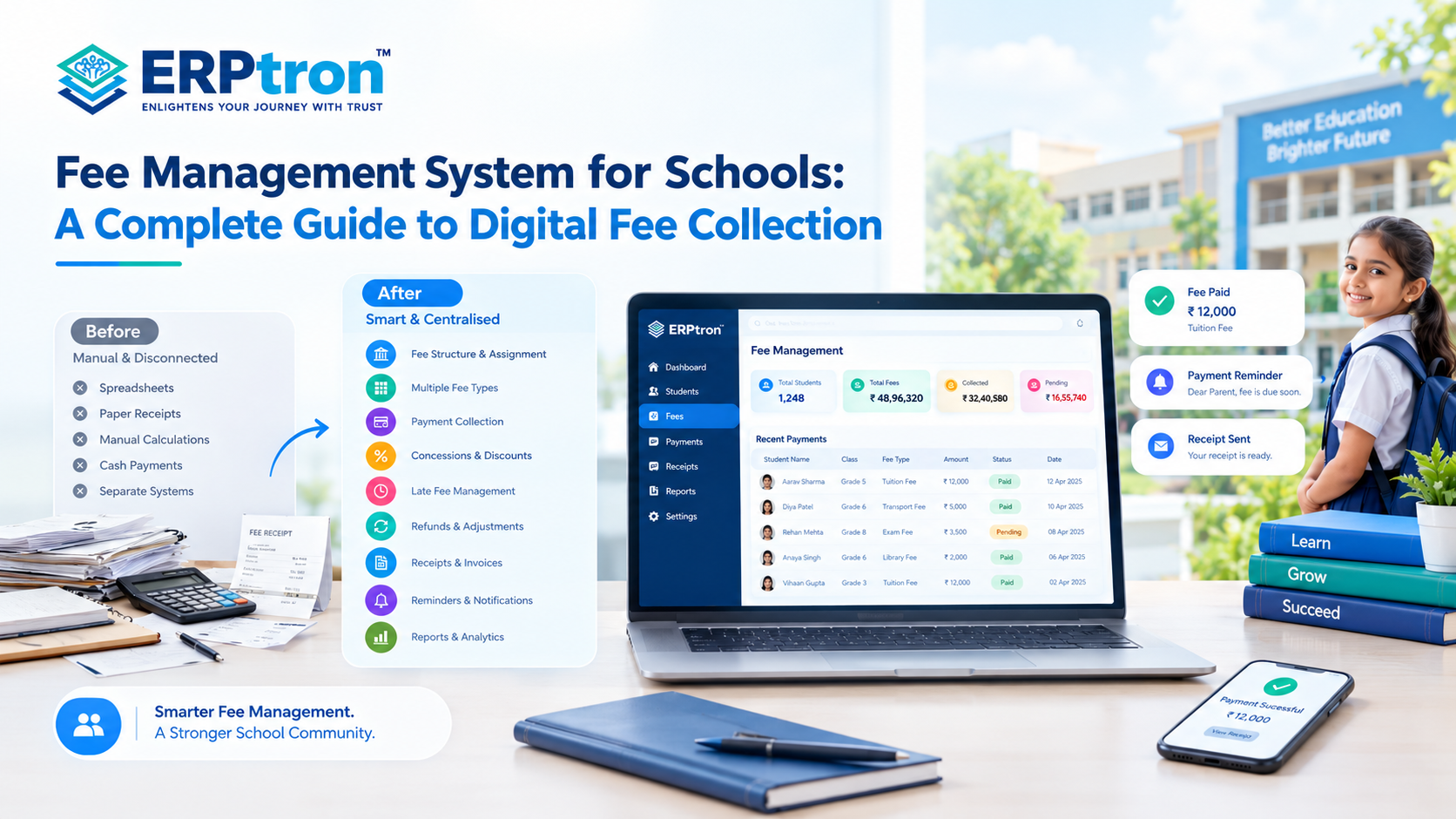
Managing school fees is an important part of running a school. Yet, many schools still use spreadsheets, paper receipts, manual calculations, cash payments, and separate systems to manage fees.
As the number of students grows, managing these tasks manually can become difficult and time-consuming.
Schools may need to manage different fee types, payment schedules, concessions, late fees, outstanding amounts, refunds, receipts, reminders, and reports. Keeping all this information updated can create extra work for administrative and finance teams.
This is where a Fee Management System for Schools can help. It brings important fee-related activities into one digital system, from setting fee structures and assigning fees to collecting payments and generating reports.
The goal is not just to accept online payments. It is to make the complete fee management process simpler, more organised, and easier to track.
Let’s explore how a modern school fee management system works, what features schools should look for, and how it can support a connected School ERP ecosystem.
What Is a Fee Management System for Schools?
A Fee Management System is software that helps schools manage student fees digitally from one place. It can help schools create fee structures, assign fees to students, collect payments, track outstanding amounts, generate receipts, and prepare reports.
Traditionally, schools may manage these activities through registers, spreadsheets, payment records, and separate files. As the number of students grows, keeping all this information updated can become difficult.
A digital system brings these activities together. Staff can quickly check a student’s fee details, payment history, pending amount, or receipt without searching through multiple records.
Depending on the software, a Fee Management System may also support installments, due dates, discounts, concessions, scholarships, late fees, partial payments, refunds, reminders, and reconciliation.
The exact features vary between platforms, so schools should choose a system based on their fee structure and daily requirements.
What Is Digital Fee Collection?
Digital fee collection means allowing parents to pay school fees electronically. Instead of visiting the school office for every payment, parents can make payments through available online options.
Depending on the system, these may include UPI, debit cards, credit cards, net banking, and other supported payment methods.
However, digital payment is only one part of the fee-management process. A payment gateway mainly helps process the transaction. A complete Fee Management System also handles the information around that transaction.
For example, the process may look like: Fee Assigned → Due Date Set → Parent Notified → Payment Made → Payment Recorded → Receipt Generated → Balance Updated
This connected process helps the school keep payment records organised while giving parents a simpler way to manage their fees.
Fee Collection vs Fee Management: What’s the Difference?
Fee collection mainly focuses on receiving payments from parents. It answers a simple question: Has the payment been received?
Fee management covers the complete process before, during, and after the payment. It includes creating fee structures, assigning fees, setting due dates, tracking payments, managing receipts, monitoring outstanding amounts, sending reminders, and preparing reports.
For example, a payment gateway may allow a parent to pay ₹10,000 through UPI. But the school still needs to know whether ₹10,000 was the correct amount, whether the payment was recorded against the right student, what amount is still pending, and whether a receipt was generated.
This is why schools should look beyond payment collection when choosing software.
Why Do Schools Need a Digital Fee Management System?
Managing school fees manually becomes time-consuming as the number of students and transactions grows. Accounts staff may have to calculate fees, update records, check payments, issue receipts, follow up on outstanding amounts, and prepare reports.
A digital Fee Management System can bring these activities together. Instead of maintaining separate records, staff can work with a centralised view of student fees and payments.
It can also help reduce repetitive data entry and make common tasks faster. For example, staff can quickly check whether a student’s fee has been paid or whether an amount is still outstanding.
The system can also improve the parent experience. Parents can view fee details, make payments online where supported, check their payment history, and access receipts without needing to contact the school for every routine question.
For school management, digital fee records can provide better visibility into collections and outstanding amounts. This can make it easier to review the school’s overall fee position and prepare reports.
How Does a Digital School Fee Management System Work?
A digital fee-management process usually starts with the school creating its fee structure. The school can define the applicable fees for different classes, students, academic years, or fee categories.
The relevant fees are then assigned to students. The system can also record payment schedules and due dates so that the school knows when payments are expected.
Parents can view their fee information and make payments through the available payment options. Once a payment is completed, the system can record the transaction and update the student’s fee status.
A digital receipt can then be generated and shared with the parent, depending on the system. If the student still has an outstanding balance, the system can show the remaining amount.
The same information can also be used for reports and dashboards. Accounts teams can track payments and outstanding fees, while management can view overall collection information.
The complete process can look like: Create Fee Structure → Assign Fees → Set Due Dates → Parent Views Fees → Payment → Receipt → Balance Update → Reporting
Key Features of a School Fee Management System
A School Fee Management System should do more than collect payments. It should help schools manage the complete fee process, from setting fee structures and assigning fees to tracking payments, generating receipts, and preparing reports.
Fee Structure Management
Schools may have different fee types, such as tuition, admission, examination, transport, activity, and annual fees. A fee management system allows authorized staff to set up these structures digitally and update them for different academic years, classes, or student groups.
Student-Wise Fee Assignment
Not every student has the same fee requirements. Some may use school transport, receive a scholarship, or have an approved concession. The system can assign the correct fees to each student and maintain their individual fee records.
Class-Wise Fee Management
Schools can manage fees based on class, section, academic year, or fee category. When the same fee structure applies to many students, this can reduce repetitive data entry and save time.
Installment and Due-Date Management
Schools may collect fees monthly, quarterly, half-yearly, annually, or according to their own schedule. A digital system can help set payment schedules and due dates so parents can clearly see what they need to pay and when.
Online Fee Payment
Parents can pay applicable school fees online using available payment options. Depending on the payment gateway, this may include UPI, cards, net banking, or other supported methods. A good payment experience should clearly show the amount due, previous payments, outstanding balance, and payment status.
Payment Tracking
The system can track each payment and its current status. Staff can see whether a payment is paid, partially paid, pending, overdue, failed, or still being processed. This makes payment tracking and issue resolution easier.
Automatic Receipt Generation
Once a payment is confirmed, the system can generate a digital receipt. Parents can access the receipt online, while the school can reduce manual receipt preparation.
Fee Reminders
Schools can send reminders for upcoming, pending, or overdue payments. Depending on the system, reminders may be sent through app notifications, SMS, email, or supported WhatsApp integrations. This reduces the need for staff to contact parents manually.
Late Fee Management
Some schools charge a late fee when payments are made after the due date. A fee management system can apply the school’s configured rules and show the updated amount to the parent.
Discounts, Scholarships and Concessions
Schools may offer scholarships, sibling discounts, fee concessions, or other approved adjustments. The system can record these changes and update the student’s fee account accordingly.
Partial Payments
Some schools allow parents to pay fees in parts or installments. The system can track the total fee, amount paid, and remaining balance.
Total Fee − Amount Paid = Outstanding Amount
This gives parents and school staff a clear view of what is still due.
Refund Management
Schools may sometimes need to process refunds or fee adjustments. Depending on the software, the system can help record refund requests, approved refunds, adjustments, and refund status.
Receipts and Transaction History
A centralized system can store important payment details such as receipt number, transaction ID, payment date, amount, payment method, and payment status. This makes it easier to check previous payments and answer parent queries.
Fee Reports
Reports help schools understand collections and outstanding payments. These may include daily and monthly collections, student-wise fees, class-wise collections, outstanding fees, overdue payments, payment history, and concession reports. Instead of preparing reports manually from different spreadsheets, staff can access the required information from one system.
Types of School Fee Payments
Schools may offer different payment methods depending on their requirements and payment infrastructure.
Cash: Cash is still used by some schools, but it requires manual collection, recording, and reconciliation. This can become time-consuming as the number of students increases.
Cheque: Cheque payments may require additional verification and processing before the student’s fee record is updated.
UPI, Cards and Net Banking: Digital payment methods such as UPI, debit cards, credit cards, and net banking can make fee payments more convenient for parents.
Payment Gateway: A payment gateway brings supported online payment methods into one payment process. The available options, transaction charges, processing time, and settlement process depend on the selected gateway.
Online Fee Payment vs Complete Fee Management
Online fee payment and fee management are related, but they are not the same. Online fee payment mainly helps parents pay school fees digitally through options such as UPI, cards, or net banking, depending on the payment gateway.
The basic process is simple:
Parent → Makes Payment → Payment Recorded
However, fee management covers much more than collecting money. A school first needs to decide the applicable fee structure, assign fees to students, set due dates, track payments, manage outstanding amounts, generate receipts, send reminders, and prepare reports.
Complete Fee Management
A complete Fee Management System brings these activities together in one process:
Fee Structure → Fee Assignment → Due Date → Payment → Receipt → Outstanding Amount → Reporting
For example, once a fee is assigned to a student, parents can view the amount due and make the payment online. After a successful payment, the system can update the student’s fee record, generate a receipt, and show any remaining amount.
This also helps the school keep track of collections and outstanding fees without maintaining separate records for every activity.
The Key Difference
A payment gateway mainly helps the school receive a payment. A Fee Management System helps the school manage the complete process around that payment.
How Does Fee Management Improve the School Fee Process?
A digital fee management system can reduce repetitive work and make the payment process easier for both schools and parents.
Automating School Administration
Without a digital system, staff may need to calculate fees, record payments, prepare receipts, update spreadsheets, send reminders, and create reports manually.
With a connected system, the process can become:
Fee Configured → Payment Received → Record Updated → Receipt Generated → Parent Notified → Reports Updated
This reduces manual work while allowing staff to focus on verification, exceptions, and parent support.
Making Payments Easier for Parents
Parents can view applicable fees, check due dates, see outstanding amounts, make payments, receive confirmation, and access receipts from one place. Parents should not have to contact the school simply to find out what they owe or whether their payment was received.
Automating Fee Reminders
Schools can send reminders for upcoming or overdue payments. Depending on the system, these may be sent through app notifications, SMS, email, or supported WhatsApp integrations.
Supporting Administrators and Finance Teams
Administrators can manage fee structures, assignments, due dates, adjustments, collections, and reports. Finance teams can also track transactions, outstanding amounts, concessions, refunds, and reconciliation.
Giving Management Better Visibility
School management can get a broader view of total collections, pending fees, overdue amounts, and collection trends instead of depending entirely on manually prepared reports.
Fee Management and School ERP Integration
Fee management becomes more useful when it is connected with the school’s wider digital systems.
Connecting the Student Lifecycle
A connected process can look like:
Admission → Student Record → Fee Assignment → Payment → Receipt → Account Update → Reporting
This can reduce duplicate data entry and keep student and financial information connected.
Connecting With Student Information Systems
Student details such as class, parent information, fee structure, payment history, and outstanding amounts can be connected through the student’s central record.
Connecting With Accounting Systems
Fee management mainly focuses on student fees, payments, receipts, and outstanding amounts. Accounting software may handle broader areas such as expenses, ledgers, and financial statements.
Depending on the school’s requirements, the two systems can work together.
Payment Reconciliation
A payment may move through several stages:
Parent → Payment Gateway → School System → Financial Record
If a payment fails, remains pending, or does not match correctly, authorized staff should be able to identify and investigate the transaction.
Choosing the Right Fee Management System
Schools should choose software based on their actual fee process rather than simply comparing feature lists.
Understand Your Requirements
Review your fee categories, payment schedules, concessions, late fees, refunds, payment methods, and reconciliation process.
Test the Parent Experience
Check whether parents can easily understand their fees, make payments, receive confirmation, and access receipts.
Test the Staff Experience
See how easily staff can create fees, assign them to students, track payments, manage adjustments, and generate reports.
Check Integration
Ask whether the system can connect with the School ERP, student records, accounting software, communication tools, and payment gateways.
Check Security, Support, and Cost
Evaluate user permissions, data protection, backups, technical support, implementation, payment charges, integrations, and long-term costs.
Run a Real-World Demo
Instead of only reviewing a feature list, ask the vendor to demonstrate:
Create Fee → Assign Fee → Parent Payment → Receipt → Outstanding Report → Collection Report
This gives the school a better idea of how the system will work in everyday use.
Common Mistakes Schools Make
Schools can avoid many problems by looking beyond the payment screen.
Choosing Only a Payment Gateway
A payment gateway processes transactions but does not necessarily manage the complete fee lifecycle.
Ignoring the School’s Fee Structure
The software should support the school’s actual fee rules, schedules, concessions, and payment requirements.
Ignoring Reconciliation and Reports
Schools need to know not only what has been paid but also what is pending, what has been reconciled, and how collections are performing.
Ignoring Parent Experience
A complicated payment process can create more questions and support requests.
Keeping Fee Data Disconnected
If fee records are separate from student and school systems, staff may still have to enter the same information multiple times.
Choosing Only on Price
The cheapest system may not be the most cost-effective after considering implementation, support, payment charges, integrations, and future requirements.
Implementing Digital Fee Management
Successful implementation requires more than installing software.
Prepare the Data
Clean student records, fee structures, outstanding amounts, payment history, and concession records before migration.
Configure the System
Set up fee categories, due dates, installments, concessions, late fees, payment methods, and user permissions.
Test the Complete Process
Test successful payments, failed payments, pending payments, partial payments, receipts, refunds, and reports.
Train Staff and Parents
Give accounts teams and administrators practical training. Parents should also receive simple instructions for viewing fees, making payments, and accessing receipts.
Monitor and Improve
After launch, track payment issues, outstanding fees, parent queries, and staff feedback. Use this information to improve the process over time.
The Future of School Fee Management
School fee management is moving beyond simple online payments. Mobile payments, automated reconciliation, smarter reminders, financial dashboards, and deeper School ERP integration can make the entire process more connected.
AI may also support reporting, summaries, and financial insights. However, important financial decisions should continue to have appropriate human oversight.
The future is not simply about accepting fees online. It is about creating a connected and organised fee-management process from fee assignment to payment, reporting, and beyond.
How ERPTron Helps Schools Simplify Fee Management
Managing school fees can be a time-consuming task when payments, receipts, concessions, and pending dues are handled manually. A digital fee management system can make the process easier for school staff while giving parents a more convenient way to manage payments.
ERPTron helps schools bring fee-related activities into a more organized digital setup, while also connecting fee management with other areas of school administration.
School OS
ERPTron School OS gives schools a central platform for managing different operations. Along with fee management, schools can handle student records, admissions, attendance, exams, HR, library, and transport, making it easier to manage information across departments.
Paperless Admission Platform
Fee management often starts during the admission process. ERPTron’s Paperless Admission Platform allows schools to handle applications, documents, verification, and admission payments online. This gives parents a smoother start and reduces manual work for admission teams.
School Fee Collection Hub
This is the core of ERPTron’s digital fee management solution. Schools can manage fee structures, concessions, payments, receipts, outstanding dues, and reports from one place. Parents can also get clearer information about what they need to pay and keep track of their payment records.
Hybrid Digital Attendance Platform
Attendance is another important part of student administration. ERPTron allows schools to record attendance through biometric devices or mobile-based tools, giving teachers and administrators an easier way to maintain daily attendance records.
Exam Operating System
Exam-related charges and academic records can be easier to manage when examination activities are digitized. ERPTron’s Exam Operating System helps schools handle admit cards, marks entry, tabulation, report cards, and rank lists in an organized digital workflow.
Student Information System
Fee records need to be connected with the correct student information. ERPTron’s Student Information System keeps student details and documents organized, helping schools maintain accurate records and access student information when required.
Finance Automation Platform
Fee collection is only one part of school finance. ERPTron’s Finance Automation Platform helps schools manage expenses, suppliers, payment vouchers, ledgers, and financial reports. This gives administrators a broader view of the school’s financial activities.
School Store 360
Schools may also collect payments through their store for books and accessories. ERPTron School Store 360 helps manage inventory and sales digitally, allowing schools to keep store-related transactions and stock information organized.
Library Pro System
Library services may include fines or other payment-related activities. ERPTron Library Pro helps manage book catalogues, issues, returns, availability, and fines, giving librarians an easier way to keep these records updated.
Smart HR Pro
Staff management is another area that involves regular financial activity. ERPTron Smart HR Pro helps schools manage employee records, payroll, leave, and role-based access, making HR and payroll administration more organized.
Transport Revenue System
Transport fees can become difficult to track when they are maintained separately from other payment records. ERPTron’s Transport Revenue System helps schools manage route-based pricing, student allocations, seats, and transport payments in one place.
Teacher Mate / Student Mobile App
Parents do not always want to visit the school or make phone calls just to check fee information. ERPTron’s Teacher Mate / Student Mobile App gives parents and students convenient access to fees along with notices, attendance, exam information, report cards, and study materials.
Hostel Management System
For residential schools, hostel fees can be another recurring payment to manage. ERPTron’s Hostel Management System helps schools handle hostel bookings, seat availability, fees, payments, and outstanding balances digitally.
Making Fee Collection Easier for Everyone
A good digital fee management system should make things easier for both the school and parents. ERPTron helps reduce manual fee-related work, keeps payment information organized, and gives families easier access to their fee details. With other school operations connected through the same platform, schools can create a smoother and more transparent approach to managing fees.
FAQs
1. Can a Fee Management System generate receipts automatically?
Yes, many digital fee systems can generate receipts after a successful payment, depending on the platform.
2. Can schools send automatic fee reminders?
Yes. Many systems can send reminders for upcoming or overdue payments through supported communication channels.
3. Can fee management software integrate with School ERP?
Yes. An integrated fee module can connect fee information with student records, admissions, communication, and other School ERP modules.
4. Can a school fee system integrate with accounting software?
Some systems support integration with accounting software through APIs, data exports, or other integration methods.
5. How much does school fee management software cost?
The cost depends on factors such as number of students, features, payment integrations, customisation, implementation, and support. Payment gateway charges may also apply.
Conclusion: From Fee Collection to Complete Digital Fee Management
School fee management involves much more than collecting payments. Schools also need to manage fee structures, receipts, reminders, outstanding amounts, records, and reports.
A digital Fee Management System for Schools can bring these activities together in one place. Parents can get a simpler payment experience, while school staff can spend less time on manual tracking and paperwork.
The real value comes when fees, payments, receipts, reminders, student records, and reports work together as one connected process.
This can help schools maintain better records, improve financial visibility, and make everyday fee management easier.
Looking to simplify your school’s fee management? ERPtron can help bring fee collection, records, payments, and reporting together through one connected digital system.