
Managing a school can become difficult when important information is stored in different places. Student details may be in one spreadsheet, attendance in another system, fees with the accounts team, and exam records in separate files. Parent communication and staff information may also be managed through different tools.
Each tool may seem useful on its own, but using too many separate systems can create extra work, delays, and confusion.
This is where School Management Software can help. It brings important school activities together, reduces repeated work, and makes information easier to manage.
But choosing the right software is not just about choosing the system with the most features. The better question is: Can this software make our school simpler, more connected, and easier to manage?
Let’s see what makes a School Management System the right choice.
The Real Problem Isn’t Paperwork. It’s Disconnected Work.
When schools start using digital tools, reducing paperwork is often the first goal. Moving registers online and reducing manual data entry can save time. But the bigger problem is often that information is still spread across different places.
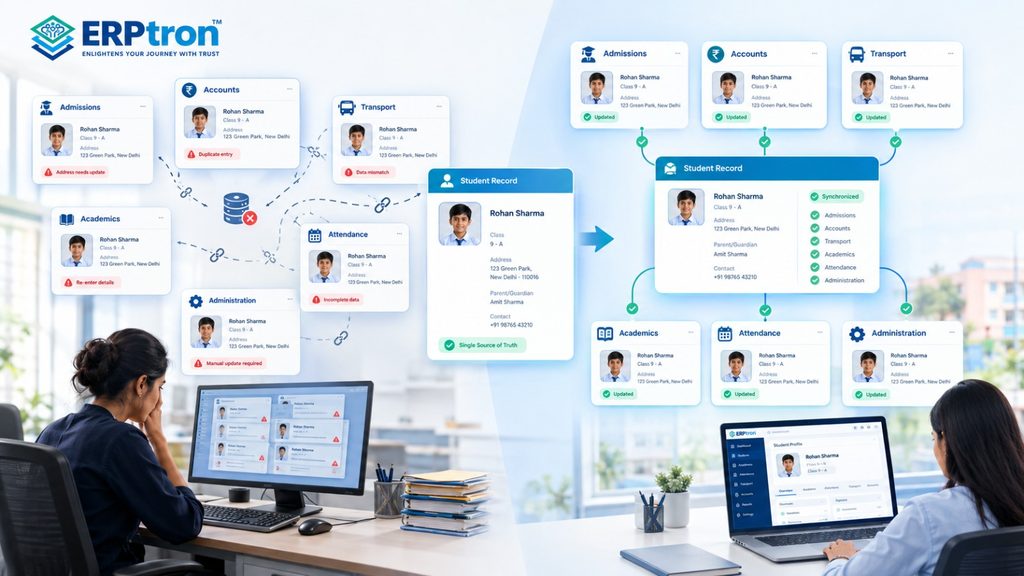
For example, if a student changes their address, staff may need to update several records and inform different departments. This takes extra time and can lead to mistakes.
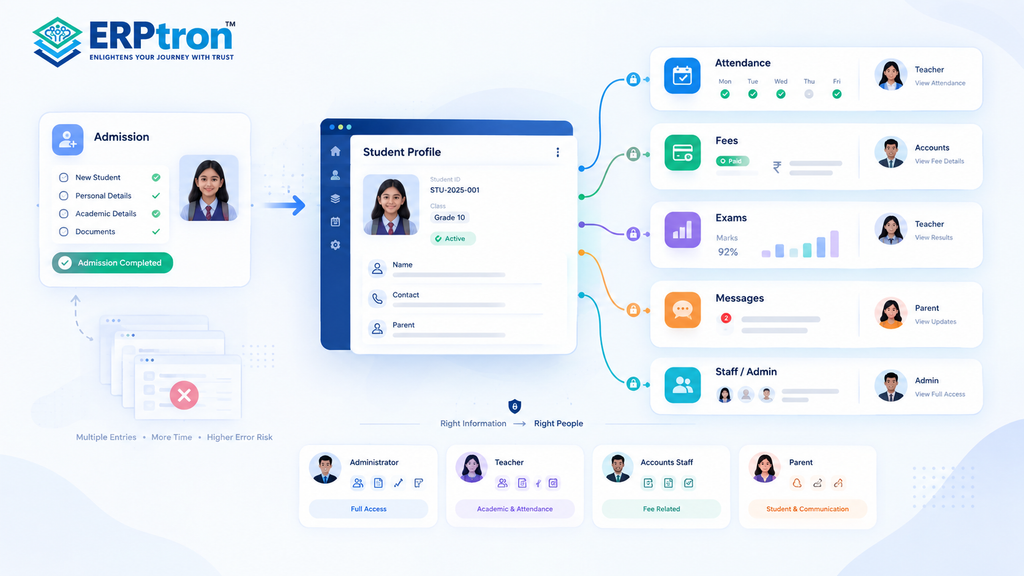
With a connected School Management System, schools can keep important student information in one central record. Authorised staff can access the information they need without entering the same details again.
This becomes even more important as a school grows. More students, teachers, departments, and campuses mean more information to manage.
A connected system can help schools reduce repeated work, avoid confusion, and manage information more easily.
What Should School Management Software Actually Connect?

A good School Management System should do more than store information. It should connect different school activities and make daily work easier.
Student, staff, attendance, fees, exams, and other information should work together. This can save time and reduce repeated work.
Everyone should not have access to all information. Each person should only see the information they need for their work.
For example, when a new student joins, their details are added during admission. The same details may later be needed for attendance, fees, exams, and parent communication.
If every department enters the same details again, it takes more time and can cause mistakes. With a connected system, the right information can reach the right department. This helps schools save time, reduce errors, and manage daily work more easily.
Key Areas School Management Software Should Connect
- Student Information: Store student profiles, contact details, documents, class information, and other important records in an organised system. A dedicated Student Information System (SIS) can help schools maintain these records centrally.
- Admissions: Manage applications, admission details, documents, and student registration while allowing relevant information to flow into the student’s main record. Schools can explore online admission management software to understand how digital admission workflows can support this process.
- Attendance: Help teachers record attendance easily and allow authorised staff and parents to access relevant attendance information. A student attendance management system can simplify attendance recording and reporting.
- Fees and Payments: Manage fee structures, payment records, pending fees, receipts, and financial reports in a connected environment. Online fee management software helps schools understand how these activities can be organised digitally.
- Academics: Organise class information, subjects, teachers, academic activities, and student progress. A Learning Management System (LMS) for schools can also support digital learning activities and the sharing of educational resources.
- Examinations: Manage exam schedules, marks, results, report cards, and other examination activities using relevant student and academic information.
- Parent Communication: Make it easier for schools to share notices, updates, attendance information, fee reminders, and other important messages with parents. Parent communication software for schools can help schools organise these interactions.
- Teacher Management: Provide teachers with the tools and information they need for attendance, academics, examinations, communication, and classroom activities. Teacher management software can help organise faculty-related processes.
- Staff and HR: Manage employee records, attendance, leave, payroll-related information, and other staff processes.
- Library: Manage books, members, borrowing, returns, and library records while keeping relevant student information connected.
- Transport: Manage routes, vehicles, drivers, student transport details, and related administrative activities.
- Hostel Management: If the school provides hostel facilities, the system can help manage student accommodation and related records.
- Finance: Connect financial activities with relevant school operations, including fees, expenses, and financial reporting.
- Inventory and School Stores: Track school supplies, stock, purchases, and distribution to reduce manual tracking.
- Reports and Administration: Bring information from different departments into useful reports so school leaders can better understand daily operations.
- Alumni Management: Maintain alumni information and support communication and engagement with former students.
Why Integration Matters as a School Grows

As a school grows, managing information across separate tools becomes harder. An integrated School Management System can make this process easier.
- Less repeated work: Staff do not have to enter the same information in different systems.
- Better data: Departments can work with the same updated information.
- Faster access: Authorised staff can find important records more quickly.
- Better teamwork: Admissions, attendance, fees, academics, and other departments can work together.
- Easy reporting: School leaders can get important information without waiting for separate reports.
- Supports growth: A connected system can make it easier to manage more students, staff, and departments.
Don’t Choose Software by Counting Features

Many schools choose software by looking at the number of features. But more features do not always mean better software.
A system with fewer features can be more useful if it is simple, easy to use, and connects important school activities. If teachers struggle to use it or staff still need separate spreadsheets, having more features will not help.
Schools should check how the software works in real situations. Can teachers record attendance easily? Can staff find information quickly? Can departments share important data? Can the system reduce repeated work?
Instead of asking, “How many features does it have?”, ask, “Will this software make our daily school work easier?”
The right software should be simple, useful, and able to solve the school’s real problems. Reviewing essential School ERP features can help school leaders identify the capabilities that matter most to their institution.
Evaluate Software Through Real School Workflows
- The best way to understand a School ERP is to see how it works in real situations.
- Ask the vendor to demonstrate what happens when a new student joins the school.
- Does admission information become part of the student’s record?
- Can the information be used for attendance and academics?
- Can the accounts team access the details needed for fees?
- Can authorised staff communicate with parents?
- Can school leaders view the information in reports?
- You can also ask the vendor to show other common tasks.
- Attendance: How easily can teachers record attendance and create reports?
- Fees: How are fees, payments, pending amounts, and receipts managed?
- Exams: How are marks entered and results prepared?
- Communication: Can the school easily send notices to parents and students?
- Staff Management: Can staff records, attendance, and leave be managed easily?
Schools should also consider whether the platform supports their particular educational structure. For example, institutions following different boards can review the requirements discussed in School Management Software for CBSE, ICSE and State Board schools.
Five Things Schools Should Check Before Choosing an ERP

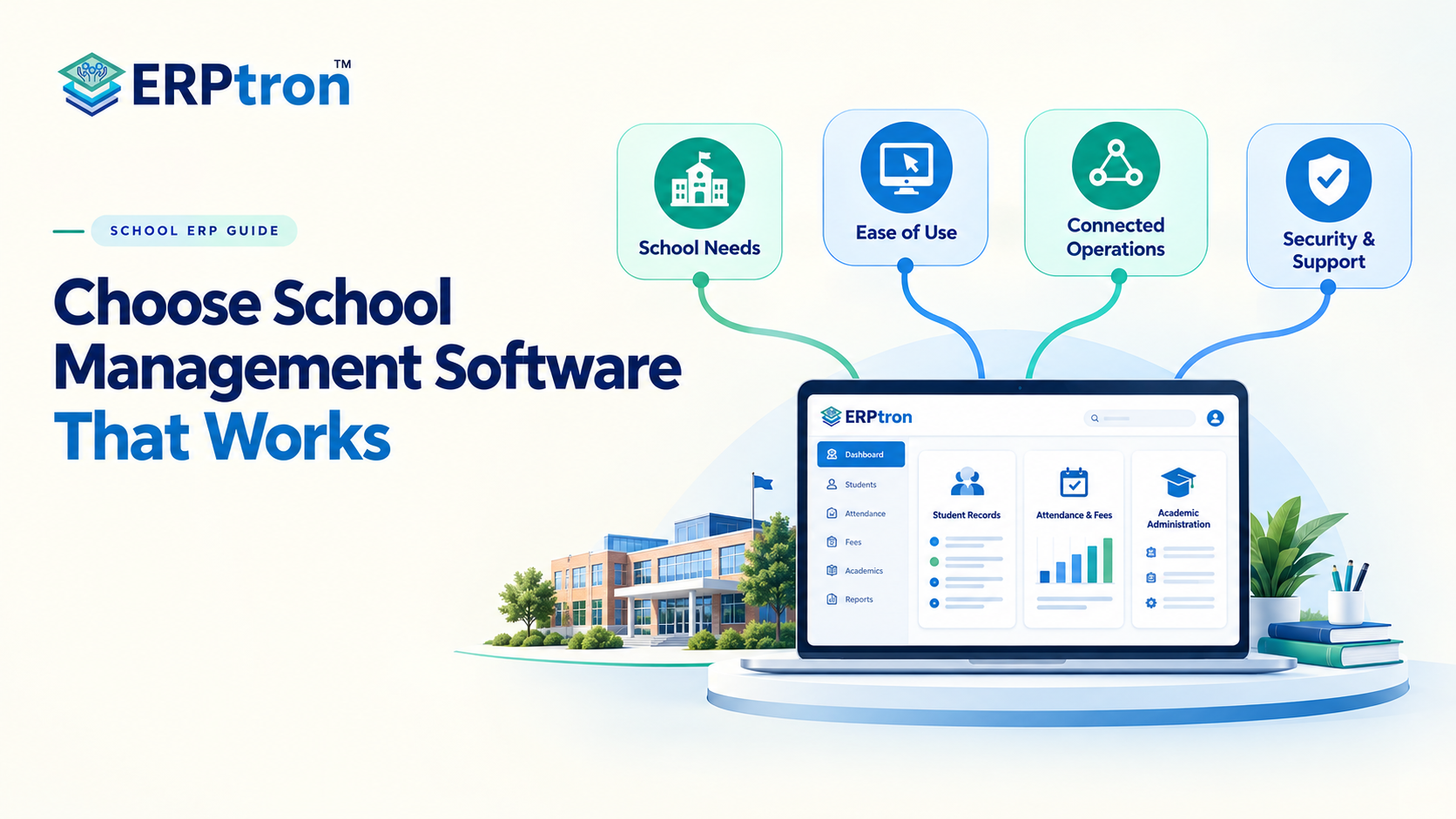
Before choosing a School ERP, schools should look at more than just features. The system should be easy to use, secure, flexible, and supported by the vendor.
1. Ease of Use
The software should be simple for teachers and staff. Common tasks like attendance, finding records, and creating reports should be quick and easy. Always ask for a demo and let staff try the system.
2. Data Centralisation
Important information such as student records, attendance, fees, exams, and staff details should be connected. This can reduce repeated data entry and help departments work with the same information.
3. Security and Permissions
School data needs proper protection. Check whether the system provides user roles, permissions, secure login, backups, and data protection. Different users should only see the information they need.
4. Scalability
Choose a system that can grow with your school. It should be able to support more students, new departments, additional campuses, and future requirements without needing a complete system change.
5. Implementation and Support
Good software also needs good support. Ask about data migration, staff training, implementation, updates, and customer support. This can make it easier for the school to start using the system successfully.
Cloud or On-Premise: Which Approach Makes Sense?

Deployment is another important decision for schools.
Cloud-Based School Management Software
Cloud-based software can make it easier for authorised users to access the system from different locations.
It can also reduce the school’s need to manage local servers and infrastructure. Updates and maintenance may be handled centrally by the provider, depending on the platform and service agreement.
This can be useful for schools that want easier accessibility and less responsibility for maintaining technology infrastructure.
On-Premise Software
On-premise systems are managed within the school’s own infrastructure.
This can provide greater control over locally managed systems, but it also means the school may have more responsibility for servers, maintenance, updates, backups, and security.
Neither approach is automatically better for every school.
The decision should depend on the school’s IT capabilities, budget, security requirements, accessibility needs, infrastructure, and long-term plans.
Don’t Forget Parent and Teacher Experience
When choosing a School ERP, schools often focus mainly on administrators. But teachers and parents will also use the system, so their experience matters too.
Easy for Teachers: Teachers should be able to record attendance, manage academic tasks, and communicate without complicated steps.
Simple for Parents: Parents should be able to easily check attendance, fees, notices, and academic updates.
Works on Different Devices: The system should work smoothly on commonly used phones, tablets, and computers. School mobile apps can help authorised users access relevant school information and services through their devices.
Easy to Find Information: Users should be able to quickly find the information they need.
Clear Notifications: Important messages and updates should be easy to understand.
Training and Support: Users should get proper guidance and support when they need help.
What Does an Integrated School ERP Look Like in Practice?

An integrated School ERP connects different school activities in one system. Instead of using separate tools for admissions, attendance, fees, exams, and communication, important information can work together.
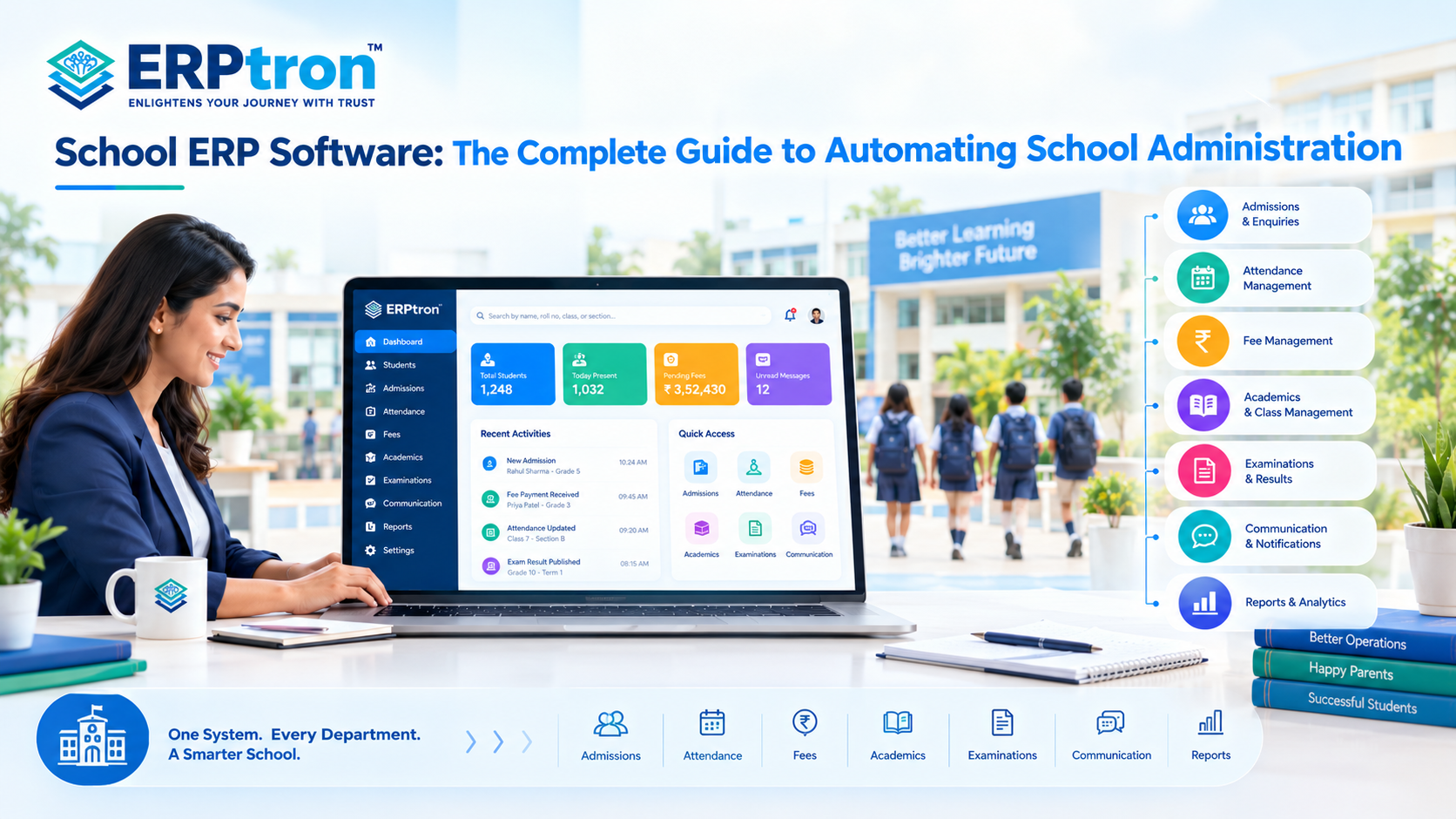
This is the approach behind ERPtron. It brings student management, admissions, attendance, fees, academics, exams, communication, HR, transport, library, finance, and administration into one connected platform.
The main benefit is not just having many features. It is how these features work together. For example, when a new student joins the school, their details can become part of the main student record. The same information can then be used for attendance, academics, exams, fees, and parent communication.
ERPtron also offers solutions for digital admissions, attendance, exams, finance, HR, library, transport, teacher tools, hostel management, alumni management, and school stores.
Schools do not need to use everything at once. They can start with the areas that create the most problems and add more features as the school grows.
Start With the Biggest Problems
Schools do not need to move every process to a digital system at once. Trying to change everything together can make the process difficult for teachers and staff.
A better approach is to start with the areas that create the most problems or take the most time.
- Admissions: If there is too much paperwork, start with digital admissions.
- Attendance: If recording attendance takes too much time, improve attendance management.
- Fees: If tracking fees is difficult, start with fee management.
- Exams: If exam work is mostly manual, use an examination system.
- Communication: If parent communication is scattered, bring it into one system.
- Data: If departments use separate records, connect important information.
Once staff are comfortable with the system, the school can slowly add more processes. This makes the change easier and gives staff time to learn.
Don’t Digitise a Bad Process
Technology cannot fix a poor process by itself. If different departments collect the same information separately, moving everything into software may still create extra work. Before choosing School Management Software, first understand how the school works today.
Ask:
- Where is information entered?
- Who needs it next?
- Is the same information entered again?
- Which tasks take the most time?
- Which approvals cause delays?
- Which reports are prepared manually?
- Where do teachers face problems?
- Where do administrators spend the most time?
- What information should parents be able to access?
Once these problems are clear, the school can decide how software can make the process easier.
A Simple School ERP Evaluation Checklist
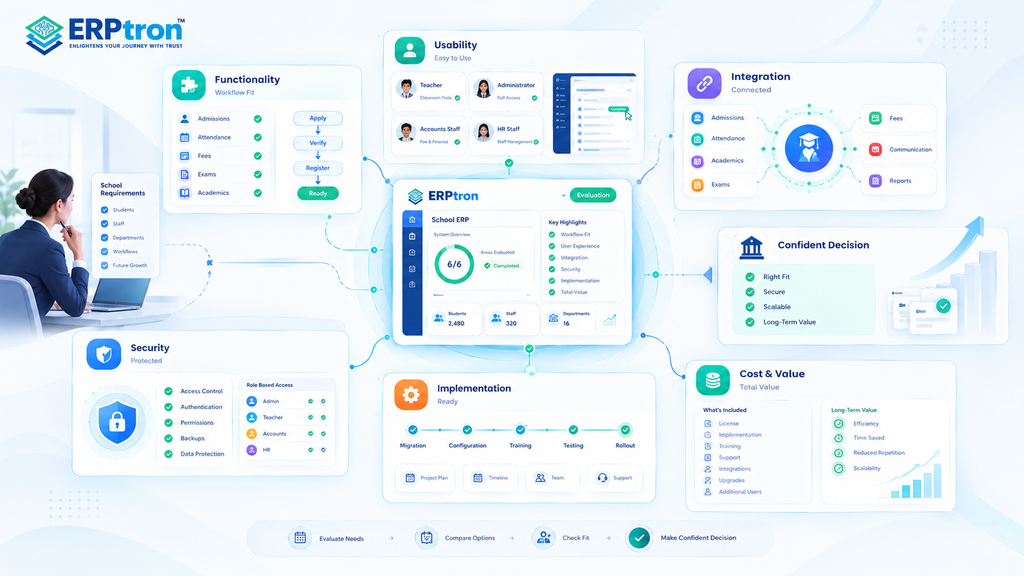
Before signing a contract, school leaders can evaluate potential systems across six important areas.
Functionality
Does the software solve the school’s actual operational problems? Do not focus only on the number of modules. Look at whether the system supports the workflows the school actually needs.
Usability
Can teachers, administrators, accountants, HR staff, and other users comfortably work with the system? A system that is difficult to use may have strong features but still deliver limited value.
Integration
Can important processes share relevant information? Look for connections between admissions, student records, attendance, academics, fees, examinations, communication, and other functions.
Security
Does the software provide appropriate access controls, authentication, permissions, backups, and data protection? Ask the vendor to clearly explain its approach.
Implementation
Is there a realistic plan for migration, training, configuration, testing, and rollout?
Implementation should be treated as a project, not simply the installation of software.
Cost
Look beyond the initial price. Consider implementation, training, support, integrations, upgrades, additional users, future requirements, and other possible costs. This approach keeps the decision focused on value rather than feature count.
Where ERPtron Fits Into the School Management Journey?
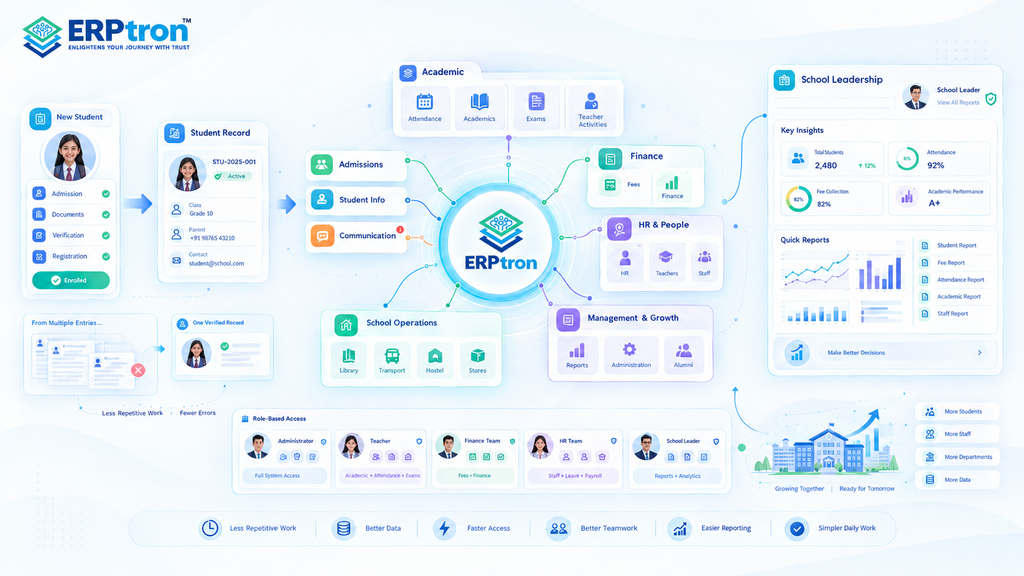
Choosing School Management Software is about making school work simpler and more connected. This is where ERPtron can support a school’s digital journey.
Instead of managing admissions, attendance, fees, exams, HR, transport, library, finance, and communication through separate systems, ERPtron brings these functions together in one connected platform.
For example, when a student is admitted, their information can become part of the central student record. This information can then be used for attendance, academics, exams, fees, and parent communication.
Different teams can also manage their work in one system. Finance teams can handle financial activities, HR teams can manage staff information, teachers can use classroom tools, and school leaders can view reports. For schools that want to understand the broader role of technology in education, digital transformation in schools provides additional context.
ERPtron also offers solutions for areas such as digital admissions, attendance, exams, finance, HR, library, transport, hostel management, alumni, school stores, and teacher activities.
The main benefit is not simply having many features. It is connecting different school activities so that everyday work becomes easier to manage.
Measure Whether the Software Is Actually Working
Installing School Management Software is only the beginning. Schools should also check whether the software is actually making daily work easier.
After implementation, ask simple questions:
- Has repeated data entry decreased?
- Are teachers spending less time on paperwork?
- Can staff find information faster?
- Are reports easier to prepare?
- Are parents receiving updates more easily?
- Are departments using the same information?
- Have manual mistakes decreased?
- Are teachers and staff regularly using the system?
These questions can help school leaders understand whether the software is delivering real value.
If some tasks are still difficult, the school may need better training, changes to the workflow, or additional support from the software provider.
Digital transformation is not a one-time process. It is an ongoing journey of improving how the school works.
Common Mistakes Schools Should Avoid
Choosing a School ERP is an important decision, and schools can avoid many problems by knowing what to look for.
Choosing Only by Price
The cheapest software may not always be the best choice. A low-cost system may require more manual work, extra tools, or additional support later. Always compare the overall value, not just the starting price.
Choosing Only by Features
Having more features does not always mean better software. Focus on whether the features are useful, easy to use, and connected to the school’s daily work.
Ignoring Teachers
Teachers use the system regularly, so their experience matters. If the software is difficult to use, teachers may avoid it or use it incorrectly. Always let teachers test the system before making a final decision.
Skipping Data Preparation
Moving incorrect or outdated data into a new system can create more problems. Schools should clean and organise their data before migration to ensure the new system starts with accurate information.
Trying to Do Everything at Once
Moving every school process to a new system at the same time can be overwhelming. It is often better to start with the most important areas and gradually add more processes.
Not Asking About Support
Questions and problems are normal when introducing new software. Before choosing a vendor, ask about training, customer support, troubleshooting, updates, and ongoing assistance.
The Best School Software Fits the School, Not the Other Way Around
There is no universal School Management Software that is perfect for every institution.
A small school may prioritise simplicity and ease of use.
A growing private school may need stronger automation and scalability.
A large K–12 institution may require deeper departmental integration, reporting, and multi-campus support.
The right system is the one that fits the school’s people, processes, technology environment, budget, and future direction.
School leaders should therefore avoid choosing software simply because another institution is using it or because a vendor offers an impressive feature list.
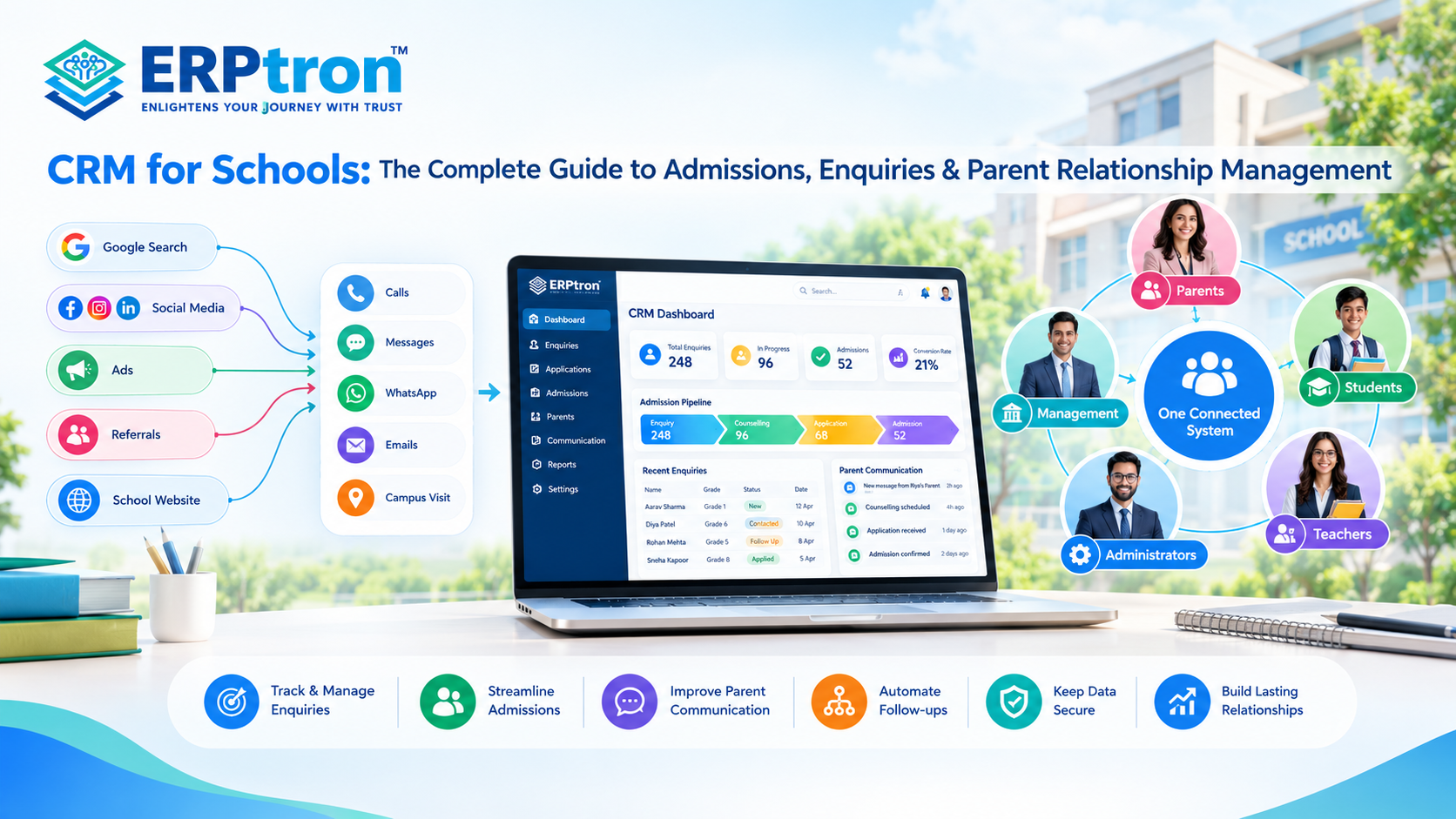
Instead, ask whether the platform solves the school’s specific problems. School leaders can also explore CRM for schools when evaluating how enquiry tracking, admissions follow-ups, and parent relationships fit into the wider school management process.
Final Thoughts
Choosing the right School Management Software is not just about technology. It is about making school work simpler and more organised.
The right system can reduce repeated work, connect departments, improve communication, and help school leaders manage information more easily.
However, good software alone is not enough. Schools also need proper planning, staff training, secure data, and reliable support.
The goal should be less complexity, not more technology.
A good School Management System does more than replace paper registers. It connects people, information, and daily processes so teachers can focus on teaching and staff can spend less time on repetitive work. Effective implementation also requires thoughtful school leadership in the digital age to help staff adapt and ensure technology supports the institution’s wider goals.
The best School ERP is not the one with the most features. It is the one that makes your school easier to manage.
1. What is School Management Software?
It helps schools manage student records, attendance, fees, exams, staff, and communication in one system.
2. How do I choose the right School Management Software?
Choose software that is easy to use, secure, flexible, and suitable for your school’s needs.
3. What features should School ERP Software have?
It should include student management, admissions, attendance, fees, exams, communication, HR, finance, and reports.
4. Is cloud-based School Management Software a good option?
Yes. It allows authorised users to access the system easily and reduces the need for managing local servers.
5. Why is an integrated School ERP important?
It connects different school departments, reduces repeated work, and makes school management easier.