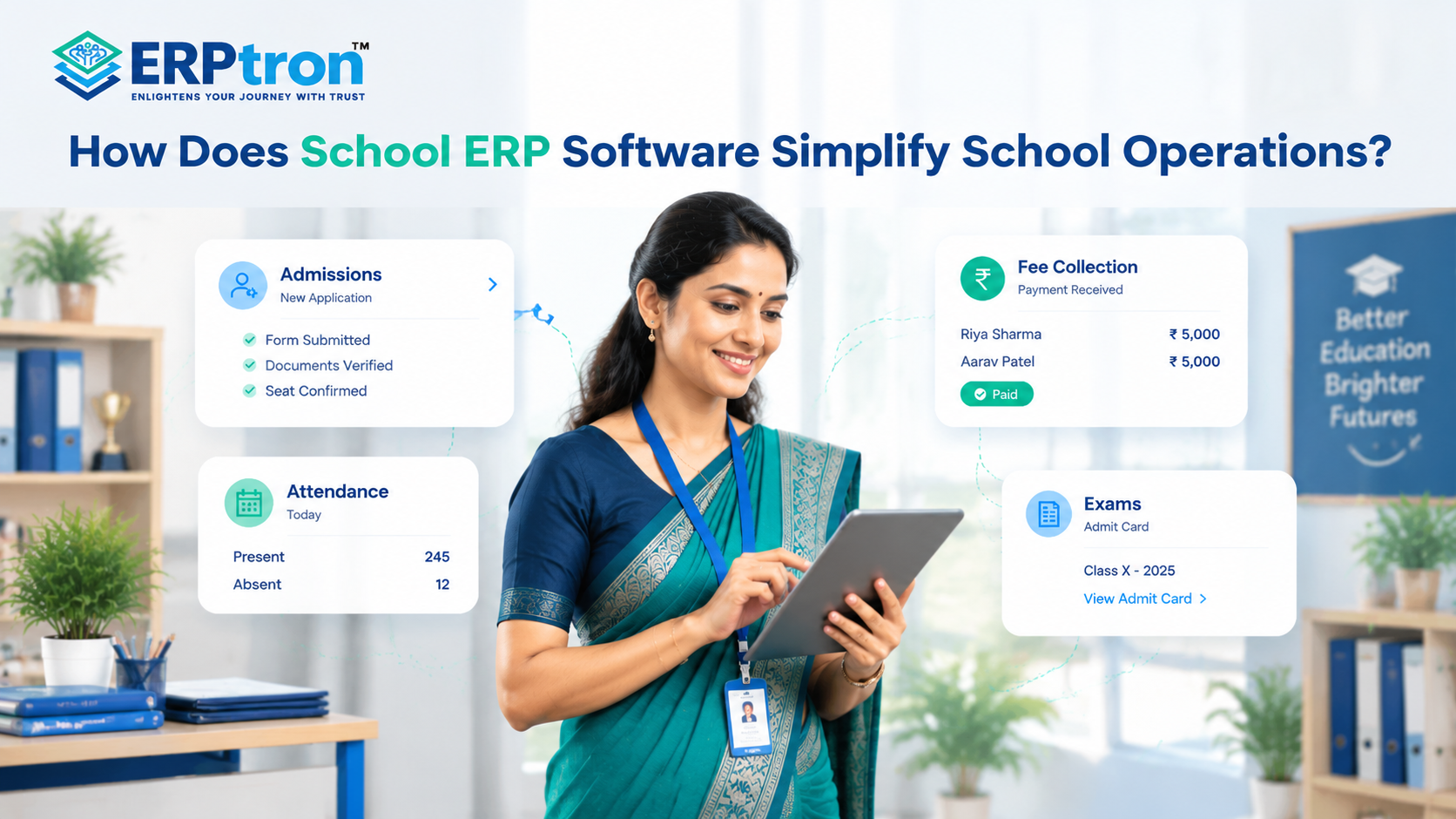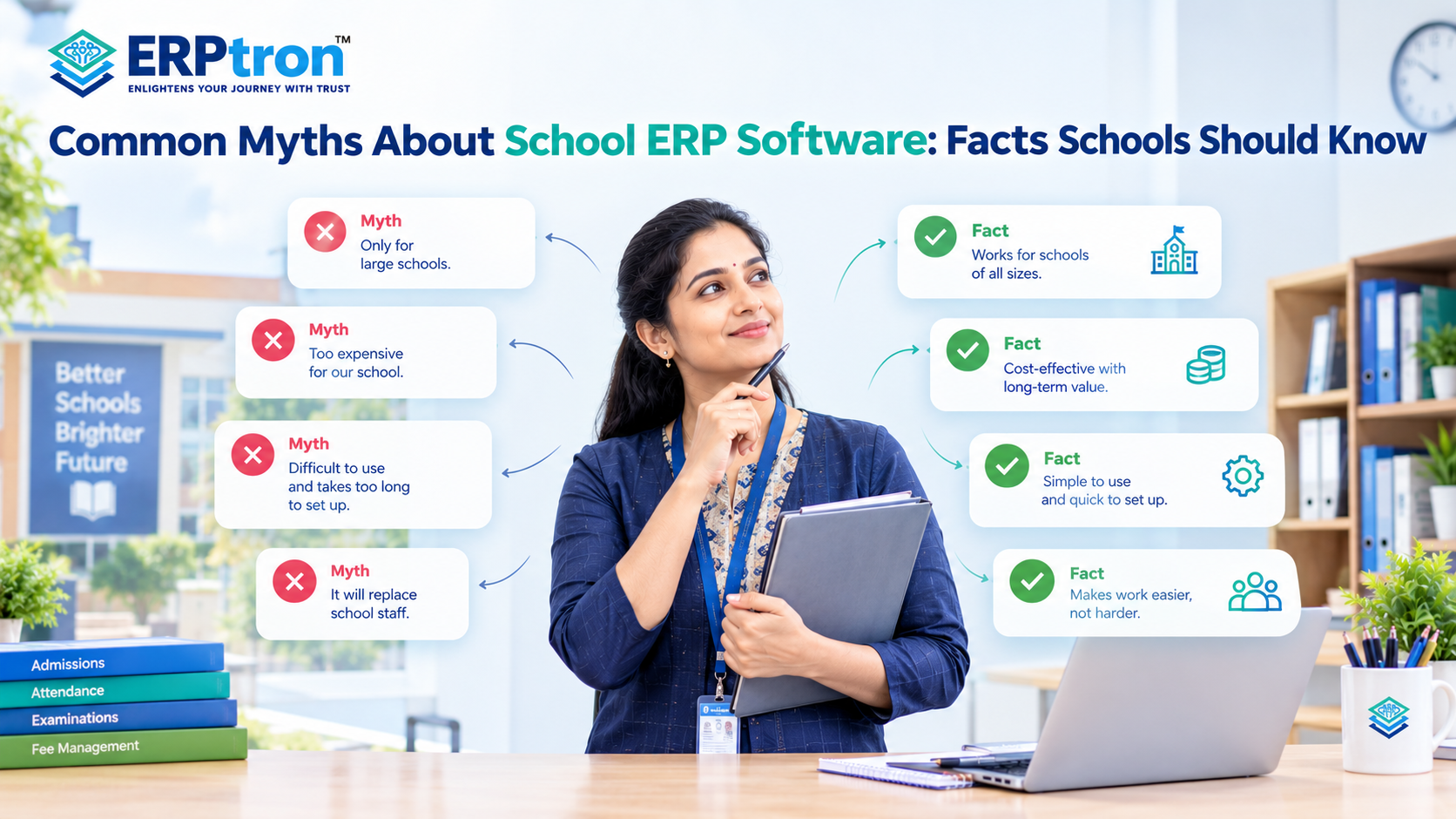
Running a school means managing much more than teaching. Every day, schools handle admissions, attendance, fees, exams, student records, staff, and parent communication.
When these tasks are managed with paper records, spreadsheets, or different tools, they can take a lot of time and effort.
School Management Software brings these tasks together in one place. It helps schools reduce manual work, keep information organised, improve communication, and manage daily activities more easily.
Let’s explore how School Management Software can benefit schools.
What Is School Management Software?
School Management Software is a digital system that helps schools manage their daily work in one place. It can cover areas such as student records, admissions, attendance, fees, exams, communication, library, HR, payroll, transport, and accounts.
A School ERP connects these different areas in one system. This means schools can manage related information without using a separate tool for every department.
The main goal is simple: make school management easier, faster, and more organised.
To understand the wider role of these systems, read our guide to School ERP Software: Everything Schools Need to Know Before Investing.
Why Do Schools Need Management Software?
Think about a school where attendance is recorded in registers, fees are tracked in spreadsheets, admission forms are kept in files, and exam results are managed separately.
Each process may work on its own, but finding information across all these areas can take time.
For example, if the principal wants to know which students have low attendance and pending fees, staff may need to check information from different departments.
With a connected School Management System, this information can be easier to find and manage, based on the access given to each user.
This is where School Management Software can make a real difference. It helps schools bring important information and daily tasks together in one place.
15 Major Benefits of School Management Software
School Management Software can make everyday school work easier by reducing manual tasks and keeping important information in one place. Let’s explore the 15 major benefits it can offer schools.
1. Reduces Administrative Work
School staff handle many repetitive tasks every day, such as data entry, attendance, fee records, reports, and student updates. School Management Software can reduce this manual work and save staff time.
2. Keeps School Information in One Place
School information can easily get scattered across files, spreadsheets, emails, and different software. A School ERP brings important information together, making it easier for authorised users to find and manage.
A well-organised Student Information System can help schools maintain student profiles, parent details, academic records, and other important information.
3. Makes Attendance Easier
Teachers can record attendance digitally, while administrators can check attendance history, absences, percentages, and reports. This makes attendance easier to manage and track.
Learn more about the Student Attendance Management System and how digital attendance can simplify everyday school operations.
4. Makes Online Admissions Easier
Admissions can involve enquiries, applications, documents, verification, and registration. An online admission system can bring these steps together and make the process easier for both schools and parents.
Schools can also explore this complete guide to online admission management software to understand how digital admission workflows work.
5. Makes Fee Management Easier
A fee management system can help schools manage fee structures, payments, receipts, pending amounts, reminders, and collection reports in one place.
With a connected fee management system for schools, staff can maintain organised payment records and spend less time on repetitive follow-ups.
6. Simplifies Exam Management
Schools need to manage exam schedules, subjects, marks, grades, results, and reports. A digital examination system can bring these tasks together and reduce repetitive work.
7. Saves Teachers’ Time
Teachers often have to manage attendance, student records, exams, assignments, reports, and communication along with teaching. A simple School ERP can reduce these extra tasks and make their daily work easier.
8. Improves Parent Communication
Parents need regular updates about attendance, fees, exams, events, notices, and assignments. School Management Software can bring these updates together and help schools share the right information with parents.
Explore our complete guide to parent communication software for schools for more ways to keep families informed.
9. Helps Schools Make Better Decisions
A School ERP can give school leaders access to information about attendance, fees, exam performance, admissions, staff, and other activities. This can help them understand what is happening and make better decisions.
10. Improves Accountability
Digital records can make it easier to see who added or updated information and which tasks are pending. Role-based access can also help ensure that users only access the information they need.
11. Reduces Paperwork
Schools manage many physical documents, including admission forms, student records, attendance registers, fee records, and exam documents. Moving suitable processes online can reduce paperwork and make records easier to find.
12. Makes Information Easier to Access
Cloud-based School Management Software can allow authorised users to access information through supported devices. This can be useful for principals, teachers, administrators, IT teams, and parents.
13. Makes Student Management Easier
A central student record can connect details such as personal information, academics, attendance, fees, exams, and parent information. This reduces repeated data entry and gives authorised users a better view of each student.
14. Helps Schools Grow
As a school grows, it has more students, teachers, classes, records, transactions, and reports to manage. A scalable School Management System can help schools handle this growing workload more easily.
15. Makes IT Management Easier
A School ERP can bring different school activities into one technology system. IT teams can manage users, access, security, backups, integrations, updates, and other technical needs more easily.
School Management Software Benefits by User
Different people in a school can use School Management Software in different ways. Here’s how it can help each user.
1. Principal / Director
Principals and directors can see important school information in one place. They can check attendance, fees, exams, staff, and reports, helping them understand what is happening and make better decisions.
For more leadership insights, explore these school leadership strategies for modern principals.
2. Teacher
Teachers can use the software to take attendance, manage student details, handle academic work, and share updates. This reduces paperwork and saves time.
3. Administrator
Administrators can manage daily school work more easily. They can keep records in one place, automate regular tasks, manage workflows, and create reports.
4. Accountant
Accountants can manage fees, payments, receipts, pending fees, and financial records in one place. This makes fee management easier and more organised.
5. IT Administrator
IT administrators can manage users, access, system settings, and other technical tasks from one system. This also makes it easier to manage the system as the school grows.
6. Parent
Parents can check important information about their child, such as attendance, fees, notices, and academic updates. This helps them stay informed.
7. Student
Students can access important academic and school information, such as assignments, results, attendance, and notices, depending on the software.
What Makes School Management Software Effective?
Buying School Management Software is not enough. The software should be easy to use, fit your school’s needs, and make daily work easier.
- Ease of Use: Teachers and staff use the software every day. If it is difficult to understand, they may avoid using it. Choose software that is simple and easy to learn.
- Integration: The different modules should work together. For example, information added during admission can be used for student records, attendance, fees, exams, and reports. This saves time and avoids entering the same information again.
- Mobile Access: Teachers, parents, and school staff may need to use the software on their phones. Mobile access makes it easier to check attendance, receive updates, and manage important tasks from anywhere.
- Security: Schools manage important information related to students, staff, and finances. The software should protect this data and allow only authorised users to access it.
- Scalability: Your school may grow in the future. The software should be able to support more students, teachers, users, and activities as your school grows.
- Training and Support: Your staff may need some help when they start using the software. Good training and support can help teachers and administrators learn the system and use it properly.
- Customisation: Every school works differently. The software should be flexible enough to match your school’s requirements, processes, and workflows.
Schools should also review the essential School ERP features every educational institution should look for before making a final decision.
How to Choose the Right School Management Software?
Choosing the right School ERP becomes easier when you first understand what your school needs.
Step 1: Identify Your Problems
Start by finding the tasks that take the most time. These could include attendance, fees, admissions, exams, communication, or reports.
Step 2: Identify the Users
Think about who will use the software. This may include teachers, administrators, principals, parents, students, accountants, and IT staff.
Step 3: List Your Requirements
Make a list of the features your school needs. Focus on the most important features first. You don’t need to use every module from the beginning.
Step 4: Try the Software
Don’t choose software just by looking at its features. Let teachers and staff try it and see if they find it easy to use.
Step 5: Check Security
Ask the provider how they protect your data, manage access, take backups, and store information. Also ask what happens to your data if you stop using the software.
Step 6: Check Integration
Make sure the different modules can work together. A good School ERP should help reduce separate tools and repeated data entry.
Step 7: Check Support
Good support is important after you start using the software. Check whether the provider offers training, technical support, updates, and help when needed.
Common Mistakes Schools Should Avoid
Before choosing a School ERP, it’s important to look beyond the features and think about what your school actually needs.
Here are some common mistakes schools should avoid.
1. Choosing Software Only for Its Features
More features don’t always mean better software. Choose software that solves your school’s actual problems and is easy to use.
2. Ignoring Teachers
Teachers are regular users of the system. Make sure the software makes their work easier instead of adding more work.
3. Using Too Many Separate Tools
Using different tools for different tasks can make information difficult to manage. An integrated School ERP can bring important activities together.
4. Ignoring Data Security
Schools manage important information. Always check the software’s security and data protection before making a decision.
5. Trying to Do Everything at Once
You don’t have to move every process online at once. Start with important areas and add more modules as your team gets comfortable.
6. Not Checking the Results
After using the software, check whether it is actually helping your school. Look at things like time saved, less paperwork, faster reports, easier fee collection, and better communication.
How Does ERPtron Help Schools Get More from School Management Software?
School Management Software helps schools manage their daily activities digitally. However, its real value comes from connecting different tasks, saving time, reducing paperwork, and keeping information organised.
ERPtron brings academic, administrative, financial, and operational activities together on one platform, helping schools manage their work more easily and efficiently.
1. School Operating System (School OS)
ERPtron School OS brings important school activities together in one system. Schools can manage student records, admissions, fees, attendance, examinations, HR, library, and transport from one place. This helps staff save time and manage daily operations more efficiently.
2. Paperless Admission Platform
ERPtron’s Paperless Admission Platform helps schools manage enquiries, applications, documents, verification, payments, and enrolment digitally. It reduces paperwork, saves administrative effort, and makes the admission process easier for parents and school staff.
3. School Fee Collection Hub
ERPtron helps schools manage fee structures, payments, receipts, concessions, pending dues, and reminders in one place. This reduces manual work, keeps payment records organised, and makes fee information easier for parents and staff to access.
4. Hybrid Digital Attendance Platform
ERPtron’s Hybrid Digital Attendance Platform supports attendance through biometric devices and mobile-based options. It helps teachers record attendance, allows administrators to track absences, and makes attendance records easier to maintain and share with parents.
5. Exam Operating System
ERPtron’s Exam Operating System helps schools manage admit cards, marks entry, tabulation, report cards, and rank lists digitally. It reduces repetitive calculations and paperwork while making examination records easier to organise and manage.
6. School Safety Hub
ERPtron’s School Safety Hub helps schools keep student details and important documents organised in one place. This makes relevant information easier for authorised staff to access and reduces dependence on physical files.
7. Finance Automation Platform
ERPtron’s Finance Automation Platform helps schools manage suppliers, expenses, payment vouchers, ledgers, and financial reports. By keeping financial information organised, it helps administrators track spending and manage routine financial activities more easily.
8. School Store 360
ERPtron School Store 360 helps schools manage books, uniforms, accessories, inventory, and sales digitally. It makes stock tracking easier and helps staff maintain organised store records while reducing manual work.
9. Library Pro System
ERPtron Library Pro helps schools manage book catalogues, availability, issues, returns, and fines. It keeps library records organised, reduces paperwork, and makes it easier for staff to manage books and track their movement.
10. Smart HR Pro
ERPtron Smart HR Pro helps schools manage employee records, payroll, leave, and staff information in one place. It simplifies routine HR tasks and helps schools maintain organised records for teaching and non-teaching staff.
11. Transport Revenue System
ERPtron’s Transport Revenue System helps schools manage routes, student allocations, seat availability, transport fees, and payments. It keeps transport information organised and helps administrators manage daily transport activities more efficiently.
12. Teacher Mate
ERPtron’s Teacher Mate mobile app helps connect schools with students and parents through digital access to important information. Depending on the available features and access permissions, users can view notices, attendance, fee details, examination updates, report cards, and study materials. This makes school communication and information sharing more convenient.
13. Hostel Management System
ERPtron’s Hostel Management System helps schools manage hostel bookings, room or seat availability, fees, payments, and outstanding dues. It keeps hostel records organised and helps administrators manage hostel activities more efficiently.
You can also explore the official ERPtron website to learn more about its school management solutions.
Conclusion
School Management Software is not just about replacing paper with digital tools. It helps schools manage their daily work in a more organised way.
With the right School ERP, principals can get better visibility, teachers can save time, administrators can reduce repetitive work, and parents can access important information more easily.
However, the software should be easy to use, secure, flexible, and suitable for the school’s needs.
For schools looking to move away from paper records, spreadsheets, and separate tools, a School ERP can be a useful step towards better school management.
ERPtron brings important school management activities together to help schools work in a more connected and organised way.
ERPtron — Enlightens Your Journey with Trust.
FAQs
1. Is School Management Software useful for small schools?
Yes. Small schools can also use it to manage records, reduce manual work, and organise daily tasks. The software should match the school’s needs and budget.
2. Does School Management Software reduce teachers’ workload?
Yes. It can reduce repetitive tasks such as attendance, student records, reports, and communication.
3. How does School Management Software help principals?
It gives principals easy access to important information about attendance, fees, admissions, exams, and other school activities.
4. How much does School Management Software cost?
The cost depends on the school size, features, number of users, customisation, and support. It is better to compare the features and overall value before choosing software.
5. How long does it take to implement School Management Software?
It depends on the school, number of modules, existing data, and customisation required. Larger schools may need more time to set up the system.