Schools manage a large amount of student information every day, including admission details, parent information, attendance, academic records, examination results, documents, and class information.
Managing this information through paper files, registers, spreadsheets, or separate systems can become difficult as the school grows. Staff may spend extra time searching for records, updating information, and preparing reports.
A Student Information System (SIS) provides a more organized way to manage this information. It allows schools to store, update, access, and manage student records in one digital system.
In this guide, we’ll explore what a Student Information System is, what information it can manage, its key benefits, and how it can support schools in managing student records more efficiently.
What Is a Student Information System?
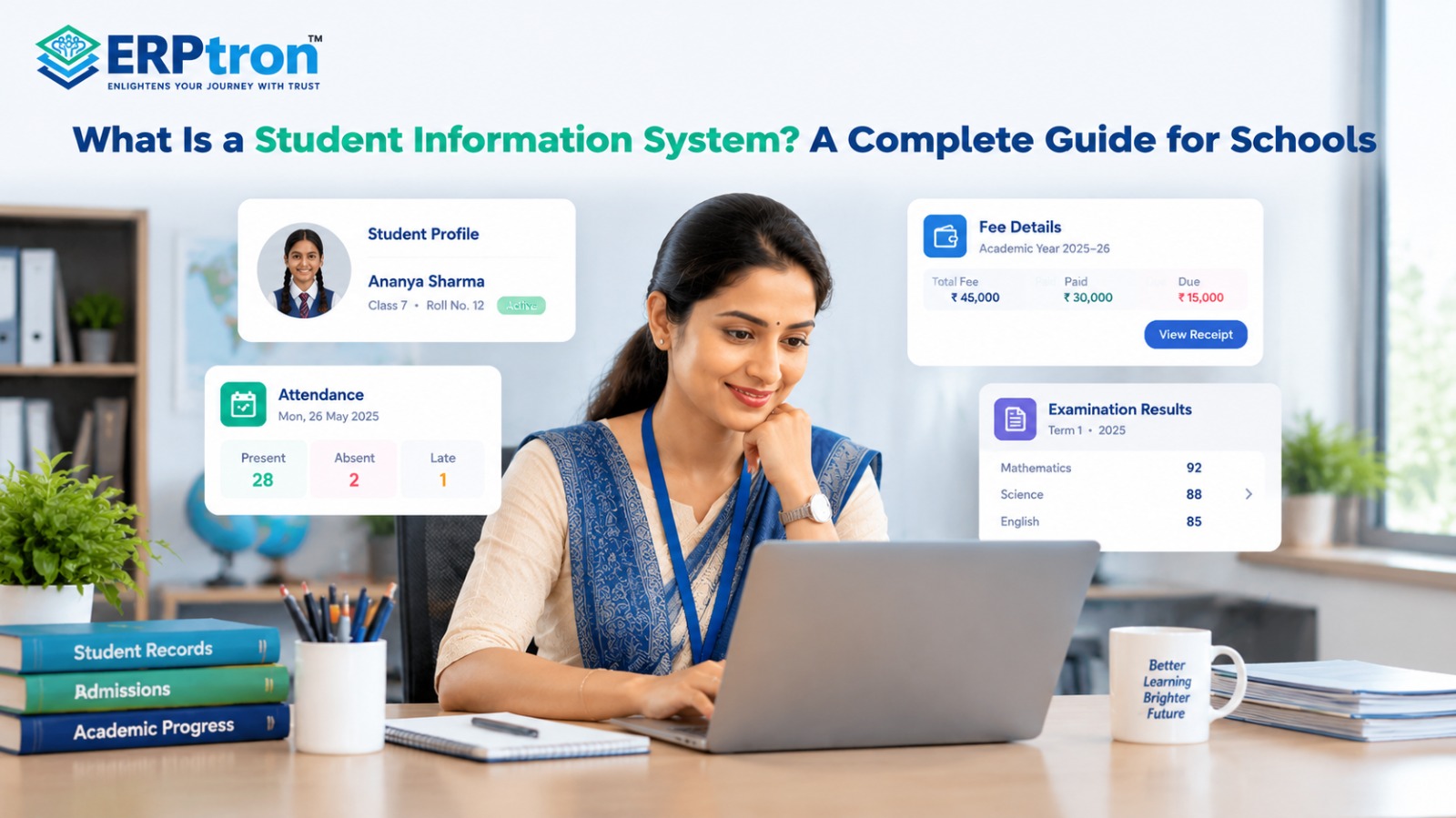
A Student Information System (SIS) is software that helps schools manage student information in one place. It can store details such as student profiles, parent information, admission details, attendance, academic records, results, and documents.
Instead of using different registers and files, schools can manage this information digitally. This makes it easier to find, update, and manage student records.
Different users can have different access based on their roles. Overall, an SIS helps schools keep student information organized and reduce manual work.
Why Do Schools Need a Student Information System?
Schools manage a large amount of student information every day. Admission teams manage registration details, teachers manage attendance and academic records, and examination departments manage marks and results.
When this information is kept in separate places, managing it can become difficult.
For example, a school may use admission forms, attendance registers, Excel files, examination records, paper documents, and different software applications.
This can create several problems.
- Duplicate Data: The same student information may need to be entered multiple times.
- Difficult Searches: Staff may have to check different files to find the information they need.
- Inconsistent Information: One record may have an old phone number while another record has the updated number.
- More Manual Work: Staff may spend a lot of time copying, updating, and checking information.
- Delayed Reports: Reports can take longer to prepare when information is stored in different places.
A connected School ERP system can help schools manage student information alongside other administrative activities, reducing the need to maintain disconnected records.
How Does a Student Information System Work?
An SIS usually starts with the creation of a student record.
When a student applies or joins the school, relevant information is entered into the system. This may include the student’s name, date of birth, parent details, contact information, and admission information.
The system then creates a digital student profile.
As the student continues in the school, the profile can be updated. Class information can change, attendance can be recorded, examination results can be added, and documents can be uploaded.
Depending on the software, the student profile can also connect with other school functions such as attendance, examinations, fees, communication, transport, and library management.
For example, a school can use an online admission management system to collect student details during admission and organize the information for future school activities.
Different users can then access the information they need according to their permissions. This creates a connected student record instead of keeping every piece of information separately.
What Information Does an SIS Store?
The information stored in an SIS depends on the software and the school’s requirements.
However, a typical system may manage several types of information.
- Personal Information: This may include the student’s name, student ID, date of birth, address, contact details, and other basic information.
- Parent or Guardian Information: The system may store parent names, contact numbers, email addresses, relationship with the student, and emergency contact details.
- Academic Information: This may include class, section, subjects, academic year, academic history, and performance information.
- Attendance Information: The system may store daily attendance, absence, leave, late arrival, and attendance percentage.
- Examination Information: This can include marks, grades, examination results, subject-wise performance, and academic reports.
- Administrative Information: Schools may also manage admission details, student status, transfer information, documents, and other relevant records.
Schools may also connect these records with a school administration software platform to support daily administrative activities.
Key Features of a Student Information System
A modern SIS may include several useful features.
- Student Profile Management: Schools can create and maintain digital student profiles. Information can be updated when required.
- Admission Data: Information collected during admission can become part of the student’s school record.
- Class and Section Management: Students can be assigned to the correct class, section, and academic year.
- Parent Information: Parent and guardian details can be maintained along with the student’s information.
- Attendance Integration: Attendance records can be connected to individual student profiles.
- Academic Records: Schools can maintain information about student academic performance.
- Examination Records: Marks, grades, and examination results can be linked to the correct student.
- Document Management: Some systems allow schools to store and manage student documents digitally.
- Reporting: Schools can generate reports using the information stored in the system.
- Search and Filtering: Staff can search for students and find information more quickly.
Schools evaluating these capabilities should also review the essential features of a School ERP to understand how student records can work with other school functions.
Benefits of a Student Information System
A Student Information System (SIS) can make it easier for schools to manage student information. Instead of using many registers, files, and spreadsheets, schools can keep important information in one digital system.
- Centralized Information: An SIS keeps important student information in one place. Staff can find details such as student information, parent details, attendance, academic records, and examination results from the same system.
- Faster Access: Staff do not have to search through different files or registers to find basic student information. They can search for a student and quickly access the information they need.
- Less Paperwork: Digital student records can reduce the need for paper forms, registers, and physical files. This can make everyday record management easier for school staff.
- Less Duplicate Data Entry: The same student information does not always need to be entered again for every school activity. Connected modules can use existing information, which can reduce repeated data entry.
- Better Organization: Student information can be stored in a structured format. This makes it easier to update information and keep student records organized.
- Better Reporting: Schools can use the information stored in the system to create reports. For example, they may generate attendance reports, student lists, academic reports, or examination-related reports.
- Better Parent Experience: When an SIS is connected with a parent portal or mobile app, parents may be able to check information about their child. This can include attendance, results, notices, and other important updates.
- Improved Administrative Efficiency: Staff can spend less time searching for records, copying information, and maintaining multiple files. This gives them more time to focus on other important school activities.
For example, a digital student attendance management system can connect daily attendance records with student profiles, making attendance tracking and reporting easier.
Similarly, integrating a school fee management system can help authorized staff access relevant fee information without maintaining separate, disconnected student records.
How Does SIS Reduce Manual Work?
In a traditional school, student information is often kept in different places. Staff may need to check several registers and files to find complete information about one student.
For example, if an administrator wants to check a student’s attendance and academic details, they may have to follow several steps:
Find Student File → Check Attendance → Find Marks → Check Admission Record → Prepare Information
This process can take time, especially when the school has many students.
With a Student Information System, the process can be much simpler. Student information can be connected to one digital profile.
The process may look like:
Search Student → Open Student Profile → View Required Information
Staff can then access the information they need without checking multiple physical records.
The purpose of an SIS is not simply to replace paper records with digital records. The bigger goal is to reduce manual work and make student information easier to find and manage.
This can save time for teachers, administrators, and other school staff. It can also reduce repeated data entry and make everyday student management more efficient.
Who Uses a Student Information System?
An SIS can be used by different people in a school. Each user can use the system for different purposes.
- School Administrators: They can manage student records, admission information, and other school details.
- Teachers: They can view attendance, academic records, and other information needed for teaching.
- Principals: They can check student information and school reports.
- Parents: They may be able to view their child’s attendance, results, notices, and other information through a parent portal or mobile app.
- Students: Depending on the system, students may be able to view their attendance, results, and academic information.
A school mobile app can make relevant student information more accessible to parents, teachers, and students, depending on the permissions provided by the school.
SIS vs School ERP
A Student Information System (SIS) and a School ERP are related, but they have different purposes. An SIS mainly helps schools manage student information, while a School ERP helps manage different areas of the school.
An SIS can manage student profiles, parent details, admission information, attendance, academic records, examination results, and documents. Its main purpose is to keep student information organized and easy to access.
A School ERP covers a wider range of school activities. It may include student information, admissions, fees, attendance, examinations, teacher management, HR and payroll, transport, library, accounts, and communication.
In simple words, an SIS focuses on students, while a School ERP focuses on the overall school.
For example, a school that mainly needs to manage student records may choose an SIS. A school that wants to manage multiple departments and connect different school processes may choose a School ERP.
An SIS can also be an important part of a School ERP. The student information stored in the SIS can be used by other modules such as attendance, examinations, fees, and communication.
Schools can learn more about the broader system in this guide to School ERP software and how it supports school operations.
How SIS Fits Into the School Technology Ecosystem?
A Student Information System can act as an important part of a school’s digital environment. Student information is often used by many different school departments.
For example, information collected during admission can later be used for creating the student’s profile. The same student information can then be connected with attendance, examinations, fees, communication, transport, library, and other school functions.
A simple structure can be:
Admission → SIS → Attendance, Examinations, Fees, Communication, Transport, Library
The exact structure depends on the software used by the school. Some schools may use one School ERP that includes all these functions, while others may use separate systems that are connected together.
The main benefit of connecting these systems is that staff may not have to enter the same student information again and again.
For example, when a student’s class, name, or parent information is already available in the system, other connected modules can use the same information where appropriate.
This can reduce duplicate work and help keep student information more consistent across different school processes.
A connected system can also support digital transformation in education by bringing routine school activities into a more organized digital environment.
What to Look for When Choosing an SIS?
Choosing an SIS should not be based only on the number of features. Schools should first understand their actual needs and then check whether the software can support their daily work.
- Ease of Use: The SIS should be easy for teachers, administrators, and other staff to use. Staff should not need complicated training just to complete simple tasks.
- Student Profile Management: The system should make it easy to create and update student profiles. Important information should be stored in a clear and organized way.
- Search: Staff should be able to find student information quickly. A simple search can save time when looking for a particular student or record.
- Reporting: The SIS should make it easy to create useful reports. Schools may need reports for attendance, academics, examinations, and student information.
- Integration: The SIS should be able to work with other school systems such as attendance, examinations, fees, admissions, and communication. This can reduce repeated data entry.
- User Permissions: Different users may need different access. For example, teachers may need access to attendance and academic information, while administrators may need access to more student records.
- Data Security: Student information is private and needs to be protected. Schools should check how the system protects, stores, and backs up student data.
- Scalability: The SIS should be able to support the school as it grows. It should work well even when the number of students, teachers, and users increases.
- Mobile Access: Mobile access can make the system more convenient for teachers, administrators, parents, and students. Schools should check whether the system works well on mobile devices.
- Support: Good support is important when using new software. Schools should check whether the provider offers training, technical support, and help when problems occur.
Schools should also check how well the software supports related functions such as parent communication and teacher management, especially if they plan to use a wider school management platform.
Common Mistakes Schools Make When Choosing SIS Software
Schools sometimes choose software mainly because it has a low price, attractive design, large feature list, or popular brand name. These factors can be useful, but they should not be the only things schools consider.
A system may have hundreds of features but still be difficult for teachers and administrators to use. Similarly, a low-cost system may not provide the integrations, support, or security that the school needs.
Schools should first understand their daily problems and then check whether the software can solve them.
A simple evaluation process can be:
Actual School Needs → Ease of Use → Integration → Security → Scalability → Support
Schools should also involve the people who will actually use the system. Teachers, administrators, and other staff can provide useful feedback about whether the software fits their daily work.
The best SIS is not necessarily the one with the most features. It is the one that solves the school’s real problems, is easy to use, protects student information, and can support the school as it grows.
How to Implement a Student Information System?
Moving from paper records or Excel files to a Student Information System needs some planning. Schools should take the process step by step instead of trying to change everything at once.
Step 1: Check Existing Records
First, find out where student information is currently stored. It may be in registers, Excel files, admission forms, or physical files.
Step 2: Clean the Data
Check the existing information before moving it to the new system. Remove duplicate, old, incomplete, or incorrect records.
Step 3: Decide What Information Is Needed
Decide what student information the school actually needs. This may include student details, parent information, attendance, academic records, and documents.
Step 4: Choose the Right System
Compare different SIS options based on their features, ease of use, security, reports, integrations, and support.
Step 5: Move Existing Data
Transfer the required student information into the new system. After the transfer, check the records to make sure the information is correct.
Step 6: Set User Access
Decide what different users can see and manage. For example, teachers, administrators, parents, and management may need different levels of access.
Step 7: Train Staff
Teachers and administrators should learn how to use the system. Simple training can help staff become comfortable with the new process.
Step 8: Start Using the System
Schools can start with basic student records and then gradually add other features such as attendance, examinations, communication, and documents.
Common Challenges During SIS Implementation
Moving to a new system can also bring some challenges. Schools need to prepare for these challenges before starting the implementation.
- Data Migration: Old records may contain missing, duplicate, or incorrect information. Cleaning the data before moving it to the new system can help avoid problems.
- Staff Adoption: Some staff members may be comfortable with registers and Excel files. They may need time to get used to the new system.
- Training: Teachers and administrators need basic training so they understand how to use the software correctly.
- Integration: The new SIS may need to work with other school systems, such as attendance, examinations, fees, or communication. Schools should check whether these systems can work together.
- Data Security: Student information is private. Schools should make sure that the system has proper security and that only authorized users can access sensitive information.
- Change in Work Habits: Moving from manual work to digital processes changes how staff perform their daily tasks. Clear instructions and proper support can make this transition easier.
How Does ERPtron Help Manage Student Information?
A Student Information System (SIS) helps schools keep student details, documents, and records in one place. Student information is also connected to admissions, attendance, fees, examinations, and other school activities.
ERPtron brings these activities together in one digital system. This helps schools manage student information more easily, reduce paperwork, and keep records organized.
1. School Operating System (School OS)
ERPtron School OS connects student information with admissions, fees, attendance, examinations, HR, library, and transport. This helps schools manage different activities in one system instead of using separate systems.
2. Paperless Admission Platform
ERPtron’s Paperless Admission Platform helps schools manage admission applications, documents, verification, fee payments, and registrations online. This makes it easier to collect and organize student information from the beginning.
3. School Fee Collection Hub
ERPtron’s School Fee Collection Hub helps schools manage fee structures, payments, receipts, discounts, pending fees, and reminders. This keeps student fee records organized and makes fee management easier.
4. Hybrid Digital Attendance Platform
ERPtron’s Hybrid Digital Attendance Platform supports biometric devices and mobile-based attendance. It helps schools record student attendance, maintain attendance records, and keep parents informed about attendance updates.
5. Exam Operating System
ERPtron’s Exam Operating System helps schools manage admit cards, marks, examination results, report cards, and rank lists. This keeps examination records organized and makes it easier to track student performance.
6. School Safety Hub
ERPtron’s School Safety Hub helps schools keep student details and documents in one central place. Authorized staff can find important records more easily, reducing the need for physical files and paperwork.
7. Finance Automation Platform
ERPtron’s Finance Automation Platform helps schools manage suppliers, expenses, payment vouchers, financial records, and reports. This keeps school finances organized alongside other administrative activities.
8. School Store 360
ERPtron School Store 360 helps schools manage books, accessories, stock, sales, and inventory. This keeps store information organized and helps schools track the items they sell.
9. Library Pro System
ERPtron Library Pro helps schools manage books, book availability, issue records, returns, and fines. It also helps schools maintain student library records and track borrowed books.
10. Smart HR Pro
ERPtron Smart HR Pro helps schools manage staff details, payroll, leave, and employee records. It also supports role-based access, helping schools organize staff information and administrative work.
11. Transport Revenue System
ERPtron’s Transport Revenue System helps schools manage bus routes, available seats, student allocations, transport fees, and payments. This keeps student transport information organized and easier to manage.
12. Teacher Mate
ERPtron’s Teacher Mate mobile app helps students and parents access important school information, such as notices, fee details, attendance, examination information, report cards, and study materials. This makes it easier for families to stay updated about school activities.
13. Hostel Management System
ERPtron’s Hostel Management System helps schools manage hostel bookings, available seats, student allocations, fees, payments, and pending balances. This keeps hostel-related student information organized and easy to access.
Schools can explore ERPtron’s features to understand how its modules support connected school management.
Conclusion
A Student Information System is more than a digital student file. It helps schools store, organize, update, and access student information in one place.
Student information can cover the complete journey, from admission and student profiles to attendance, academics, exams, communication, and past records.
With organized records, teachers and administrators can spend less time searching for information and more time using it.
For schools that want to manage student information, an SIS can be a useful solution. For schools that want to connect student data with admissions, fees, attendance, exams, communication, HR, and transport, a School ERP can provide a more complete solution.
A School ERP like ERPtron can bring these different school activities together in one connected system.
Want to manage your student information more easily? Explore ERPtron and build a more organized digital school.
ERPtron — Enlightens Your Journey with Trust.
FAQs
1. What is the difference between SIS and School ERP?
An SIS mainly manages student information and records. A School ERP manages a wider range of school activities such as admissions, fees, attendance, exams, HR, communication, and transport.
2. Can SIS manage attendance?
Yes. Many SIS platforms can store and manage student attendance records.
3. Can parents access SIS?
Yes. Some systems provide a parent portal or mobile app where parents can view relevant student information.
4. Is an SIS useful for small schools?
Yes. Small schools can use an SIS to organize student records and reduce manual work.
5. What should schools look for when choosing an SIS?
Schools should look for ease of use, security, reporting, integration, mobile access, scalability, and reliable support.
