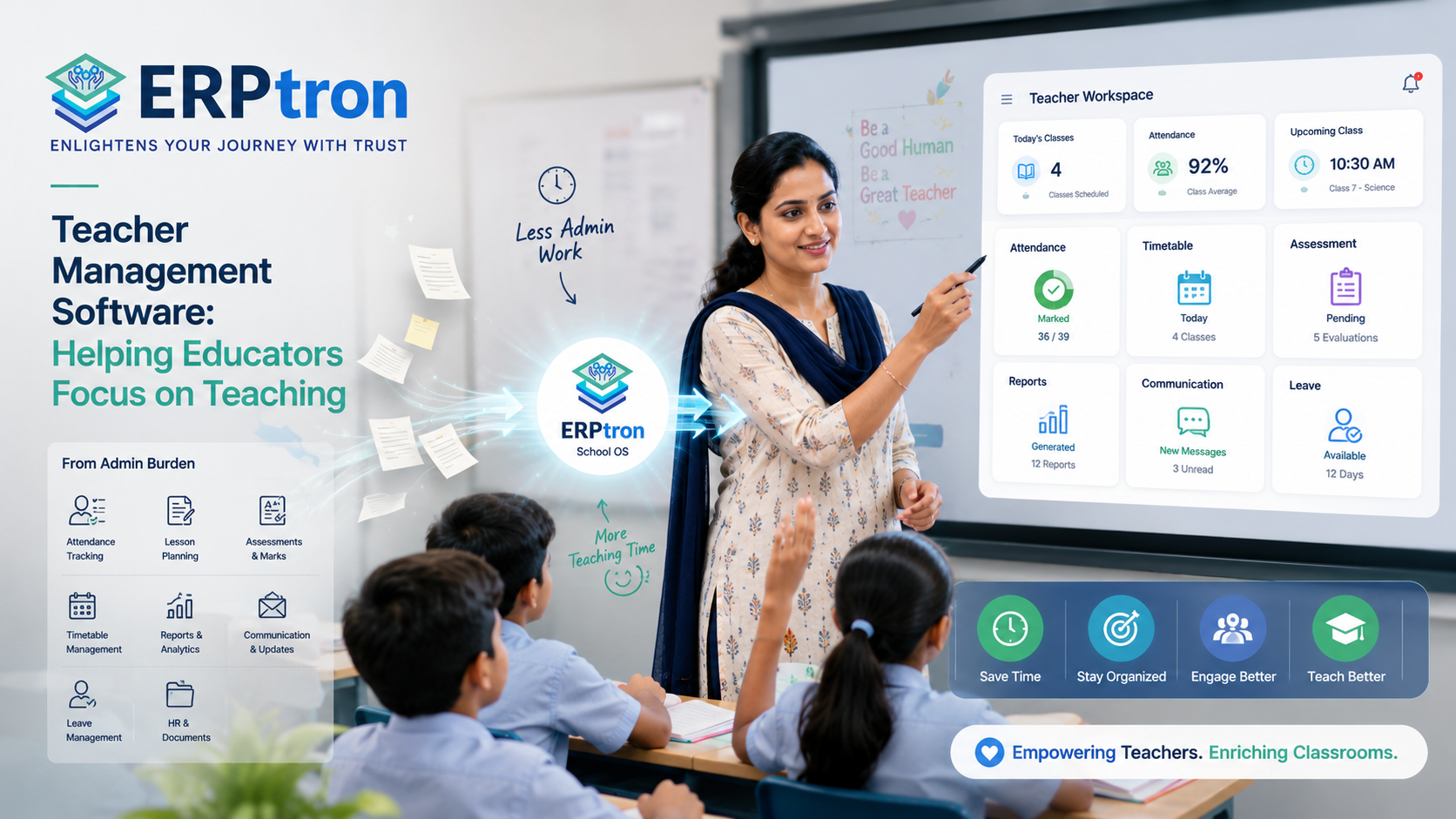
Teachers are at the heart of every school. Along with teaching, they manage classrooms, prepare lessons, conduct assessments, communicate with parents, and handle many other academic responsibilities.
As schools grow, managing these responsibilities can become more difficult. Administrators may need to manage teacher records, subjects, classes, timetables, attendance, leave, workloads, substitutions, and communication.
When these tasks are spread across spreadsheets, paper registers, messaging groups, and different applications, even simple tasks can take more time.
This is where Teacher Management Software can help. It brings teacher information and daily faculty processes into one organised digital system.
The goal is not just to keep teacher records digitally. It is to make faculty management simpler, more organised, and more efficient.
Let’s explore this guide to understand how Teacher Management Software can help schools manage their faculty more effectively.
What Is Teacher Management Software?
Teacher Management Software is a digital system that helps schools manage teacher information, schedules, attendance, leave, workload, responsibilities, and other faculty-related activities in one place.
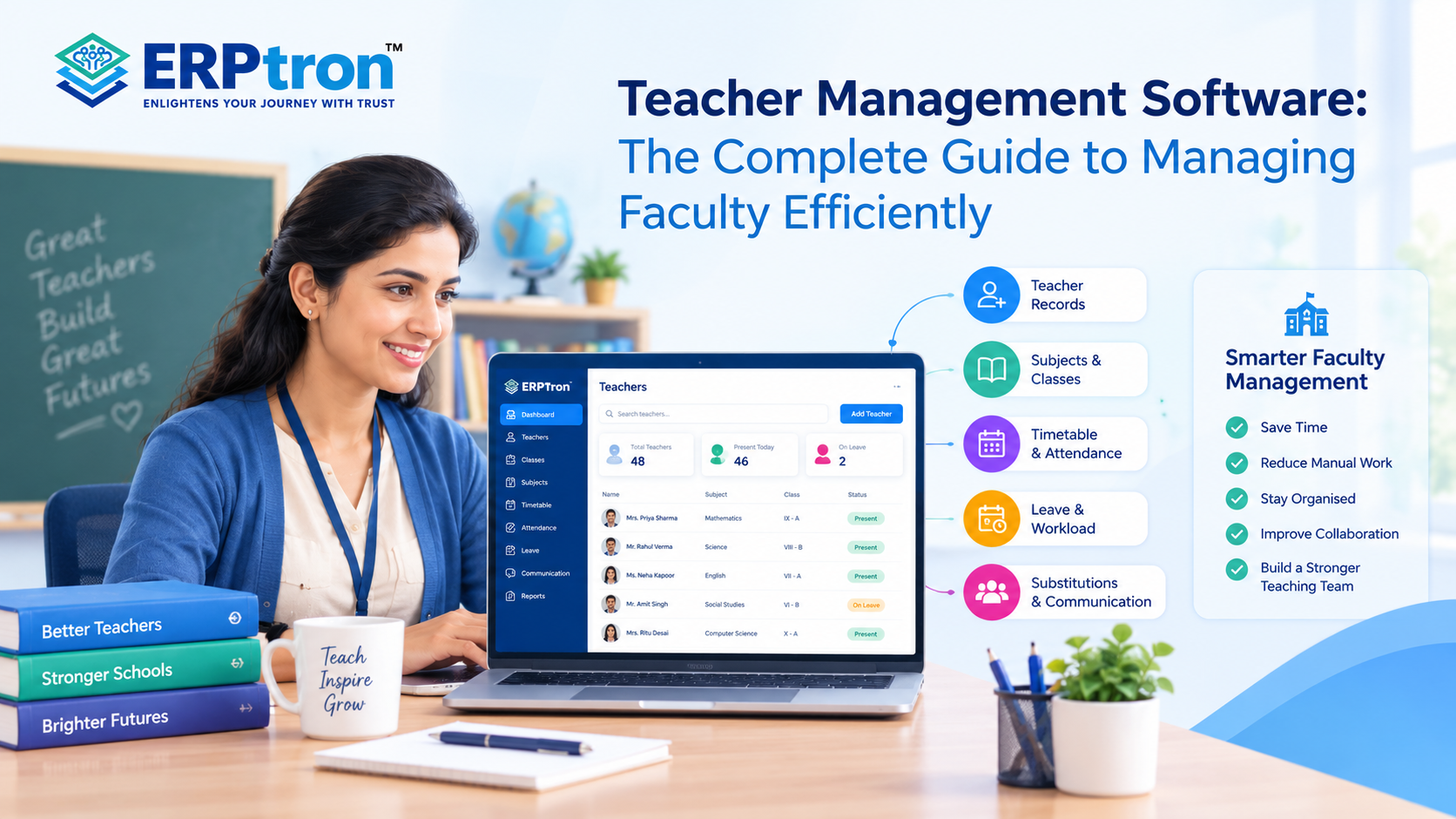
Depending on the software, it may include teacher profiles, staff records, subject and class allocation, timetable management, attendance, leave management, workload management, substitute teacher management, performance records, communication, and reports.
Some systems focus mainly on staff and HR activities, while others connect teacher management with academic processes and School ERP modules. The main goal is to give the school a centralized and organised view of its teaching staff.
Why Do Schools Need Teacher Management Software?
Managing a small number of teachers with spreadsheets and registers may be possible. But as the school grows, managing teachers, subjects, classes, schedules, and responsibilities manually can become difficult.
Growing Faculty
Schools may have many teachers working across different subjects, classes, and departments. A digital system can help keep teacher information organised and easier to manage.
Multiple Responsibilities
Teachers may handle classes, subjects, examinations, clubs, activities, and other school duties. A central system can help schools keep track of these responsibilities.
Scheduling
Creating a school timetable requires coordination between teachers, classes, subjects, periods, and rooms. A Teacher Management System can help organise schedules and reduce conflicts.
Attendance and Leave
Teacher attendance and leave records need to be managed carefully because staff availability can affect daily school operations. A digital system can make these records easier to track.
Communication
Schools regularly need to share information with teachers about meetings, schedule changes, academic activities, and important announcements. A connected system can make this communication more organised.
Management Visibility
Principals and administrators may need to view teacher attendance, workload, schedules, and responsibilities. A centralized system can make this information easier to access.
Teacher Management Software vs HR Software
Teacher Management Software and HR Software may have some similar features, but they serve different purposes.
HR software generally focuses on employee-related activities such as employee records, recruitment, payroll, attendance, leave, documents, and other HR processes.
Teacher Management Software focuses more on the academic and operational responsibilities of teachers. This may include subjects taught, classes assigned, timetables, workload, examination duties, and other academic responsibilities.
For schools, these systems can work together. HR software can manage the employee side, while Teacher Management Software can manage the academic side of a teacher’s role.
The main value of Teacher Management Software comes from connecting teacher information with everyday academic operations rather than treating teachers only as employee records.
What Does a Teacher Management System Manage?
A Teacher Management System can help schools manage different parts of the teacher lifecycle in one organised place. Depending on the software, it may cover teacher profiles, class and subject allocation, timetables, attendance, leave, workload, academic responsibilities, performance, and reports.
Teacher Recruitment and Onboarding
The system can help schools maintain basic information about new teachers and organise their onboarding details. This can make it easier to keep staff records updated from the beginning.
Teacher Profiles
A teacher profile can contain important information such as personal details, subjects, qualifications, experience, assigned classes, and other relevant staff information.
Subject and Class Allocation
Schools can use the system to record which subjects and classes are assigned to each teacher. This helps administrators keep teaching responsibilities organised.
Timetable Management
A Teacher Management System can help schools create and manage teacher timetables. It can make it easier to see teaching periods, free periods, and schedule changes.
Teacher Attendance
The system can record teacher attendance and provide administrators with an easier way to monitor staff attendance.
Leave Management
Teachers can submit leave requests through the system, while authorised staff can review and approve them. This can make leave management more organised.
Workload Management
Schools can track teaching periods, classes, subjects, and other responsibilities to understand how work is distributed among teachers.
Academic Responsibilities
Teachers may have responsibilities beyond regular classes, such as examinations, activities, clubs, or other academic duties. A digital system can help schools keep track of these assignments.
Performance and Development
Depending on the platform, schools may also record teacher performance information, training, professional development, and other relevant activities.
HR and Payroll Integration
A Teacher Management System may connect with HR or payroll software where required. This can help link teacher information with employee-related processes without managing everything separately.
Reports and Analytics
Reports can help school management view information such as teacher attendance, workload, leave, class allocation, and other faculty-related data.
Key Features of Teacher Management Software
The right features depend on the school’s size and needs. However, several features can make teacher and faculty management easier and more organised.
Teacher Profiles
A centralized teacher profile keeps important information such as the teacher’s name, contact details, qualifications, subjects, experience, department, classes, and documents in one place. Authorised users can view or update the information when needed. This helps schools avoid maintaining the same details in multiple files.
Teacher and Staff Database
A central database allows schools to keep teacher and staff information in one place. Administrators can search, update, review, and organise records more easily. It can also connect teacher information with other school activities, such as class assignments, attendance, and timetables.
Subject and Class Allocation
Teachers may teach different subjects and classes. A digital system can help schools record which teacher is responsible for each subject, class, and section. This makes it easier to understand teaching responsibilities and find the teacher assigned to a particular class or subject.
Teacher Timetable Management
Creating a school timetable can involve many teachers, classes, subjects, periods, and rooms. A digital timetable system can help administrators organise these schedules and identify possible conflicts. For example, the system can help prevent a teacher from being assigned to two classes at the same time.
Teacher Workload Management
Workload management helps schools understand how teaching responsibilities are distributed among teachers. It can include classes, subjects, teaching periods, examination duties, and other academic responsibilities. This information can help school management plan schedules and distribute work more effectively.
Teacher Attendance Management
Schools can use the system to record teacher attendance, including statuses such as present, absent, late, and leave. This can make attendance tracking and reporting easier than maintaining separate registers.
Teacher Leave Management
A digital leave system can make the leave process more organised. Teachers can submit requests, authorised staff can review them, and approved leave can be added to the teacher’s record. The system can also maintain leave history and balances where supported.
Substitute Teacher Management
When a teacher is absent, the school may need to arrange a substitute quickly. A digital system can help identify affected classes, check teacher availability, assign a substitute, and communicate the updated schedule. This can reduce last-minute confusion and make daily operations smoother.
Teacher Mobile App
A teacher mobile app can give teachers access to important school information from their phones. Depending on the system, they may be able to check their timetable, mark attendance, submit leave requests, view announcements, and receive notifications.
Teacher Communication
A Teacher Management System can help schools share announcements, meeting information, schedule changes, academic instructions, and other important updates with teachers. Centralized communication can reduce dependence on multiple informal communication channels.
Teacher Document Management
Schools can store relevant teacher documents such as qualification certificates, identity documents, employment records, and training certificates. Keeping these documents organised can make it easier for authorised staff to find them when required.
Teacher Performance Management
Some systems allow schools to manage teacher reviews, goals, feedback, training, and other performance information. The purpose should be to support professional development and improve teaching rather than simply rank teachers.
Professional Development and Training
Schools can track teacher training, workshops, certifications, and other professional development activities. This can help management understand training needs and maintain faculty development records.
Payroll Integration
Teacher information can be connected with HR or payroll systems where required. For example, attendance, leave, and employment information may be shared with the payroll process.
How Teacher Management Software Automates Faculty Administration?
One of the main benefits of Teacher Management Software is that it can reduce repetitive administrative work. Instead of managing every task through paper, spreadsheets, and messages, schools can handle many processes through one system.
Traditional Process
In a manual process, a teacher may submit a leave request, wait for approval, and then the administrator may need to update the leave register, adjust the timetable, arrange a substitute, and inform the affected teachers.
Digital Process
With a digital system, the teacher can submit a leave request online. After approval, the system can update the leave record, identify affected classes, help with substitute arrangements, and notify the relevant users.
The goal is not to automate every decision. The software should handle repetitive tasks while important academic and staff-related decisions remain with authorised school personnel.
Teacher Timetable, Workload, Attendance and Administration
Teacher Management Software helps schools manage teacher schedules, workload, attendance, leave, substitutions, and other faculty activities in one place.
Teacher Timetable Management
A school timetable includes teachers, classes, subjects, periods, rooms, and teacher availability. Managing all these details manually can be difficult. A digital timetable system helps schools create schedules and find conflicts. For example, it can help prevent a teacher from being assigned to two classes at the same time.
Teacher Workload Management
Teacher workload management helps schools see how work is divided among teachers. It can include teaching periods, classes, subjects, examination duties, and other responsibilities. This can help schools plan timetables and distribute work more effectively.
Teacher Attendance and Leave Management
Schools can use the system to record teacher attendance and manage leave requests. It can keep leave records and show which teachers are available or absent. This information can also help schools plan for teacher absences.
Teacher Substitution Management
When a teacher is absent, the school needs to arrange another teacher for the affected class. A digital system can help identify the affected classes, check available teachers, assign a substitute, and share the updated schedule.
Teacher Management for School Administrators
Principals and administrators can use the system to view teacher information, attendance, leave, workload, timetables, and responsibilities in one place.
Teacher Management for HR Teams
HR teams can manage teacher profiles, employment records, documents, attendance, leave, and training information. Payroll information can also be connected where required.
Teacher Management for Academic Coordinators
Academic coordinators can use the system to manage subjects, classes, teacher assignments, timetables, workloads, and examination duties.
How Does Teacher Management Software Connect to the School?
Teacher Management Software can support teachers, administrators, HR teams, and academic coordinators across daily school activities. When connected with a School ERP, it can bring teacher information, schedules, attendance, academic work, and communication into one system.
Teacher Mobile App
A teacher mobile app gives teachers easy access to important school activities from their phones. Depending on the system, teachers may be able to check their timetable, attendance, leave requests, assignments, notifications, and school announcements.
School ERP Integration
Teacher management becomes more useful when it is connected with the wider School ERP. Teacher information can be linked with subjects, classes, students, attendance, academic activities, examinations, and reports.
Student Information Integration
Teachers need student information for their daily academic work. An integrated system can connect teachers with their assigned classes and students, making it easier to access relevant information, record attendance, and manage academic activities.
Examination Management Integration
Teachers may be involved in assessments, marks entry, examination duties, and result preparation. Connecting teacher management with examination management can make these responsibilities easier to organise.
Parent Communication
Teachers may communicate with parents about assignments, academic updates, notices, or student-related information where the school allows it. A School ERP can provide a structured communication system with appropriate permissions.
Teacher Management Analytics
A centralized system can provide information about teacher attendance, leave, workload, department allocation, timetables, and academic responsibilities. This can help school leaders with planning and coordination.
Security and Privacy
Teacher Management Software can contain personal, employment, and professional information. Role-based access, authentication, data protection, document security, backups, and appropriate access controls can help protect this information.
Benefits of Teacher Management Software
Teacher Management Software can make faculty administration more organised, but its success depends on how well it fits the school’s needs and how easily staff can use it.
Benefits for Teachers
Teachers can access schedules, submit leave requests, receive school updates, and manage relevant academic activities from one system. This can reduce paperwork and make daily tasks easier.
Benefits for Administrators
Administrators can maintain teacher records, manage schedules and leave, reduce repetitive work, and generate reports more easily.
Benefits for Principals
School leaders can get better visibility into teacher attendance, workload, responsibilities, and faculty planning. This can support better academic coordination and decision-making.
Benefits for HR Teams
HR teams can organise teacher records, documents, attendance, leave, and training information in one place. This can make staff administration easier to manage.
Benefits for School Management
School management can gain better operational visibility and reduce dependence on disconnected spreadsheets and manual records. The system can also support more organised faculty planning.
Common Challenges in Teacher Management
Teacher Management Software can simplify many tasks, but schools may still face challenges during implementation and daily use.
Resistance to Change
Teachers and administrators may be comfortable with existing methods such as registers, spreadsheets, or messaging apps. Simple training and proper onboarding can make the transition easier.
Poor Data Quality
Incorrect or outdated teacher, subject, or class information can affect different parts of the system. Schools should review and clean their data before moving it into the new system.
Complex Timetables
School timetables can involve many teachers, classes, subjects, and periods. Software can help manage these relationships, but human review is still important.
Over-Automation
Not every teacher-related decision should be automated. Academic and personnel decisions often require experience, context, and human judgment.
Privacy Concerns
Teacher records may contain personal and employment information. Schools should use proper permissions and security controls to protect this information.
Training Requirements
Teachers, administrators, HR teams, and academic coordinators may use different parts of the system. Training should therefore focus on the tasks each group actually needs to perform.
How to Choose the Right Teacher Management Software
Choosing a Teacher Management System should start with the school’s actual needs rather than simply looking at the number of features.
Identify Your Current Problems
First, identify the main problems the school wants to solve. These may include timetable management, attendance, leave, workload, communication, teacher records, or substitute management.
Define Required Modules
List the features the school actually needs. Avoid choosing a system simply because it offers many additional features that may never be used.
Evaluate Teacher Experience
The system should be simple enough for teachers to use regularly. Schools should check how easily teachers can view their timetable, mark attendance, submit leave, receive updates, and complete academic tasks.
Evaluate Administrator Experience
Administrators should be able to manage teachers, subjects, classes, timetables, leave, and workloads without unnecessary complexity.
Check ERP Integration
Check whether the Teacher Management System can connect with the school’s Student Information System, attendance, examination, communication, and other relevant modules.
Evaluate Mobile Access
If teachers regularly use smartphones, check whether important functions are available through a mobile app or mobile-friendly system.
Check Reporting
The system should provide the reports school management actually needs, such as teacher attendance, workload, leave, and faculty-related information.
Evaluate Security
Check important areas such as user permissions, authentication, data protection, audit trails, and backup and recovery.
Check Scalability
Consider whether the system can support future growth, including more teachers, students, departments, classes, and campuses.
Test With Actual Teachers
Before full implementation, allow real teachers and administrators to test the system. This can reveal usability problems that may not be visible during a standard software demonstration.
Questions to Ask a Teacher Management Software Vendor
Before selecting a system, schools should ask practical questions.
Teacher Records
- Can we maintain centralized teacher profiles?
- Can we store relevant documents?
- Can access be controlled by role?
Timetable
- Can teachers be assigned to classes and subjects?
- Can the system identify timetable conflicts?
- Can schedule changes be communicated digitally?
Attendance
- Can teacher attendance be managed?
- Can attendance integrate with leave records?
Leave
- Can teachers submit leave digitally?
- Can approval workflows be configured?
- Can leave history be maintained?
Workload
- Can teaching workload be tracked?
- Can administrators view workload by teacher, subject, or class?
Substitution
- Can substitute assignments be managed?
- Can affected teachers or classes be notified?
Mobile
- Is there a teacher mobile app?
- Which teacher workflows are available through mobile?
Integration
- Does it integrate with the School ERP?
- Can it connect with attendance?
- Can it connect with examination management?
- Can it integrate with payroll or HR systems?
Security
- Can access be controlled by role?
- Are important changes logged?
- How is teacher information protected?
Common Mistakes Schools Make When Choosing Teacher Management Software
Schools may face several challenges when selecting and implementing Teacher Management Software. Understanding these mistakes can help them choose a system that fits their actual needs.
Treating It as Only an HR Tool
Teacher management is not limited to employee records, attendance, and leave. It also covers academic responsibilities such as classes, subjects, timetables, workload, and examination duties.
Focusing Only on Attendance
Teacher attendance is important, but it is only one part of faculty management. Schools should also consider scheduling, leave, workload, communication, and academic responsibilities.
Ignoring Timetable Integration
Timetable management can become complicated as the number of teachers, classes, subjects, and periods increases. A system that connects teacher information with timetable management can make scheduling easier.
Ignoring Workload
A teacher database does not automatically show how teaching responsibilities are distributed. Schools should check whether the system can provide useful workload information for better academic planning.
Ignoring Teacher Experience
Teachers are regular users of the system. If the software is difficult to understand or use, adoption may suffer. Schools should test the system with actual teachers before making a decision.
Choosing an Isolated System
A separate teacher database may create another information silo. A system that can connect with the School ERP, student information, attendance, examinations, and other modules can provide greater value.
Over-Automating Human Decisions
Technology can reduce repetitive work and provide useful recommendations, but important academic and personnel decisions still require human judgment.
How to Implement Teacher Management Software?
Successful implementation requires more than installing the software. Schools need to prepare their data, define workflows, train users, and gradually introduce the system.
Assess Current Processes
Start by understanding how the school currently manages teacher information, attendance, leave, timetables, workload, and other faculty responsibilities.
Define Requirements
Identify the users, workflows, permissions, reports, and integrations the school actually needs. This helps avoid adding unnecessary features.
Clean Teacher Data
Before moving to the new system, review teacher profiles, departments, subjects, classes, schedules, and other relevant records. Cleaning the data can make implementation smoother.
Configure the System
Set up user roles, departments, subjects, classes, attendance rules, leave rules, and other settings according to the school’s requirements.
Configure Timetables
Add the school’s timetable information and check for conflicts between teachers, classes, subjects, and periods.
Train Teachers
Teachers should receive practical training based on their daily tasks, such as checking timetables, marking attendance, submitting leave requests, and accessing notifications.
Start With a Pilot
Begin with a selected department, grade, or group of users. This allows the school to identify workflow or usability problems before expanding the system.
Roll Out Across the School
Once the pilot works well, the system can be introduced to other departments and users across the institution.
Monitor and Improve
After implementation, review usage, errors, feedback, and adoption. Use this information to improve the system and make daily faculty management easier.
Future of Teacher Management Software
Teacher Management Software is likely to become more connected, mobile, and data-driven as schools adopt more digital tools.
AI-Assisted Scheduling
AI may help identify timetable conflicts and suggest possible scheduling options. School staff can then review these suggestions before making the final decision.
Workload Insights
Analytics can help schools understand how teaching responsibilities are distributed and identify possible workload imbalances.
Mobile Faculty Management
More teacher activities may become available through mobile apps, allowing teachers to access timetables, attendance, leave, notifications, and other services from their phones.
Automated Substitute Planning
Future systems may help administrators identify available teachers and suggest suitable substitutes when a teacher is absent.
Teacher Development Tracking
Schools may use digital systems to track training, workshops, certifications, and other professional development activities.
Better Integration
Teacher management will increasingly connect with student information, attendance, examinations, communication, and other School ERP modules.
For this topic, I’ll keep the point names exactly the same, use a simple conversational style, and focus the ERPTron content on teacher/faculty management and reducing administrative workload.
How ERPTron Helps Schools Manage Teachers More Efficiently
Teachers are at the heart of every school, but managing faculty involves much more than keeping a list of employees. Schools need to handle staff records, attendance, leave, payroll, communication, and many other administrative tasks. Teacher management software can bring these activities together and make them easier to manage.
ERPTron helps schools organize faculty-related work digitally, giving administrators more time to focus on supporting teachers and improving the overall school environment.
School OS
ERPTron School OS brings different areas of school management into one platform. For school administrators, this means teacher-related activities can work alongside student management, attendance, exams, fees, HR, library, and transport instead of being handled through disconnected systems.
Paperless Admission Platform
Teachers may not directly manage admissions, but they often interact with new students and families during the process. ERPTron’s Paperless Admission Platform helps the school handle applications, documents, verification, and payments digitally, giving staff access to more organized admission information.
School Fee Collection Hub
Teachers usually do not want to spend valuable time answering basic fee-related questions. ERPTron’s School Fee Collection Hub keeps fee structures, payments, concessions, receipts, and dues organized, allowing the administrative team to handle fee information more efficiently.
Hybrid Digital Attendance Platform
Teachers are often responsible for taking attendance every day. ERPTron’s Hybrid Digital Attendance Platform gives them the option to record attendance using biometric devices or mobile-based tools. This reduces the need for paper registers and makes attendance records easier to maintain.
Exam Operating System
Exams create extra work for teachers, from entering marks to preparing results. ERPTron’s Exam Operating System helps manage marks entry, admit cards, tabulation, report cards, and rank lists digitally. This can reduce repetitive tasks and give teachers more time to focus on academic work.
Student Information System
Teachers regularly need access to student information. ERPTron’s Student Information System keeps student details and documents organized in one place, making it easier for authorized staff to find the information they need while working with students.
Finance Automation Platform
Teachers may not be responsible for the school’s finances, but they are part of an institution that depends on well-managed financial operations. ERPTron’s Finance Automation Platform helps administrators organize expenses, suppliers, payment vouchers, ledgers, and reports, reducing the administrative burden on the wider school team.
School Store 360
School stores often provide books and accessories that students need during the academic year. ERPTron School Store 360 helps staff manage inventory and sales digitally, reducing the need for teachers or administrators to deal with manual stock records.
Library Pro System
Teachers frequently guide students toward useful books and learning resources. ERPTron Library Pro helps schools maintain book catalogues, availability, issues, returns, and fines digitally, making it easier to manage the resources teachers and students rely on.
Smart HR Pro
This is one of the most important areas for teacher management. ERPTron Smart HR Pro helps schools maintain employee records, manage payroll and leave, and control role-based access. By bringing these tasks together, HR teams can handle faculty administration with less repetitive work.
Transport Revenue System
Teachers and school staff may also need information about student transportation. ERPTron’s Transport Revenue System helps administrators manage routes, seat availability, student allocations, pricing, and payments, keeping transport-related work away from scattered manual records.
Teacher Mate / Student Mobile App
Teachers need an easy way to stay connected with students and parents. ERPTron’s Teacher Mate / Student Mobile App provides access to notices, attendance, fees, exam details, report cards, and study materials. This gives teachers and families a convenient digital channel for sharing important school information.
Hostel Management System
For residential schools, teachers and staff may also be involved in supporting hostel activities. ERPTron’s Hostel Management System helps administrators manage bookings, available seats, fees, payments, and outstanding balances, keeping hostel information organized.
Giving Teachers More Time for Teaching
The goal of teacher management software is not simply to digitize staff records. It is about reducing the small administrative tasks that take teachers and school staff away from their main responsibilities. ERPTron helps schools organize faculty-related processes and connect them with wider school operations, allowing teachers to spend more time on teaching, students, and academic development.
FAQs
1. What is the difference between Teacher Management and HR Software?
HR software mainly manages employee-related tasks such as records, payroll, recruitment, and leave. Teacher Management Software focuses more on teachers’ academic and daily school responsibilities.
2. Can Teacher Management Software integrate with School ERP?
Yes. Integration can connect teacher information with student records, attendance, timetables, examinations, and other school processes.
3. Can Teacher Management Software integrate with payroll?
Some systems can connect with HR or payroll platforms. However, Teacher Management Software does not necessarily replace a complete payroll system.
4. How much does Teacher Management Software cost?
The cost depends on factors such as number of users, features, integrations, implementation, hosting, and vendor pricing.
5. How long does implementation take?
Implementation time depends on the school’s size, existing data, required modules, integrations, customisation, and user readiness. Larger implementations may require a phased approach.
Conclusion: From Managing Teachers to Empowering Faculty Operations
Managing teachers can become difficult when records, attendance, leave, timetables, and responsibilities are handled through separate registers, spreadsheets, and messages.
A Teacher Management System can bring these activities together in one place. Schools can manage teacher profiles, class and subject allocation, timetables, attendance, leave, workloads, and academic responsibilities more easily.
The goal is not just to replace paperwork with software. It is to make everyday faculty operations more organised and easier to manage.
A connected system can help schools reduce administrative work, improve coordination, simplify scheduling, and get better visibility into faculty operations.
When teacher management is connected with a wider School ERP, teachers, administrators, academic teams, HR, and school leaders can work with the information they need.
Looking to simplify faculty management? ERPtron can help schools bring teacher information and everyday faculty operations together in one connected digital system.