
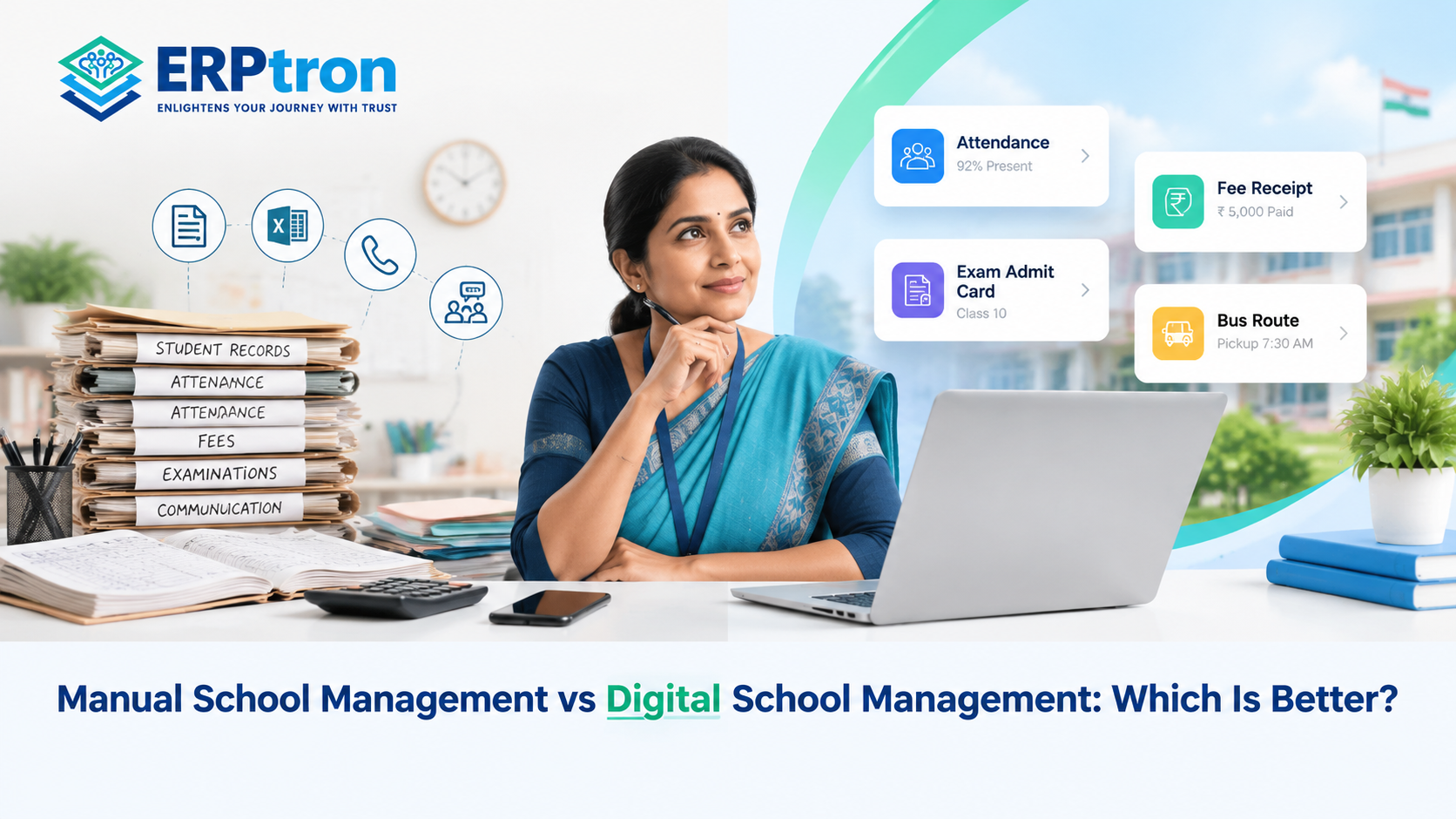
Many schools still rely on paper registers, Excel sheets, physical files, manual receipts, phone calls, and messaging groups to manage daily activities. These methods can work when a school is small, and its processes are relatively simple.
However, as the school grows, managing student records, attendance, fees, examinations, and communication manually can become increasingly difficult. Staff may spend more time updating records, preparing reports, and searching for information.
Digital school management offers an alternative. A School ERP can connect essential school activities, reduce repetitive work, and make information easier to access.
But does every school need to go digital? Let’s compare both approaches and understand which one may work better for your institution.
What Is Manual School Management?
Manual school management means handling daily activities through paper registers, spreadsheets, physical files, notebooks, and separate communication channels.
For example, student details may be recorded in admission registers, attendance in classroom registers, fee payments in accounting sheets, and examination results in separate files.
Although this approach requires little technology investment, maintaining multiple records can become time-consuming. Staff may need to enter the same information repeatedly, and finding an updated record can require checking several sources.
What Is Digital School Management?
Digital school management uses software to organise school activities and information electronically. Depending on the platform, schools can manage student records, admissions, attendance, fees, examinations, staff information, and communication through connected modules.
For example, student information entered during admission may also be available for other supported processes, such as attendance and examination administration. This can reduce duplicate data entry and improve consistency.
To understand the wider concept, read What Is School ERP Software? and School Management Software: The Complete Guide for Schools.
Manual vs Digital School Management: At a Glance
| Factor | Manual management | Digital management |
| Student records | Paper files and spreadsheets | Centralised digital records |
| Attendance | Physical registers | Digital attendance tools |
| Fee management | Manual tracking and receipts | Digital payment records and reporting |
| Admissions | Paper forms and spreadsheets | Digital application workflows |
| Communication | Calls, notices, and separate channels | Supported apps, portals, and notifications |
| Reporting | Often prepared manually | Faster reporting where supported |
| Data search | Can take time | Searchable records |
| Follow-ups | Staff-managed reminders | Automated reminders where supported |
| Data access | Often location-dependent | Remote access may be available for authorised users |
| Implementation | Limited technology setup | Requires implementation and training |
| Cost | Lower initial software expenditure | Software and implementation costs |
| Scalability | Manual work increases with growth | Generally easier to scale |
Digital management can improve efficiency, but the results depend on the software selected, the school’s processes, and how consistently the system is used.
10 Important Differences Between Manual and Digital School Management
1. Student Information Management
In a manual setup, student details may be spread across admission forms, registers, and spreadsheets. Updating information in several places creates extra work and increases the possibility of inconsistencies.
Digital systems can keep student information in a centralised database, making authorised records easier to retrieve and update.
Learn more in Student Information System (SIS): Complete Guide for Schools.
2. Attendance Management
Manual attendance requires teachers to maintain registers and may require administrators to calculate totals or prepare reports separately.
Digital attendance tools can simplify recording, tracking, and reporting. Some systems also support biometric or mobile-based attendance, depending on the school’s implementation.
Explore the Student Attendance Management System: The Complete Guide and Benefits of Digital Attendance Systems.
3. Fee Management
Manual fee management often involves receipts, spreadsheets, payment registers, and separate follow-up records. Keeping these records updated can place considerable pressure on accounts staff.
Digital fee management can organise payment records, receipts, pending dues, reminders, and reports in one system, depending on the available features.
For more detail, read Fee Management System for Schools: A Complete Guide to Digital Fee Collection and Benefits of Online Fee Collection.
4. Admission Management
When enquiries arrive through phone calls, websites, messages, and school visits, tracking applicants manually can become difficult. Follow-ups may be delayed, and application documents may be scattered across different locations.
Digital admission tools help schools organise enquiries, applications, documents, and admission status.
See Online Admission Management Software: Complete Guide for Schools and How to Build a Parent-Friendly Admission Process.
5. Teacher and Staff Management
Manual staff records can make it harder to coordinate teacher details, attendance, leave, and academic responsibilities.
Digital systems can bring supported staff records and administrative processes together, helping administrators retrieve information and coordinate daily work more efficiently.
Read Teacher Management Software: The Complete Guide to Managing Faculty Efficiently for a closer look at digital faculty management.
6. Examination Management
Preparing examination schedules, entering marks, calculating results, and creating report cards manually can involve repeated calculations and paperwork.
Digital examination tools can organise marks entry, tabulation, and report generation. Schools should verify which calculations and workflows their chosen system supports.
7. Parent Communication
Manual communication often relies on phone calls, printed notices, messaging groups, and individual messages. Important updates can be missed when information is distributed across several channels.
Digital platforms can make notices, attendance updates, examination information, and other supported communications easier to distribute.
Explore The Complete Guide to Parent Communication Software for Schools and School Mobile Apps: Transforming Communication Between Schools, Parents, Teachers, and Students.
8. Reporting and Decision-Making
Manual reporting requires staff to collect information from different registers, files, and departments before preparing summaries.
A School ERP can generate reports from stored data, helping school leaders review information on attendance, fees, admissions, and other supported activities more efficiently.
For related guidance, read Financial Reporting for School Administrators.
9. Data Accuracy and Security
Manual data entry can lead to duplicate records, typing mistakes, and calculation errors. Digital systems may reduce these problems through validation tools and automated calculations, although accurate input and regular checks remain important.
Physical files can also be lost or damaged. Digital platforms may offer user permissions, secure logins, backups, and activity logs, depending on the provider.
Schools should evaluate data protection, access controls, backup arrangements, and recovery procedures before choosing a system.
10. Administrative Workload and Scalability
As student numbers increase, staff have more records to maintain, enquiries to follow up, payments to track, and reports to prepare.
Digital systems can simplify repetitive work and make it easier to manage larger volumes of information. For example, a recorded payment may update a student’s fee record and generate a receipt automatically if the system supports that workflow.
Read How School ERP Software Simplifies School Operations to understand how connected processes can help reduce administrative pressure.
Is Digital School Management Always Better?
Not necessarily. The right approach depends on the school’s size, complexity, budget, existing processes, and readiness to adopt technology.
Manual management may be sufficient when:
- The school is small and has relatively simple processes.
- The volume of records is manageable.
- Staff can maintain accurate information without excessive effort.
- There is limited need for digital access or automated reporting.
Digital management may be worth considering when:
- Staff maintain the same information in multiple files.
- Attendance, fees, or admissions require substantial manual effort.
- Reports take too long to prepare.
- Parent enquiries and follow-ups are difficult to track.
- Different departments struggle to share accurate information.
- The school is growing and its current processes are becoming harder to manage.
There is no fixed student count at which a school must adopt software. The important question is whether the current system remains efficient, accurate, and manageable.
For additional indicators, read 10 Signs Your School Needs School Management Software.
How to Move From Manual to Digital School Management
Schools do not need to digitise every activity at once. A phased approach can make implementation easier for teachers, administrators, and management.
Step 1: Identify the Biggest Problems
Review the activities that consume the most time or generate frequent errors. These may include attendance, fees, admissions, student records, or report preparation.
Step 2: Simplify Existing Processes
Software cannot automatically fix every inefficient process. Review current procedures and remove unnecessary steps before moving them into a digital system.
Step 3: Choose Suitable Software
Evaluate the system based on actual requirements, ease of use, integration, security, support, and long-term costs—not just the number of features.
Step 4: Prepare Existing Records
Check student, parent, staff, fee, and academic information before migration. Correct duplicate, outdated, or incomplete records where possible.
Step 5: Train Teachers and Administrators
Provide practical training and explain how the new system will support each person’s responsibilities. Involving regular users early can improve adoption.
Step 6: Start With Essential Modules
Begin with high-priority activities, then introduce additional modules as staff become comfortable with the system.
Step 7: Review the Results
Measure whether the new approach reduces repetitive work, improves record accuracy, speeds up reporting, and makes information easier to access.
For a broader overview of this transition, read Technology in Education: How Digital Transformation Is Changing Schools.
The Best Approach: Use Technology Where It Helps
Moving to digital school management does not mean removing every paper document or personal interaction.
Schools may still need physical documents for particular administrative or regulatory requirements. They may also prefer face-to-face conversations for sensitive matters, even when routine announcements are distributed digitally.
A practical approach combines digital tools with traditional methods wherever they remain useful. The aim is to reduce avoidable work without losing the human interaction that matters in education.
How ERPtron Helps Schools Move Towards Digital Management
ERPtron offers a school management ecosystem with dedicated modules for important administrative and academic activities. Schools can evaluate these modules according to their needs instead of trying to digitise every process at once.
School OS: Connecting Core School Operations
School OS provides a central environment for core functions, including student management, admissions, attendance, examinations, HR, fees, library, and transport. This can help schools reduce fragmentation between essential operations.
Paperless Admission Platform: Organising Applications
The Paperless Admission Platform supports digital admission workflows, including applications, documents, and verification. It can help schools organise applicant information and reduce dependence on paper-based processes.
School Fee Collection Hub: Managing Fee Records
The School Fee Collection Hub supports fee structures, payments, receipts, outstanding dues, and reporting. These capabilities can help schools maintain organised fee records.
Hybrid Digital Attendance Platform: Digitising Attendance
The Hybrid Digital Attendance Platform supports biometric and mobile-based attendance methods, helping schools maintain digital attendance records.
Exam Operating System: Organising Examination Activities
The Exam Operating System supports admit cards, marks entry, tabulation, report cards, and rank lists, helping schools organise important examination workflows.
Student Information System: Keeping Student Records Organised
The Student Information System provides a digital environment for student details and documents, making relevant information easier for authorised users to access.
Finance Automation Platform: Organising Financial Records
The Finance Automation Platform supports suppliers, expenses, vouchers, ledgers, and financial reporting. This can help schools organise financial information and review records more efficiently.
School Store 360 and Library Pro System: Managing Resources
School Store 360 supports inventory and school-store activities, while Library Pro System supports catalogues, book availability, issue and return records, and fines.
Smart HR Pro: Supporting Staff Administration
Smart HR Pro supports staff records, leave, payroll, and role-based access, helping schools organise important HR processes.
Schools should confirm the precise features, integrations, and implementation scope available for their requirements.
Want to move your school beyond disconnected spreadsheets and manual records? Visit ERPtron’s features page to explore its school management modules. Identify the processes creating the most administrative pressure, discuss your requirements with the ERPtron team, and evaluate a practical implementation plan for your institution.
Conclusion
Manual school management can work for smaller institutions, but growing schools may find it increasingly difficult to manage records, fees, attendance, admissions, examinations, and communication through disconnected processes.
Digital school management can help organise information, reduce repetitive work, and improve coordination across departments. However, success depends on choosing appropriate software, preparing accurate data, training staff, and implementing the system thoughtfully.
ERPtron provides modules that schools can evaluate when planning their transition towards more connected school operations.
The goal is not simply to replace paper with software. It is to make everyday school management more efficient, organised, and manageable.
ERPtron — Enlightens Your Journey with Trust.
FAQs
1. Is digital school management better than manual management?
Digital management can be more efficient for schools with growing workloads, multiple departments, or frequent reporting needs. Manual processes may still be suitable for smaller schools with simple requirements.
2. Can School ERP replace Excel?
A School ERP can replace spreadsheets for many activities, including student records, attendance, fees, and admissions. Excel may still be useful for specialised calculations and analysis.
3. Is School Management Software expensive?
Costs vary according to modules, users, implementation, integrations, training, and support. Schools should compare total costs against their expected operational benefits.
4. Can small schools use digital school management?
Yes. Small schools can use digital tools for essential activities such as student records, attendance, fees, and communication. They should select a system that fits their current needs and budget.
5. How does digital management reduce administrative work?
Depending on the available features, it can simplify record updates, calculations, receipt generation, reminders, and report preparation, reducing repetitive tasks for school staff.
Interlinking included: 18 contextual blog links, plus the ERPtron features page. The links are distributed across the article and placed where readers are most likely to want further information.