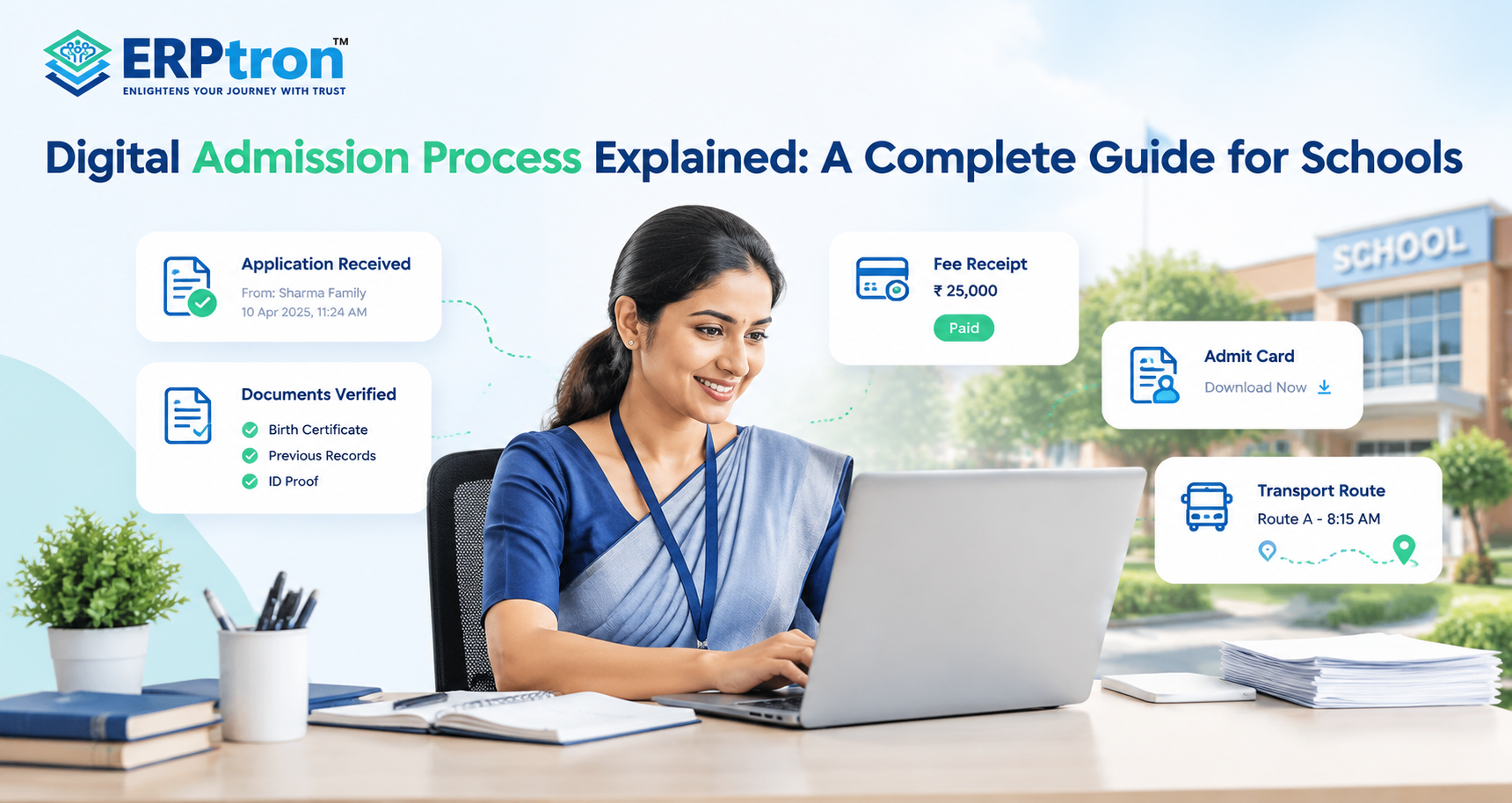


Admission is not just an administrative process for schools. For parents, it is often their first major experience with the school. The way a school shares information, responds to questions, collects documents, and provides updates can shape their first impression.
A complicated form, slow response, repeated information, or unclear status can make the process stressful. On the other hand, clear information, simple applications, timely updates, and easy communication can make the experience much better.
A parent-friendly admission process should make it easy for parents to understand what to do, submit information, track progress, and complete enrollment.
In this guide, we’ll explore how schools can create a simple, clear, and parent-friendly admission process while keeping their own admission work organized and efficient.
Top 20 Ways to Build a Parent-Friendly Admission Process
A school admission process should be simple, clear, and comfortable for parents. Parents need to understand the admission steps, required documents, fees, deadlines, and application status. Schools can use clear communication and digital tools to make admission easier for families and reduce extra work for staff.
1. Understand the Admission Process from a Parent’s View
Schools should understand what parents need at every stage of admission. Parents want to know what to do, what happens next, and when they will receive an update. Making these steps clear can improve their experience.
Schools can begin by reviewing the principles of online admission management software and identifying opportunities to simplify each step.
2. Make Admission Information Easy to Find
Schools should clearly share admission dates, age requirements, eligibility rules, required documents, fees, and application steps. Parents should be able to find this information on the school website or admission portal without making repeated phone calls.
3. Keep Application Forms Simple
Long and complicated forms can discourage parents from applying. Schools should ask only for necessary information and make sure the form works well on mobile phones and computers.
A well-designed school administration software system can help schools organize application information and reduce unnecessary paperwork.
4. Make Document Submission Easy
Schools should provide a clear list of required documents and explain how to submit them. A document checklist can help parents see which documents have been submitted and which are still pending.
5. Avoid Asking for the Same Information Repeatedly
Parents should not have to enter the same student and parent details multiple times. A digital admission system can store the information and reuse it where needed, saving time and reducing mistakes.
6. Provide Application Status Tracking
Parents should be able to check the progress of their application. Simple status updates, such as Application Submitted, Documents Under Review, and Admission Confirmed, help parents understand what is happening.
These features are worth considering when evaluating essential School ERP features.
7. Set Clear Admission Timelines
Schools should explain how long each admission stage may take. If there is a delay, parents should receive an update instead of waiting without information.
8. Communicate Clearly and Regularly
Schools should send simple and timely updates about applications, missing documents, interviews, admission decisions, and payment deadlines. The information should remain consistent across the communication channels used by the school.
A dedicated parent communication software system can help schools organize important updates and reduce repeated enquiries.
9. Explain Fees and Payment Methods Clearly
Parents should know the admission fees, payment deadlines, available payment methods, and applicable refund rules. If online payment is available, schools should provide a simple payment process and digital receipts.
Schools can also explore a fee management system for schools to organize payment records and fee-related activities.
10. Make Interview and Assessment Scheduling Easy
If admission requires an interview or entrance test, schools should clearly share the date, time, location, required documents, and instructions. This helps parents prepare without repeatedly contacting the school.
11. Keep Parents Informed While They Wait
Parents may feel worried when they do not receive updates about their application. Schools should let them know when an application is under review and when they can expect the next update.
12. Handle Rejections and Waitlists Respectfully
Schools should communicate admission decisions clearly and respectfully. If a student is placed on a waitlist, parents should understand what it means and what steps they may need to take next.
13. Support Parents After Admission
The admission process should continue smoothly after a student is selected. Schools should provide information about uniforms, timetables, transport, school calendars, orientation, and other details needed before the first day.
14. Connect Admission with Student Records
Schools should connect the admission process with their student management system. Once an application is approved, the information can be used to create the student’s profile, reducing repeated data entry and paperwork.
A student information system can help schools maintain student details in an organized and accessible format.
15. Provide a Parent Portal or Mobile App
A parent portal or mobile app can help families check application status, notices, documents, payment details, and admission updates. This gives parents easy access to important information without always contacting the school office.
Read more about how school mobile apps transform communication between schools, parents, teachers, and students.
16. Use Automation for Routine Tasks
Schools can automate application confirmations, document reminders, status updates, payment notifications, and other repetitive tasks. This saves time for admission staff while allowing them to focus on parents who need personal support.
17. Measure the Admission Process
Schools should review how quickly enquiries are answered, how many applications are completed, and how long admission decisions take. These details can help schools identify areas that need improvement.
An admission CRM can help schools monitor enquiries, follow-ups, and application progress in one place. Learn more in this guide to CRM for schools.
18. Find Out Where Parents Face Problems
If many parents start an application but do not finish it, schools should investigate why. Complicated forms, unclear instructions, document problems, and slow responses may be some of the reasons.
19. Avoid Common Admission Mistakes
Schools should avoid confusing instructions, repeated document requests, unclear fees, slow responses, and conflicting information from different staff members. Regular checks can help prevent these problems.
20. Collect Parent Feedback and Improve
Schools should ask parents whether the admission process was easy to understand and complete. Their feedback can help schools improve application forms, communication, document submission, and payment processes for future applicants.
Common Mistakes That Make Admissions Parent-Unfriendly
A quick review of the admission process can help schools find problems that make things difficult for parents. Here are some common mistakes schools should avoid.
1. Complicated Forms
Forms with too many fields can overwhelm parents. Schools should ask only for the information they need at each stage.
2. Asking for Unnecessary Information
Parents should not have to provide details that are not needed yet. Schools can collect additional information when it becomes necessary.
3. Poor Mobile Experience
Many parents apply using their phones. Admission forms should be easy to read, navigate, and complete on mobile devices.
4. Unclear Eligibility Criteria
Schools should clearly explain age requirements, class eligibility, and other admission rules. This helps parents understand whether their child can apply.
5. Hidden or Unclear Fees
Parents should know the admission fees, payment deadlines, and other applicable charges. Clear fee information helps avoid confusion.
6. No Application Tracking
Parents should be able to check their application status after submitting the form. This helps them understand what is happening and what comes next.
7. Slow Enquiry Responses
Delayed replies can frustrate parents and make them consider other schools. Admission teams should respond to enquiries as quickly as possible.
8. Repeated Data Entry
Parents should not have to enter the same information multiple times. Schools can use digital systems to reuse information where appropriate.
9. Repeated Document Requests
Asking for documents that parents have already submitted creates extra work. Staff should keep document records updated and check them before requesting anything again.
10. Uncoordinated Communication
Different admission staff members may give conflicting information. Everyone involved should have access to the same applicant records to keep communication consistent.
11. No Clear Timeline
Parents need to know when they can expect updates or admission decisions. Schools should provide realistic timelines and communicate any delays.
12. No Post-Admission Guidance
The process should not end with an admission confirmation. Schools should explain the next steps, including enrollment, parent portal access, uniforms, transport, and orientation.
A Parent-Friendly Digital Admission Workflow
A parent-friendly digital admission process makes it easy for families to apply, submit documents, track progress, and complete enrollment. Each step should be clear so parents know what to do and what happens next.
1. Discover the School
Parents should easily find admission dates, age requirements, available classes, fees, required documents, and application steps on the school website.
2. Make an Enquiry
Parents can submit an online enquiry or contact the admission team. The school should record the enquiry and follow up with parents on time.
3. Submit the Application
Parents complete a simple online application and upload the required documents. A save-and-continue option allows them to finish the form later if needed.
4. Review and Verify the Application
The admission team checks the application and documents. If anything is missing, the school informs parents about what they need to submit.
5. Attend an Assessment or Interview
If an entrance test or interview is required, the school shares the date, time, location, and necessary instructions in advance.
6. Receive the Admission Decision
The school informs parents whether the application has been accepted, rejected, or placed on a waiting list. Selected students’ parents receive clear instructions about the next steps.
7. Complete the Payment
Parents can check the required fees and available payment methods. If online payment is available, they can pay digitally and receive a confirmation and receipt.
8. Complete Enrollment
After all requirements are completed, the school confirms enrollment. The information collected during admission can be used to create the student’s school record, reducing repeated data entry.
9. Start the Onboarding Process
The school provides parents and students with important information, such as portal access, the school calendar, timetable, uniform details, transport arrangements, orientation, and contact information.
Simple Admission Workflow:
Enquiry → Application → Document Verification → Assessment or Interview → Admission Decision → Payment → Enrollment → Onboarding
What Technology Does a Parent-Friendly Admission Process Need?
Technology should support the admission journey rather than make it more complicated. Schools should choose tools based on what parents and staff actually need.
1. Admission Website: The website should provide clear admission information and give parents an easy way to start an enquiry or application.
2. Online Application: An online application allows parents to submit information digitally instead of filling out lengthy physical forms.
3. Admission CRM: An admission CRM can help the school manage enquiries, follow-ups, applications, and different stages of the admission journey. Read the complete guide to CRM for schools.
4. Document Management: A document management system can help parents upload documents and allow staff to check what has been received and what is still pending.
5. Communication System: Schools can use communication tools for application confirmations, reminders, assessment information, admission decisions, and other important updates.
6. Payment System: An online payment system can make fee payments easier and provide parents with digital confirmation and receipts.
7. Parent Portal or Mobile App: A parent portal or mobile app can give families access to relevant information without requiring them to contact the school for every routine question.
8. School ERP: A School ERP can connect admission with other school operations such as student management, fees, attendance, academics, examinations, and communication. Learn more about School ERP software and its essential features.
How to Choose Admission Software for a Parent-Friendly Experience?
Choosing admission software is not just about looking at the number of features. Schools should focus on whether the software makes admission easier for parents and simpler for the school team.
Is It Mobile-Friendly?
Parents should be able to apply easily from their smartphones. Forms, buttons, document uploads, and navigation should work properly on smaller screens.
Is the Application Easy to Complete?
The application should be simple and follow a clear flow. Parents should know what information they need to provide at each step.
Can Parents Save and Continue?
Parents may not always have all the information or documents ready. A save-and-continue option allows them to complete the application later without starting again.
Can Parents Track Application Status?
Parents should be able to see what is happening with their application. Simple updates such as Submitted, Under Review, Verified, or Approved can provide clarity.
Can Documents Be Uploaded Easily?
The system should clearly show which documents are required. Parents should also be able to see which documents have been submitted and which are still pending.
Can Staff Manage Enquiries and Follow-Ups?
The admission team should be able to manage enquiries, follow-ups, applications, and prospective students from one place. This helps ensure that important enquiries are not missed.
Can the School Automate Notifications?
Routine messages such as application confirmations, reminders, and status updates can be automated. This saves staff time while keeping parents informed.
Can Payments Be Processed Easily?
If the school accepts online payments, the software should make the process simple. Parents should receive clear payment confirmation and a digital receipt.
Can Admitted Students Move Into the Student Database?
Once a student is admitted, the school should not have to enter the same information again. The admission information should ideally flow into the student’s school record.
Can Management Monitor Admissions?
School leaders should be able to see important admission information, such as enquiries, applications, verified applicants, selected students, and confirmed admissions.
Is the System Scalable?
The software should be able to support the school as the number of students, applications, and staff increases. A system that works for a small number of applications should also be able to handle busy admission periods.
Is Support Available?
Software alone is not enough. Schools should also check whether the provider offers proper implementation, training, technical support, and ongoing assistance when required.
ERPtron Modules Relevant to a Parent-Friendly Admission Process
ERPtron helps schools make the admission process simpler and more organized. Its digital modules support online applications, document management, fee payments, parent communication, and student records, helping parents complete admission steps more easily.
1. Paperless Admission Platform
ERPtron’s Paperless Admission Platform helps schools manage online applications, document submission, verification, fee payments, and admission records. It reduces paperwork and helps parents complete admission steps more conveniently.
Schools can also explore the online admission management guide to understand the role of digital admission processes.
2. School Operating System (School OS)
ERPtron School OS connects admissions with student records, fees, attendance, examinations, HR, library, and transport. This helps schools manage information in one connected system and reduces repeated data entry.
3. School Fee Collection Hub
ERPtron School Fee Collection Hub helps schools manage fee structures, payments, concessions, receipts, and pending fees. It helps parents understand payment requirements and makes admission-related fee management easier.
Learn more about digital fee collection for schools.
4. Teacher Mate
ERPtron Teacher Mate helps parents and students access school notices, fee details, attendance, examination information, report cards, and study materials. It helps families stay informed about important school updates after admission.
5. School Safety Hub
ERPtron School Safety Hub helps schools keep student details and important records organized in one place. Authorized staff can access relevant information more easily during admission and throughout the student’s time at school.
6. Finance Automation Platform
ERPtron Finance Automation Platform helps schools manage payments, expenses, suppliers, vouchers, ledgers, and financial reports. It keeps financial information organized and supports smoother coordination between admission and accounts teams.
7. Hybrid Digital Attendance Platform
ERPtron Hybrid Digital Attendance Platform helps schools record attendance using biometric devices and mobile-based methods. Once a student is registered, the relevant student information can support attendance management and reduce manual record-keeping.
Schools can learn more about student attendance management systems.
8. Exam Operating System
ERPtron Exam Operating System helps schools manage admit cards, marks, examination results, report cards, and rank lists. It supports the continued use of student records as learners move from admission into their academic journey.
9. Smart HR Pro
ERPtron Smart HR Pro helps schools manage employee records, payroll, leave, and other staff activities digitally. It supports organized school administration and helps staff manage their responsibilities more efficiently.
Schools can also explore how teacher management software supports faculty administration.
10. Transport Revenue System
ERPtron Transport Revenue System helps schools manage routes, available seats, student allocations, transport fees, and payments. It helps schools organize transport requirements for newly admitted students.
11. School Store 360
ERPtron School Store 360 helps schools manage books, accessories, inventory, sales, and store transactions. It supports the organization of book and accessory requirements for students joining the school.
12. Library Pro System
ERPtron Library Pro helps schools manage book catalogues, availability, issues, returns, and fines. It helps maintain organized library records as newly admitted students begin using library services.
13. Hostel Management System
ERPtron Hostel Management System helps schools manage hostel bookings, available seats, fees, payments, and outstanding balances. It makes it easier for residential schools to organize accommodation and related payments for new students.
Conclusion
A good admission process should be easy for parents from start to finish.
Parents should be able to find information, fill out the application, submit documents, check the application status, make payments, and complete enrollment without unnecessary confusion or paperwork.
Digital tools can make this process easier by helping schools manage online applications, documents, communication, payments, and student information in one place.
A School ERP like ERPtron can help schools create a smoother admission experience while also making the process easier for administrators to manage.
The goal is simple: make admission easy to understand, easy to apply for, easy to track, and easy to complete.
Want to improve your school’s admission experience? Explore ERzPtron and simplify the admission journey for parents and your school team.
ERPtron — Enlightens Your Journey with Trust.
FAQs
1. What makes an admission process parent-friendly?
It should be simple, clear, easy to use, and easy to track. Parents should know what to do and when they will receive updates.
2. How can schools improve admission communication?
Schools should provide clear instructions, timely updates, missing document alerts, and admission decisions.
3. How can schools reduce application abandonment?
Schools can make the process shorter and easier, especially on mobile devices. Simple forms, easy document uploads, and save-and-continue options can help.
4. How can technology improve the admission experience?
Technology can help schools manage applications, documents, payments, communication, and status updates in one place.
5. What is the role of School ERP in admissions?
A School ERP can connect admissions with other school activities such as student records, fees, attendance, academics, exams, and communication.