
The way schools handle payments is changing. Traditional methods such as cash, cheques, paper receipts, and manual records can make payment management time-consuming for both parents and school staff.
Today, schools can offer digital payment options such as UPI, cards, net banking, mobile apps, and online payment gateways. These options can make payments easier while helping schools maintain digital records, send reminders, and track transactions.
A cashless school goes beyond online fee collection. It means using digital payments across different school activities and connecting transactions with the school’s wider management system.
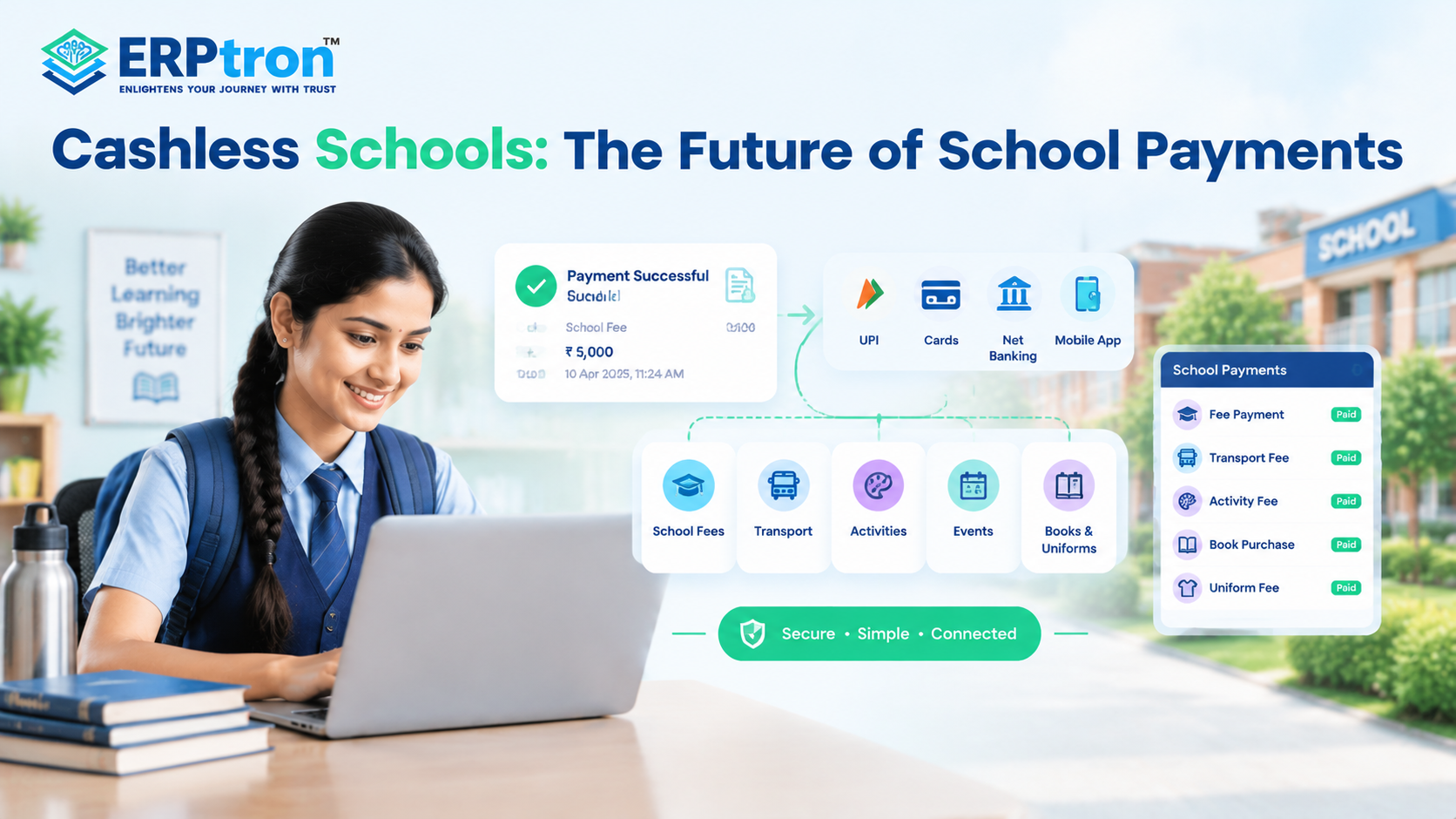
This can include school fees, transport, activities, events, books, uniforms, and other applicable payments.
In this guide, we’ll explore what a cashless school means, its benefits, the payments that can be digitized, and how schools can move toward a more connected payment system.
What Is a Cashless School?
A cashless school is a school where parents and students can use digital payment methods instead of depending on physical cash for everyday school payments. Depending on the school’s setup, payments may be made through UPI, cards, net banking, bank transfers, mobile apps, or a parent portal.
But going cashless is about more than simply adding an online payment option. The idea is to make the complete payment process easier to manage.
A typical journey can be Payment Request → Digital Payment → Confirmation → Receipt → Record Update → Reconciliation → Reporting.
When these steps are connected, the school can reduce some manual work and maintain payment information in a more organized way. This makes cashless payments an important part of a broader digital school management approach.
Cashless School vs. Online Fee Collection
Online fee collection mainly means allowing parents to pay school fees digitally. For example, a parent may receive a tuition fee notification and pay it through UPI or another supported payment method.
A cashless school can go much further. It can include payments for fees, transport, canteen purchases, field trips, activities, books, uniforms, and other school-related transactions.
So, online fee collection can be seen as one part of a larger cashless school system. A school can start by digitizing fee payments and gradually introduce digital payments in other areas. Schools can learn more about this starting point in the complete guide to digital fee collection for schools.
Why Are Schools Moving Toward Cashless Payments?
Collecting cash may look simple, but it creates several tasks for school staff. Someone has to collect the money, count it, verify the amount, issue a receipt, update the records, store the cash, deposit it, and later reconcile the transactions.
When these activities are repeated for hundreds or thousands of students, they can take considerable time. There is also a greater chance of delays or manual errors when staff have to handle large volumes of transactions.
With digital payments, some of these steps can be connected.
Instead of Cash → Manual Receipt → Register → Deposit → Reconciliation, the process can move toward Digital Payment → Confirmation → Digital Record → Reconciliation.
This does not mean that every financial activity becomes automatic. The main benefit is that schools can reduce repetitive manual work and maintain more organized transaction records. A well-integrated School ERP system can help connect payment records with other administrative activities.
How Does a Cashless School Payment System Work?
A cashless payment process usually starts when the school creates a fee or another payment request for a student. The parent can then see details such as the amount, purpose, due date, and available payment options.
The parent makes the payment using the digital methods supported by the school. Once the transaction is processed, the payment status can be confirmed and linked with the relevant student or transaction record.
A digital receipt or payment confirmation can then be provided, depending on the system. School staff can use the recorded information for reconciliation and reporting.
In simple terms, the process becomes Payment Request → Parent Payment → Confirmation → Receipt → Record Update → Reporting.
This is easier to manage than treating each step as a separate manual activity. Schools should also consider how the payment process connects with essential School ERP features such as fee management, student records, communication, and reporting.
Other Areas Where Schools Can Go Cashless
A cashless school can use digital payments for more than just school fees. Schools can gradually introduce cashless payments for transport, canteen, events, activities, books, uniforms, and other school-related services.
Digital School Fees
School fees are usually the easiest place for a school to begin its cashless journey. Depending on the school’s fee structure, a digital system can be used for tuition fees, admission fees, examination fees, transport fees, activity fees, hostel fees, and other applicable charges.
The process can be connected from Fee Generation → Parent Notification → Payment → Receipt → Record Update → Reporting.
For parents, this makes fee payment more convenient. For accounts teams, it can reduce some repetitive activities involved in recording payments and preparing receipts.
Schools can explore ERPtron’s fee collection system to understand how digital fee payments can support organized collection and tracking.
Digital Payments for School Transport
Schools can allow parents to check and pay transport charges digitally. Parents may also be able to view due amounts, payment status, and outstanding charges. When transport payments are connected with the student’s record, staff can track payments without maintaining separate manual lists.
A connected school administration software system can help schools manage transport-related information alongside other administrative records.
Cashless Canteen and Cafeteria Payments
Schools can use digital or prepaid systems for canteen and cafeteria purchases. Parents may be able to add money to a student’s balance and monitor spending. For younger students, schools can also use suitable spending limits and controls to manage transactions safely.
Digital Payments for Events and Activities
Payments for field trips, excursions, competitions, workshops, and other activities can also be collected digitally. Parents can receive a payment request, complete the payment online, and receive confirmation. This reduces the need for teachers to collect cash and makes it easier to track participation.
Digital Payments for Books, Uniforms and Other Items
Schools can also use digital payments for books, uniforms, ID cards, school merchandise, and activity materials. Where supported, these payments can be linked with the student’s record, making transactions easier to track and reducing the need for separate manual payment records.
Benefits of Going Cashless for Parents
Going cashless makes school payments easier for parents. They can pay online, check their payment status, and receive digital receipts without visiting the school office. Here’s how it helps:
1. Convenience
Parents can make eligible school payments online without visiting the school office. This saves time and makes routine payments easier.
2. Flexibility
Parents can use supported digital payment methods at a time and place that is convenient for them. They do not always have to depend on school office hours.
3. Easy Payment Tracking
Parents can check how much they need to pay, how much they have already paid, and whether any amount is still pending. This gives them better control over their payments.
4. Digital Receipts
Parents can receive a digital receipt after making a payment. They can keep the receipt on their phone or access it later when needed.
5. Less Paperwork
Digital payments reduce the need to collect and store physical receipts and payment slips. This makes it easier for parents to maintain their payment records.
6. Better Transparency
Parents can clearly see payment amounts, due dates, and payment status. This can reduce confusion about what has been paid and what is still pending.
7. Payment History
A parent portal or mobile app can allow parents to view previous payments and receipts. This can be useful when they need to check an older transaction.
8. Fewer School Visits
Many routine payment activities can be completed online. Parents may not need to visit the accounts office just to make a payment or check basic payment information.
9. Automated Payment Reminders
Automated reminders can help parents remember upcoming and pending payments. The system can send reminders based on the school’s payment schedule without requiring staff to contact every parent manually.
A simple process can be Fee Due → Reminder → Online Payment → Confirmation → Receipt. This makes the payment journey easier to follow.
Schools can learn more about automated fee reminder systems as part of a wider digital fee management process.
10. Better Parent Self-Service
A parent portal or mobile app can bring fee information into one place. Parents can check fees, pending amounts, payment history, receipts, and notifications without calling the school.
A well-designed school mobile app can support this self-service experience by bringing school information and communication into one convenient channel.
Benefits for School Administrators
Cashless payments can reduce routine work for accounts and administrative teams. Here’s how they help.
Reduces Cash Handling
Cash payments require staff to collect, count, verify, store, and deposit money. Digital payments can reduce many of these manual steps. Digital transactions can also provide details such as payment amount, date, transaction ID, and payment status, making records easier to manage.
Faster Payment Reconciliation
Digital records can make it easier to match a payment with the correct student and fee. Staff can check details such as the student ID, amount, date, and transaction number. This can make reconciliation more organized and reduce some of the manual checking involved in cash payments.
Digital Receipts and Records
A digital payment can create an electronic record containing details such as the student, amount paid, payment date, transaction ID, and receipt number. These records are also easier to search when staff need to check an old payment or answer a parent’s question.
Better Financial Visibility for Management
School management needs to know how much has been collected and how much is still pending. A digital system can provide information about total collections, outstanding fees, overdue payments, and other fee-related details.
Management can compare Expected Collection → Actual Collection → Outstanding Amount to get a clearer view of the school’s fee collection.
A connected fee management system can help administrators organize these records and review collection performance.
The Role of School ERP in Building a Cashless School
A School ERP software system can help schools connect different payment and administrative activities in one system. Instead of managing fees, student records, transport, accounts, and communication separately, schools can connect these processes.
For example, the workflow can be Student Information → Fee Management → Payment → Parent Communication → Accounts → Reports. This can make payment information easier to manage and reduce repeated manual work.
The goal is not simply to replace cash with digital payments. It is to create a connected process where a charge, payment, student record, receipt, and financial record can work together.
Schools evaluating their options can refer to School Management Software: How to Choose a System That Actually Works to understand why integration and practical requirements matter when selecting a system.
Cashless School Payment Ecosystem
A cashless school can bring different parts of the payment process together. Parents may use a school app or parent portal to view charges and make payments through supported methods such as UPI, cards, or net banking.
The payment information can then connect with relevant School ERP modules such as Fee Management, Student Management, Accounts, Transport, and Activities. Management can use the available reports to monitor collections and outstanding amounts.
The exact features will depend on the school’s ERP and payment setup. The main idea is simple: payment information should move through connected systems instead of being entered repeatedly in different places.
Cashless School vs. Traditional School Payments
| Area | Traditional Payments | Cashless Payments |
| Fees | Cash, cheque, or manual collection | Digital payment options |
| Receipts | Paper receipts | Digital receipts |
| Data Entry | Often manual | Can be automated |
| Reconciliation | Manual effort | Can be streamlined |
| Reminders | Manual | Can be automated |
| Payment Tracking | Registers and spreadsheets | Centralized digital records |
| Parent Experience | More physical interaction | More self-service |
| Reporting | Manual compilation | Digital reporting |
| Transaction History | Physical records | Searchable digital records |
| Scalability | More manual effort | More structured processes |
Cashless Doesn’t Mean Completely Digital Overnight
A school does not have to move every payment online at once. A phased approach can make the transition easier for parents, teachers, and administrative staff.
Phase 1: Start With Digital Fees
Schools can begin with online school fee payments. This allows parents and staff to become familiar with the digital process.
Phase 2: Introduce Digital Receipts
Once online payments are working smoothly, schools can reduce the use of physical receipts. Parents can receive and store receipts digitally.
Phase 3: Add Automated Reminders
Schools can introduce automatic reminders for upcoming and pending payments. This reduces the need for staff to contact parents manually.
Phase 4: Add a Parent Portal or App
Parents can then get one place to check fees, payments, receipts, and other important information.
Phase 5: Add Other Payments
Schools can gradually introduce digital payments for transport, activities, events, books, uniforms, and other applicable charges.
Phase 6: Connect With School ERP
Finally, payment information can be connected with student records, accounts, transport, and other relevant school processes.
This gradual approach is consistent with the broader shift toward technology-driven school management, where schools adopt digital tools according to their needs and readiness.
Challenges of Building a Cashless School
Going cashless can make school payments easier, but schools also need to prepare for some practical challenges. A successful transition requires proper planning, staff training, parent support, and reliable technology.
Digital Adoption
Not every parent may be comfortable with digital payments. Schools should provide simple instructions and support during the transition.
Internet and Connectivity
Digital payments depend on internet and system availability. Temporary connectivity problems can sometimes delay transactions.
Payment Failures
Payments can occasionally fail, remain pending, or be reversed. Schools need a clear process for checking and resolving such transactions.
Refunds
Schools should have a simple procedure for handling cancelled payments and refunds.
Staff Training
Accounts and administrative staff need to understand payment statuses, receipts, refunds, and reconciliation.
System Integration
If payment and school records are not connected, staff may still have to enter information manually. Integration can help reduce this additional work.
Security
Schools handle financial and student information, so appropriate security and access controls are important.
Parent Support
Parents should have a clear way to get help when they face payment or account-related problems.
How Can Schools Make the Transition Easier?
Schools can make the move to cashless payments easier by starting small and improving the process over time. The focus should be on making the system simple for both parents and staff.
Start With One Payment Category
School fees can be a practical starting point. Once the process works well, other payment categories can be added.
Give Clear Instructions
Parents should know how to make a payment, check the status, and access their receipt.
Provide Support
Schools should help parents who are unfamiliar with digital payments, especially during the early stages.
Keep a Temporary Backup Process
During the transition, a suitable alternative process may help when parents face genuine technical or access problems.
Train Staff
Staff should know how to handle successful, failed, pending, and refunded payments.
Monitor Problems
Schools should track failed payments, complaints, refund requests, and reconciliation issues. This helps identify areas that need improvement.
Expand Gradually
Once the main payment process is stable, schools can gradually introduce digital payments for transport, activities, events, books, uniforms, and other areas.
Security and Privacy Considerations
A cashless school handles important financial and student information. Schools should therefore look at security and privacy before choosing a payment or ERP system.
Important areas include payment security, user authentication, access control, data protection, transaction records, secure payment gateways, backups, and audit logs.
Schools should also understand how payment information is handled and which parties are responsible for different parts of the payment process. Convenience is important, but security, reliability, and privacy should be considered equally important.
What Should Schools Look for in a Cashless Payment System?
Schools should not choose a system only because it accepts digital payments. They should look at how well the complete payment process works for parents and staff.
Multiple Payment Options
The system should support payment methods that are commonly used by parents, based on the school’s requirements.
Parent Portal or Mobile App
Parents should have an easy way to view fees, payments, receipts, and other relevant information.
Fee Management
The system should support the school’s different fee structures, categories, and payment schedules.
Automated Reminders
The system should support reminders for upcoming and pending payments where required.
Digital Receipts
Parents should be able to receive or access clear digital receipts after successful payments.
Reconciliation
The system should help staff match payments with the correct student and fee record.
Reporting
Management should be able to access useful reports on collections, pending fees, and other relevant payment information.
Integration
Where required, the payment system should connect with student, accounting, transport, and other relevant school records.
Scalability
The system should continue to work effectively as the school grows and the number of transactions increases.
Support
Parents and staff should have access to support when they face payment or system-related problems.
Common Mistakes Schools Should Avoid
Moving to cashless payments is more than simply installing a payment gateway. Schools also need to plan how the new system will work in their daily operations.
Common mistakes include:
- Moving to cashless payments without a clear plan
- Choosing a system only because it supports digital payments
- Using disconnected systems
- Ignoring payment reconciliation
- Giving unclear payment instructions
- Not providing digital receipts
- Not training staff properly
- Ignoring parents who need help
- Treating security as an afterthought
- Trying to digitize everything at once
Measuring the Success of a Cashless School
Schools should measure whether the move to cashless payments is actually improving the payment process. Simply knowing how many parents paid online is not enough.
Digital Payment Adoption
Schools can track what percentage of eligible payments are completed digitally.
Cash Reduction
Schools can compare how much physical cash is being collected before and after the change.
Collection Time
Schools can check whether payments are being processed faster.
Reconciliation Time
The school can measure how much time staff spend matching and checking transactions.
Payment Completion
Schools can monitor how many payments are completed by the due date.
Parent Usage
Schools can see how frequently parents use the portal or app for payment-related activities.
Administrative Workload
Schools can compare how much staff time is spent on payment collection and related tasks.
These measures can help schools understand what is working and where further improvements are needed.
The Future of School Payments
The future of school payments is likely to go beyond simply replacing cash with digital payments. The larger goal is to create a connected payment experience across different school services.
A possible journey could be School ERP → Parent App → Digital Payments → Automated Notifications → Updated Records → Financial Reports.
As schools adopt more digital systems, payments may become more closely connected with student records, communication, transport, activities, and financial management.
The important change is simple: school payments can become a connected part of school operations instead of a separate manual activity.
ERPtron Modules Relevant to Cashless School Payments
ERPtron helps schools manage fees, payments, and financial records digitally. Its modules reduce paperwork, simplify payment tracking, and help parents and school staff manage school-related payments more easily.
1. School Fee Collection Hub
ERPtron School Fee Collection Hub helps schools manage fee structures, online payments, concessions, receipts, pending fees, and payment reports. It makes fee collection easier and helps parents pay and track school fees digitally.
2. Finance Automation Platform
ERPtron Finance Automation Platform helps schools manage expenses, suppliers, payment vouchers, ledgers, and financial reports. It keeps financial records organized and makes it easier to track transactions.
3. School Store 360
ERPtron School Store 360 helps schools manage books, accessories, inventory, sales, and store transactions. It helps staff maintain organized sales records and manage school store activities digitally.
4. Transport Revenue System
ERPtron Transport Revenue System helps schools manage transport fees, bus routes, student allocations, and payment records. It makes transport fee tracking easier and helps administrators check pending payments.
5. Paperless Admission Platform
ERPtron’s Paperless Admission Platform helps schools manage admission forms, document submission, verification, and admission-related fee payments online. This reduces paperwork and makes the admission process more convenient for parents. Schools can also explore online admission management software to learn more about digitizing admission-related tasks.
6. School Operating System (School OS)
ERPtron School OS connects student records, admissions, fees, attendance, examinations, HR, library, and transport. This helps schools manage payment information alongside other school activities in one connected system.
7. Teacher Mate
ERPtron Teacher Mate helps parents and students access important school information, including fee details, notices, attendance, examination results, report cards, and study materials. This makes it easier for parents to check relevant information without repeatedly contacting the school office.
8. Smart HR Pro
ERPtron Smart HR Pro helps schools manage employee records, payroll, leave, and other staff-related activities. It keeps staff and payroll information organized and supports digital school administration.
9. Exam Operating System
ERPtron Exam Operating System helps schools manage admit cards, marks, examination results, report cards, and rank lists. It keeps academic records organized alongside other school management information.
10. Library Pro System
ERPtron Library Pro helps schools manage books, issues, returns, availability, and fines. It keeps library records organized and can help schools track library-related charges digitally.
11. School Safety Hub
ERPtron School Safety Hub helps schools maintain important student information and records in one place. Authorized staff can access relevant information easily, supporting better coordination across school operations.
12. Hostel Management System
ERPtron Hostel Management System helps schools manage hostel bookings, available seats, fees, payments, and pending balances. It makes hostel fee tracking easier and helps administrators maintain organized payment records.
Conclusion
The future of school payments is not just about becoming cashless. It is about creating a simple and connected payment system.
A payment can move from fee collection to payment, receipt, student record, financial record, and reporting without unnecessary manual work.
In the future, schools may also use digital payments for transport, canteen, activities, events, books, uniforms, and other services.
A School ERP like ERPtron can help connect these financial activities and make payments easier to manage.
The goal is simple: make school payments easier for parents and more organized for schools.
Want to simplify your school’s fee and payment management? Explore ERPtron and build a more connected digital payment system.
ERPtron — Enlightens Your Journey with Trust.
FAQs
1. What are the benefits of cashless payments in schools?
Cashless payments make payments easier for parents, reduce cash handling, and keep payment records organized.
2. What payments can schools make cashless?
Schools can use digital payments for tuition fees, admission fees, exams, transport, activities, events, books, uniforms, and canteen payments.
3. Can parents pay school fees through UPI?
Yes. Schools can offer UPI payments if their payment system or payment gateway supports UPI.
4. Can schools provide digital receipts?
Yes. Digital payment systems can provide electronic receipts or payment confirmations to parents.
5. How does cashless payment reduce administrative work?
It reduces tasks such as counting cash, preparing manual receipts, entering payment details, and tracking payments manually.
Reduce repetition across payment benefitsAdd a stronger school-focused call to action