
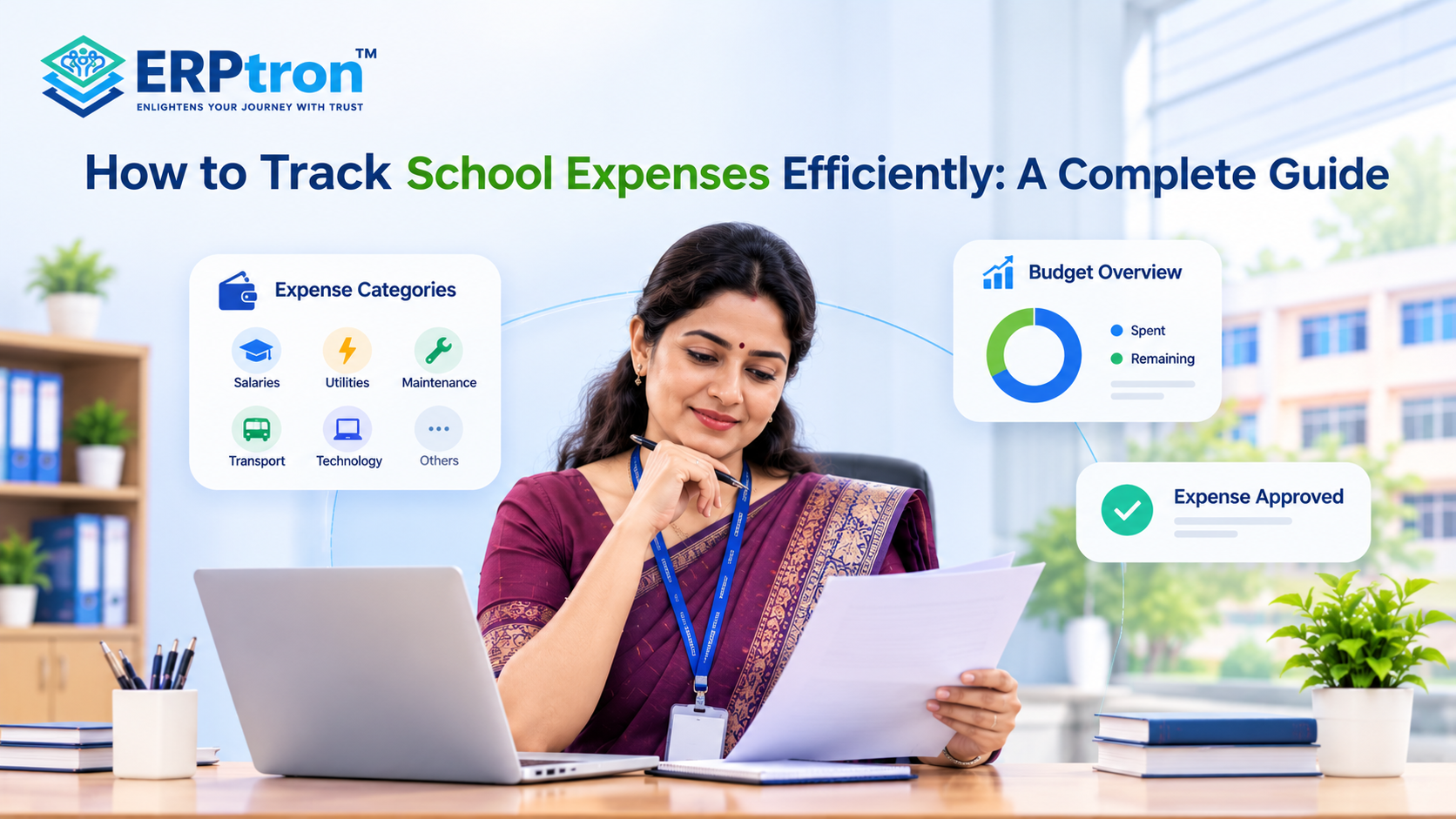
Managing school expenses can be challenging when spending happens across different departments and activities. Schools may need to track salaries, utilities, maintenance, transportation, technology, supplies, events, and other daily costs.
When records are spread across paper files, invoices, receipts, and spreadsheets, it can become difficult to see where money is being spent and whether expenses are within budget.
Efficient expense tracking gives school management a clearer view of spending and helps improve financial control. With proper categories, approval processes, regular reviews, and digital tools, schools can keep financial records more organized.
In this guide, we’ll explore how schools can track expenses efficiently, manage spending better, monitor budgets, and improve financial visibility.
What Is School Expense Tracking?
School expense tracking means recording and monitoring the money a school spends. It helps the school understand what was purchased, how much was spent, when it was spent, and where the money was used.
A good expense record should include important details such as the purpose of the expense, department, vendor, payment method, and approval information. For example, instead of simply recording “Maintenance – ₹25,000,” the school can record the vendor, reason for the expense, date, category, payment method, and approval details.
This creates a clear record of each expense and makes it easier to prepare financial reports, check payments, and review spending later. Schools can also use these records as part of a broader financial reporting process.
Why Is Expense Tracking Important for Schools?
Schools manage expenses across many departments, so keeping track of spending is important for proper financial management. Regular expense tracking helps administrators understand where the school’s money is being used.
Maintain Better Financial Visibility
Expense records help school management see how much money is being spent and which areas are using the most resources.
Control School Spending
Regularly reviewing expenses can help identify unnecessary, unusual, or higher-than-expected spending before it becomes a bigger problem.
Stay Within the Budget
Schools can compare actual expenses with the planned budget. This helps administrators understand whether spending is on track or going above the approved amount.
Support Better Decisions
Accurate expense information helps administrators decide where money should be allocated and which areas may need closer attention.
Make Financial Reporting Easier
When expenses are properly recorded and categorized, preparing monthly, quarterly, or annual financial reports becomes much easier.
Improve Accountability
Recording who requested, approved, and paid for an expense creates a clearer financial trail and improves accountability.
Help With Future Planning
Past expense records can help schools understand spending patterns and prepare more realistic budgets for the future.
Common Types of School Expenses
Schools have many different types of expenses. Using clear categories makes it easier to organize and review them.
Employee-Related Expenses
These include expenses related to teachers and other staff, such as salaries, employee benefits, training, recruitment, and professional development. A structured teacher management system can also help schools organize staff-related information.
Infrastructure Expenses
Schools regularly spend money on maintaining and improving their buildings. This may include repairs, furniture, painting, renovation, maintenance work, and safety equipment.
Utility Expenses
Regular operating costs can include electricity, water, internet, telephone services, and other utilities required to keep the school running.
Academic Expenses
Academic expenses may include books, teaching materials, laboratory supplies, printing, educational resources, and other materials used for teaching and learning.
Technology Expenses
Technology costs can include computers, software subscriptions, networking equipment, IT support, digital learning tools, and other technology services.
Transportation Expenses
Schools that provide transportation may need to track fuel, vehicle repairs, maintenance, insurance, and payments to transportation service providers.
Activities and Events
Schools may also have expenses related to sports, cultural programmes, competitions, educational trips, annual functions, and other student activities.
Why Does Manual Expense Tracking Become Difficult?
Many schools use spreadsheets, registers, and paper files to manage expenses. These methods may work for smaller schools, but they can become difficult as the number of transactions increases.
Too Much Manual Work: Staff may need to enter the same information into different files, which takes time and increases the workload.
Higher Risk of Errors: Manual data entry can lead to incorrect amounts, duplicate entries, missing information, or wrong expense categories.
Difficult to Find Records: Finding an old invoice, receipt, or payment record can take time when information is spread across different files and folders.
Delayed Financial Reports: Staff may need to collect and check information from different sources before preparing reports, which can delay financial reviews.
Limited Financial Visibility: Administrators may not have an up-to-date view of total spending, pending payments, or budget usage.
Difficult Department Coordination: When different departments maintain separate records, combining their expense information can become difficult.
More Risk of Missing Documents: Paper receipts and invoices can be misplaced or damaged, making future verification harder.
These challenges are often connected to broader administrative problems. A well-integrated School ERP system can help bring financial information and other school operations together.
Top 16 Ways to Track School Expenses Efficiently
Schools deal with many expenses every day. A clear and organized expense tracking process helps administrators control spending, avoid errors, and understand where the school’s money is going.
1. Follow a Standard Expense Process
Schools should follow the same process for recording expenses. A simple process can be:
Request → Approval → Purchase → Payment → Record
This makes it easier to track every expense and know who approved it.
2. Use Clear Expense Categories
Expenses should be grouped into clear categories such as salaries, maintenance, transport, technology, utilities, and academic supplies. This helps administrators understand which areas are using the most money.
3. Set Department-Wise Budgets
Schools can set separate budgets for departments such as academics, administration, transport, and technology. This gives each department a clear spending limit and makes financial planning easier.
4. Compare Budget With Actual Spending
Administrators should regularly compare planned spending with actual expenses. If a department spends much more than its budget, they can review the reason and take action if needed.
5. Record Expenses on Time
Expenses should be recorded as soon as possible. Delaying entries can lead to missing bills, incorrect information, or duplicate records. Updated records also give administrators a more accurate financial picture.
6. Keep Bills and Receipts Safely
Schools should keep invoices, receipts, purchase orders, and payment records properly. Digital copies can make these documents easier to store, search, and review when needed.
7. Use a Clear Approval Process
Expenses should be approved by the appropriate person before payment. Small expenses may need basic approval, while larger purchases may require approval from senior management.
8. Track Regular Expenses
Schools have many recurring expenses, such as electricity, internet, software, security, cleaning, and maintenance. Tracking these costs helps schools plan their budgets and avoid unexpected payment issues.
9. Monitor Unexpected Expenses
Some expenses cannot be planned, such as emergency repairs or equipment replacement. These expenses should be recorded and reviewed so administrators understand why they occurred and whether similar costs may happen again.
10. Track Vendor Payments
Schools often work with many vendors and service providers. Keeping track of vendor names, bills, amounts, due dates, and payment status helps prevent missed or delayed payments.
11. Avoid Duplicate Payments
Schools should check payment records before paying a bill. Checking the vendor, invoice number, amount, and payment status can help prevent the same expense from being paid twice.
12. Check Financial Records Regularly
Expense records should be compared with bank transactions, invoices, receipts, and payment records. Regular checking can help identify errors or missing transactions early.
13. Prepare Monthly Expense Reports
A monthly expense report can show total spending, major expense categories, department-wise expenses, pending payments, and budget performance. This gives administrators a simple view of the school’s spending.
14. Use a Financial Dashboard
A financial dashboard can bring important information into one place. Administrators can quickly check total expenses, budget usage, pending payments, and spending trends without reviewing multiple spreadsheets.
15. Automate Repetitive Work
Digital systems can help automate tasks such as calculations, approval reminders, recurring expenses, and report generation. This reduces manual work and saves time for finance and administrative staff.
16. Give Users the Right Access
Not every employee needs access to all financial information. Accountants may need detailed records, while principals and management may need summary reports. Role-based access helps protect sensitive financial information.
How Can School ERP Simplify Expense Management?
A School ERP can help schools manage expenses in a more organized and connected way. Instead of using separate records for purchases, payments, vendors, and accounts, the system can bring these activities together.
Centralized Expense Records
A School ERP can keep expense information in one place. Administrators can view details such as the expense amount, category, date, vendor, and payment status without checking multiple spreadsheets or files.
Better Purchase Management
Schools can manage purchase requests, approvals, orders, invoices, and payments through a structured process. This makes it easier to track a purchase from the initial request to the final payment.
Easy Expense Categorization
Expenses can be grouped into categories such as maintenance, technology, transport, utilities, academics, and administration. This helps administrators understand where the school’s money is being spent.
Vendor Payment Tracking
The ERP can help schools maintain vendor information and track invoices, due dates, payments, and pending amounts. This reduces the chance of missing important vendor payments.
Budget Monitoring
Administrators can compare planned budgets with actual expenses. This helps them identify departments or activities where spending is higher or lower than expected.
Reduced Repeated Data Entry
When different financial activities are connected, staff may not need to enter the same information multiple times. For example, information from a purchase or invoice can flow into the relevant expense and accounts records.
Faster Financial Reports
A School ERP can generate reports using the information already stored in the system. Administrators can review expense reports, budget reports, vendor payments, and other financial information more easily.
Better Financial Visibility
Connected financial information gives school leaders a clearer picture of overall spending. They can quickly understand how much has been spent, where it has been spent, and what payments are still pending.
Improved Expense Control
By setting budgets, approval processes, and user permissions, schools can create better control over spending. This can help reduce unnecessary or unauthorized expenses.
Better Decision-Making
When financial information is organized and available on time, administrators can make better decisions about budgets, purchases, vendors, and future expenses.
For a broader view of how these connected systems work, read our guide to the benefits of school management software.
Common School Expense Tracking Mistakes
Schools can face financial problems when expense tracking is not properly organized. Some common mistakes include:
- Using “Miscellaneous” too often: Too many expenses under one category make it difficult to understand where money is actually being spent.
- Recording expenses late: Delayed entries can result in missing information, incorrect records, or difficulty tracking the actual financial position.
- Losing receipts and invoices: Missing documents can make it difficult to verify expenses or prepare accurate financial reports.
- Not checking transactions regularly: Regular checking helps identify errors, duplicate payments, and missing transactions early.
- Making too many uncontrolled cash payments: Poor cash controls can make transactions harder to track and reconcile.
- Ignoring recurring expenses: Regular costs such as software, maintenance, internet, and security should be included in financial planning.
- Not tracking vendor payments: Schools should know which vendors have been paid, what is still due, and when payments are expected.
- Using multiple disconnected spreadsheets: Separate records can create duplicate entries and make it difficult to get a complete financial picture.
- Approving expenses without proper documents: Important expenses should have the necessary invoices, receipts, and approvals for better financial control.
- Checking budgets only at the end of the year: Regular budget reviews help schools identify overspending before it becomes a larger problem.
Best Practices for School Expense Tracking
Every expense should have basic information such as the date, amount, category, purpose, vendor, payment method, and supporting document. Where required, the approval details should also be recorded.
Monthly Review
Schools should review important financial information every month. This can include:
- Total expenses: Understand how much the school has spent during the month.
- Budget vs actual spending: Check whether departments are staying within their planned budgets.
- Pending payments: Identify bills and vendor payments that are still due.
- Unusual expenses: Review large or unexpected expenses to understand why they occurred.
- Major expense categories: Check which areas are using the most financial resources.
- Vendor dues: Keep track of payments that need to be made to suppliers and service providers.
Annual Review
An annual review provides a broader view of school spending. Management can review spending patterns, department budgets, recurring expenses, vendor costs, and areas where expenses can be reduced or better planned.
How to Start Improving Expense Tracking?
Schools do not need to change every financial process at once. A step-by-step approach can make the transition easier.
Step 1: Identify Expense Categories
Start by listing the main areas where the school spends money, such as salaries, maintenance, transport, technology, utilities, and academic supplies. This creates a clear structure for recording expenses.
Step 2: Understand the Current Process
Review how an expense moves from the initial request to approval, purchase, payment, and accounting. This helps identify unnecessary steps and delays.
Step 3: Find the Problems
Look for common issues such as duplicate entries, missing documents, delayed approvals, manual calculations, and poor visibility. Understanding these problems helps the school choose the right improvements.
Step 4: Standardize the Process
Create a simple and consistent expense process that all relevant departments can follow. This makes expense tracking easier and reduces confusion.
Step 5: Move Records to Digital Systems
Schools can gradually move relevant financial records from paper files and scattered spreadsheets to structured digital systems. This can make information easier to store, search, and report.
Step 6: Automate Repetitive Tasks
Where appropriate, schools can automate tasks such as calculations, approval reminders, recurring entries, and report generation. This can save staff time and reduce repetitive work.
Step 7: Review and Improve
Expense management should be reviewed regularly. Schools can use financial reports and staff feedback to identify what is working and where the process can be improved.
How Does ERPtron Help Schools Track Expenses Efficiently?
Schools have many expenses, from staff salaries and classroom supplies to transport and maintenance. Tracking these expenses becomes easier when financial records are organised in one system.
ERPtron helps schools manage expenses, supplier details, payment vouchers, and financial reports digitally. This gives administrators a clearer picture of where money is being spent.
1. School Operating System (School OS)
ERPtron connects different school activities, including admissions, fees, attendance, examinations, HR, library, and transport. This helps schools manage their operations through one connected system.
2. Paperless Admission Platform
Schools can manage admission forms, documents, verification, and admission-related payments digitally. This keeps records organised and reduces paperwork. Learn more about online admission management software.
3. School Fee Collection Hub
Schools can track fee structures, payments, receipts, concessions, and pending fees. This helps administrators monitor collections and outstanding amounts alongside school expenses. ERPtron’s fee collection system can help schools organize fee-related financial activities.
4. Hybrid Digital Attendance Platform
Teachers can record attendance through biometric devices or mobile-based systems. Digital records reduce paperwork and make attendance easier to monitor.
5. Exam Operating System
Schools can manage admit cards, marks, tabulation, report cards, and rank lists digitally. This reduces repetitive administrative work and keeps examination records organised.
6. School Safety Hub
Schools can maintain student details and documents in one place. This makes important information easier for authorised staff to access and manage.
7. Finance Automation Platform
This is ERPtron’s main module for expense tracking and financial management. It helps schools manage:
- Supplier details and payments
- Daily expenses and payment vouchers
- Income and expense ledgers
- Financial reports
- Expenses by day, month, or selected date range
These features help administrators review spending, maintain organised records, and understand the school’s financial position.
8. School Store 360
Schools can manage books, accessories, inventory, and sales through School Store 360. This helps them track stock and monitor store-related transactions.
9. Library Pro System
Schools can manage book catalogues, availability, issues, returns, and fines digitally. This reduces manual record-keeping and helps organise library operations.
10. Smart HR Pro
Schools can manage employee records, payroll, leave, and user permissions through Smart HR Pro. This helps keep staff-related information organised, including information relevant to salary expenses.
11. Transport Revenue System
Schools can manage routes, seat availability, student allocations, pricing, and transport payments. This helps administrators organise transport-related financial records.
12. Teacher Mate
The Teacher Mate mobile app allows parents and students to access fee details, receipts, attendance, examination information, report cards, and school notices. This makes important school information easier to access.
13. Hostel Management System
Schools can manage hostel bookings, seat availability, fees, payments, and outstanding balances digitally. This helps administrators monitor hostel-related financial activities.
Conclusion
Good school expense management is not just about recording expenses. It helps schools understand where money is being spent, why it is being spent, and whether spending is within the budget.
Clear processes, proper approvals, regular tracking, and organized records can help schools improve financial control and reduce unnecessary work.
A School ERP like ERPtron can help connect expenses with accounts, budgets, payments, vendors, and financial reports in one system.
The goal is simple: better expense tracking, better financial visibility, and better decision-making.
Want to make school expense management easier? Explore ERPtron and bring your school’s financial processes into one organized system.
ERPtron — Enlightens Your Journey with Trust.
FAQs
1. How can schools track expenses against a budget?
Schools can set a budget for different areas and compare planned spending with actual expenses regularly.
2. How can schools manage vendor payments?
Schools can keep vendor information, invoices, payment amounts, due dates, and payment status in one organized system.
3. Can School ERP software track school expenses?
Yes. A School ERP like ERPtron can help connect expenses with accounts, vendors, purchases, budgets, and financial reports.
4. How can schools automate expense management?
Schools can use software to automate tasks such as approval reminders, recurring expenses, budget alerts, and reports.
5. What should a school expense report include?
A useful report can show total expenses, category-wise spending, department expenses, budget vs actual spending, pending payments, and major expenses.